

AudiCable Audio Recorder
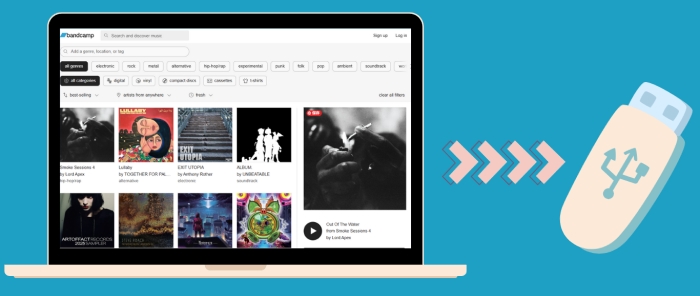
How to Download Bandcamp Music to a USB Drive

By
Updated on: August 19, 2026
Category: Music Streaming Tips
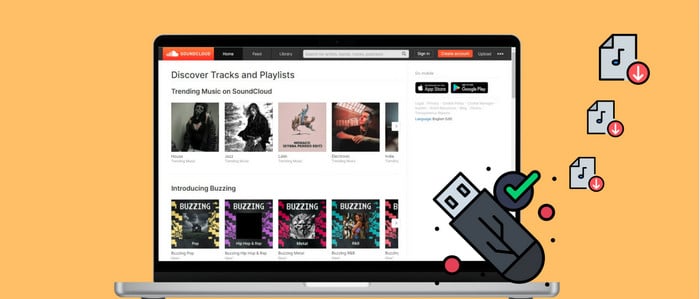
If you've ever discovered an amazing artist or album on Bandcamp, you know the feeling—you don't just want to stream it once. You want to keep it permanently: in your car, on your home stereo, or on a USB drive for offline listening anytime. Bandcamp is generous with streaming and downloads. Yet, browsers don't have permission to write files straight onto an external USB drive.
No worries. Below, we'll walk you through a clear way to download Bandcamp music, convert it into usable MP3 files, and move it onto a USB drive—without confusing steps or tech jargon. Keep reading!
Tool Required: AudiCable Bandcamp to MP3 Converter
To smoothly download Bandcamp music, you'll need a reliable Bandcamp downloader that converts streaming audio into local files. AudiCable Bandcamp to MP3 Converter is designed exactly for that purpose.
AudiCable Audio Recorder enables you to save tracks and playlists in popular formats like MP3, AAC, WAV, FLAC, AIFF, or ALAC, all while preserving the original sound quality intact. Once the files are saved, you can easily copy Bandcamp music to USB with a simple drag-and-drop.
What makes AudiCable stand out is its versatility. It's not just a Bandcamp MP3 downloader — it also works with Spotify, Apple Music, YouTube, Tidal, and more. That means you can build one unified, portable music library and save Bandcamp music on USB alongside tracks from other platforms.
Best Bandcamp to MP3 Converter (Win / Mac)
- Retain original audio quality.
- Save Bandcamp songs to MP3, AAC, WAV, FLAC, AIFF, or ALAC.
- Easily transfer Bandcamp songs to USB or other devices.
- Built-in tools: Format Converter, ID3 editor, CD burner, Vocal Remover, and more.
- Download music from other platforms, such as Spotify, Apple Music, Tidal, Line Music, Deezer, etc.
- Free updates and reliable technical support included.
Steps to Download and Transfer Bandcamp Music to a USB Drive
AudiCable's clean interface makes the whole process straightforward — even if you're new to audio converters. Before starting, install AudiCable Audio Recorder on your Windows or Mac computer.
Step 1 Choose Bandcamp as the Download Platform
Run AudiCable Bandcamp Music Converter. In the music tab, click Bandcamp to open its built-in web player.
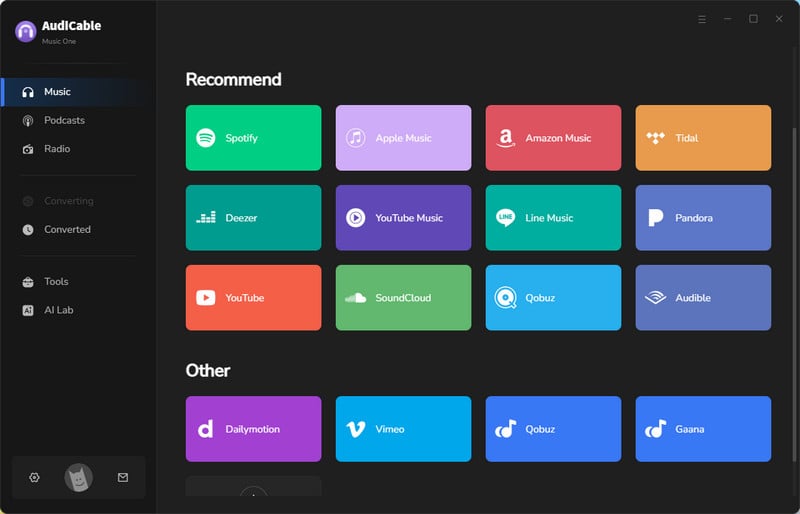
💡Tip: You can also add other music platforms using the "Add other source" option if you want more flexibility later.
Step 2 Select MP3 as Output Format
Open Settings on the Home page and choose MP3 as your output format. This is the most widely supported option for USB playback, car stereos, and portable speakers.
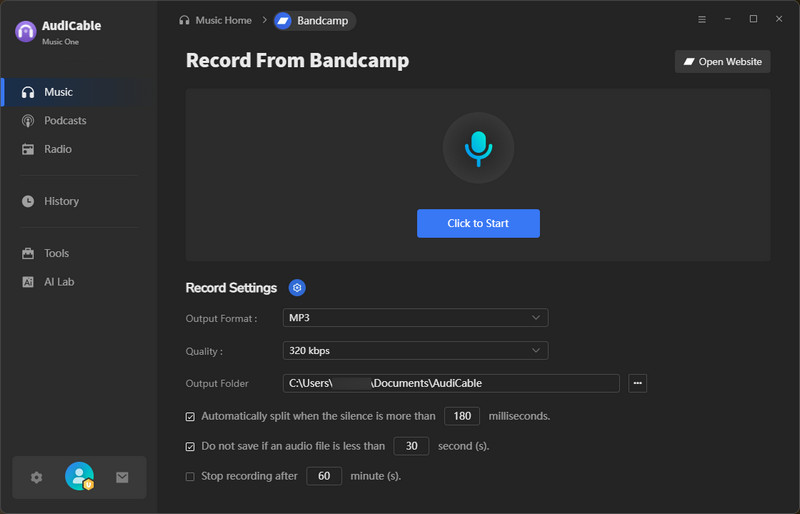
Note: Apart from the output format, you can also customize bitrate, output folder, and file organization based on your preferences.
Step 3 Download MP3 from Bandcamp
Click the "Click to Start" button, then play your desired song or playlist from the Bandcamp web player. AudiCable will automatically capture the audio and download MP3 from Bandcamp in real time.
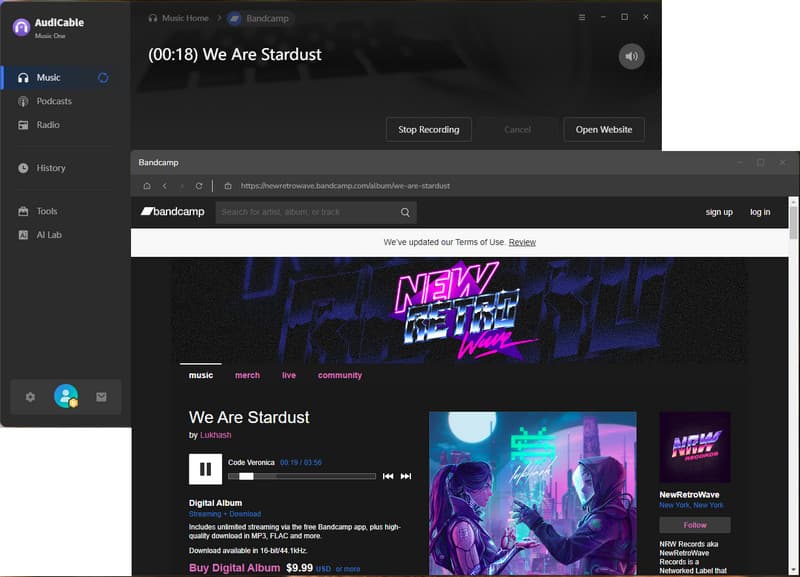
Step 4 Access Your Recorded MP3 Files
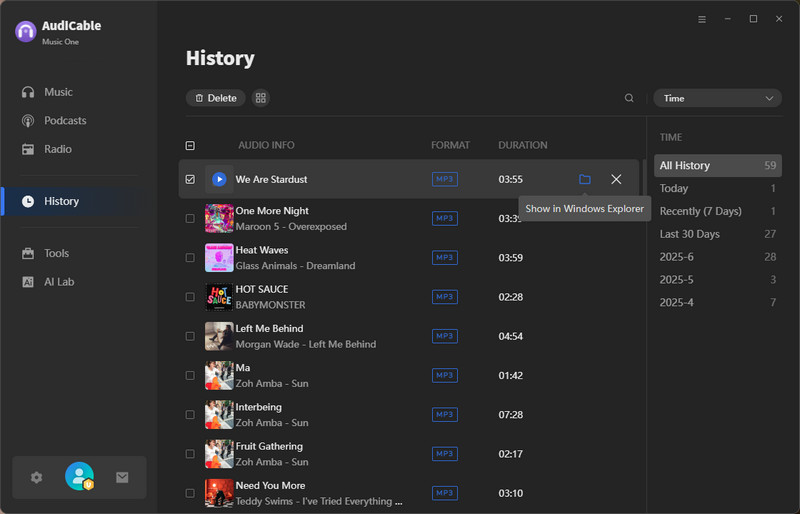
Head to the History tab on the left. Click the folder icon next to any track to open its local storage location.
Step 5 Copy Bandcamp Music to USB Stick
(1) Plug your USB flash drive into your computer.
(2) Locate your downloaded audio files and copy the Bandcamp music to USB by dragging them into the USB folder.
(3) Once finished, safely eject the USB drive to prevent data loss.
That's it — you've successfully completed a full Bandcamp USB transfer.
FAQs on Transferring YouTube Music to a USB Drive
💬 Q1: How can I use Bandcamp music after saving it to a USB drive?
A: Once you save Bandcamp music on USB, you can play it offline:
- In your car – If your car stereo doesn't support Bandcamp, just plug in the USB stick and play your downloaded tracks. Perfect for road trips or areas without stable internet.
- On portable speakers or other devices – Older speakers, DVD/CD players, or portable consoles usually can't connect to Bandcamp. With a USB drive, you can still enjoy your music anywhere.
- Between computers – You can easily transfer your Bandcamp tracks or albums to another computer via USB, making it simple to build a portable music library.
💬 Q2: Why doesn't my car stereo recognize the USB?
This is usually due to unsupported formats, incorrect USB formatting (FAT32 is recommended), or long file names with special characters.
💬 Q3: Can I keep Bandcamp songs forever?
A: Yes. After you download Bandcamp music as local files, you fully control them for personal offline listening.
💬 Q4: Can AudiCable be my regular Bandcamp MP3 downloader?
A: Absolutely. Whether you're downloading a single album or building a long-term offline collection, AudiCable Audio Recorder works reliably as a daily Bandcamp downloader.
Disclaimer:
- All these methods are for personal or educational use only.
- You should not use this tool to distribute music or for business.
Conclusion
In short, saving your favorite Bandcamp music to a USB drive doesn't have to be complicated. With the right tool and a few simple steps, you can turn online tracks into a personal, offline music collection you truly own. Whether you're driving, relaxing at home, or just want a reliable backup of the music you love, a USB drive gives you freedom and peace of mind.
Hopefully, this guide helps you take your favorite Bandcamp discoveries with you.
Note: AudiCable's free trial only allows you to record the first 1 minute of each audio file. To get the full conversion, please become a registered member by buying a license from AudiCable.
Related Articles
- How to Download and Transfer YouTube Music to USB Drive
- Top 13 Free Unblocked Music Sites & Apps for School in 2026
- Top 9 Bandcamp Downloaders for Free MP3 Music in 2026
- How to Download Bandcamp to MP3 for Free
- Quick Way to Copy Amazon Music to USB Flash Drive
- How to Transfer Apple Music Songs to USB Flash Drive