


AudiCable Audio Recorder
How to Get Apple Music Free: 13 Ways (2026)

By
Updated on: August 27, 2026
Category: Apple Music Tips
How do I get Apple Music for free? Congrats! Discover 13 stunning ways to snag free Apple Music by scrolling this page.
Apple Music is a subscription-based streaming music service that grants access to a catalog of over 100 million ad-free tracks. With a subscription to Apple Music, users are able to download music to listen to offline, watch music videos, and create playlists of their favorite songs and the like.
Typically an individual plan of Apple Music costs $11.99 or £11.99 a month. Users who are new to Apple Music can start with the one-month free trial. Of course, free Apple Music access isn't just available throughout the initial signup. Learn effective tricks listed in this post, and you may get a free Apple Music membership for as long as six months. Moreover, you'll also know how to keep your Apple Music songs after your subscription ends using AudiCable Audio Recorder!
See also >>> 10 Ways to Get Spotify Premium for Free - 100% Work
- Method 1 Sign up for Apple Music (1-3 Months)
- Method 2 Use Shazam with Apple Music (1 Month)
- Method 3 djay x Apple Music Integration (2 Months)
- Method 4 Subscribe to iSTYLE Newsletter (3 Months)
- Method 5 Redeem Free Trial through Best Buy (3 Months)
- Method 6 Get Apple Music Free with Barclays (4 Months)
- Method 7 Claim Apple Music Offer via EE App (6 Months)
- Method 8 Purchase Eligible Apple Products (3 Months)
- Method 9 Activate Verizon Unlimited Plan (Apple Music Benefit)
- Method 10 Join Apple Music Family Plan
- Method 11 Get Apple Music Free with iD Mobile (Up to 2 Months)
- Method 12 Claim Apple Music Free with TELUS (3 Months)
- Method 13 Keep Your Apple Music Songs After Your Subscription Ends (Recommended!)
- Video Guide: How to Get Apple Music for FREE - 2026 Best Guide
- FAQs about Apple Music Free Trial
Method 1 Sign up for Apple Music (1-3 Months)
Generally speaking, new users with eligible devices can get one month of Apple Music free (sometimes three months) . Subscribers in this Freemium period can normally enjoy the same music benefits as the standard Apple Music subscription. But once the trial period expires, you must pay a monthly fee for your Apple Music subscription. Below are several steps for signup.
Step 1: Open the iTunes app on your device. Or you can go to the official web player of Apple Music.
Step 2: Find and tap the "Try it Free" button on the Apple Music interface, then choose the subscription plans.
Step 3: Enter your Apple ID and password to make the purchase. If you don't have Apple ID, please create it and proceed with further steps.
Step 4: Select the payment and confirm the billing. Lastly, enjoy the free trial with your new Apple Music account.
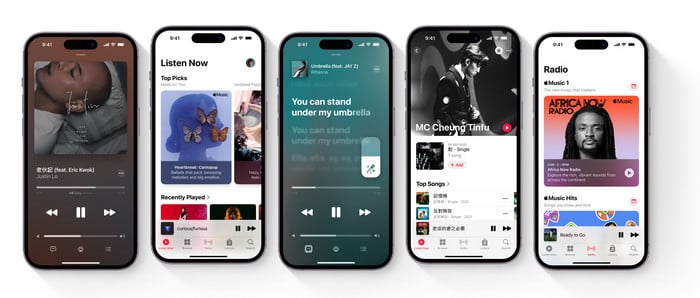
Note: The subscription service of Apple Music is enabled by default. If you don't want to be charged again, make sure to turn off the auto-renewal services before your next payment arrives.
✨ Want to keep your Apple Music songs after the free trial?
If you want to listen to your favorite Apple Music tracks offline without an active subscription, AudiCable Audio Recorder can help you save them as MP3, FLAC, WAV, and other formats.
Method 2 Use Shazam with Apple Music (1 Month)
Shazam is a song identification app integrated with Apple Music in late 2018. To encourage people to download this application, Shazam has doled out a fantastic offer currently, which enables users to acquire up to one month free of Apple Music. Just perform a few clicks, and you can redeem the offer.
Step 1: Get the Shazam app downloaded on your iPhone or Android.
Step 2: Go to the Shazam Offer website in your browser.
Step 3: Scan the code with your phone's camera or QR scanner. Then follow the prompts on your Apple device to redeem the offer. Now you can listen to Apple Music together with Shazam's song identification.
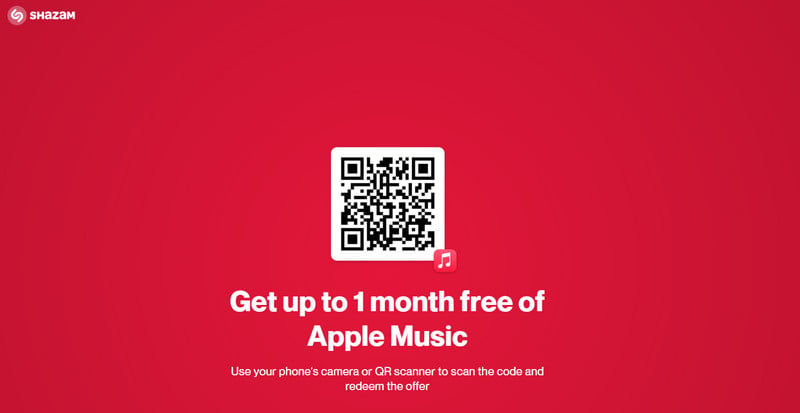
Note: This promo is applicable to both new and past users of Apple Music. The validity tends to fluctuate between one and three months, so the offer is subject to change.
Method 3 djay x Apple Music Integration (2 Months)
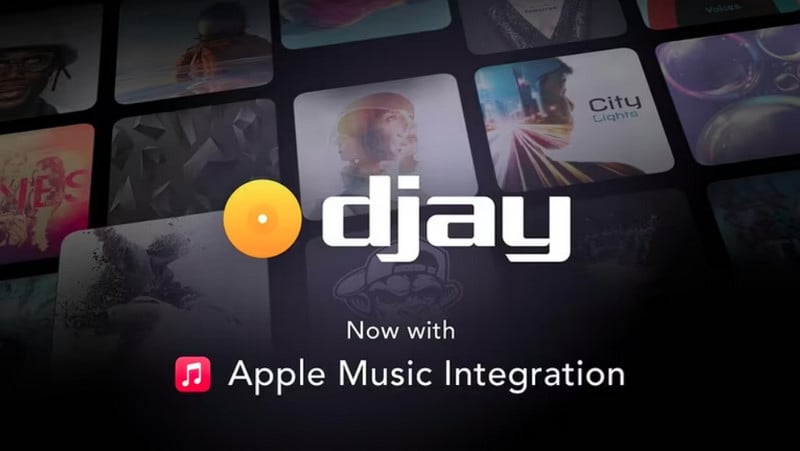
Algoriddim djay has added the Apple Music streaming service to its Djay Pro apps across all platforms. Now users are allowed to connect the Apple Music account within Djay for direct access to songs and the library in the cloud. Two months of free Apple Music are redeemable if you're new to Apple Music. Just follow the steps.
Step 1: Install and start the djay program on your device.
Step 2: Click the Apple Music icon on the left panel.
Step 3: When the Apple Music offer page pops up, click "Get 2 Months Free".
See also: How to Import Apple Music to Djay Pro
Method 4 Subscribe to iSTYLE Newsletter (3 Months)
As an Apple Premium Reseller, iSTYLE offers the full range of Apple products, coupled with free Apple service for all visitors. You can benefit from their offer if you subscribe to iSTYLE's newsletter. Apple Music's three-month free trial is available to anyone who activates an eligible device for the first time. No device purchase is required.
Step 1: Click "Subscriber to our newsletter" on istyle.ae.
Step 2: Go to Apple Service at iStyle. Find Apple Music and click "Get now."
Step 3: Enter your registration information and email to complete redemption.

Note: The code is open to new and returning individual subscribers, with 30 days from the date of issue. It is valid for Apple IDs registered in the UAE, India, or UK only.
Method 5 Redeem Free Trial through Best Buy (3 Months)
Best Buy currently offers up to 3 months of Apple Music free to eligible new and returning subscribers with a qualifying purchase. The offer is available in the United States and requires a BestBuy.com account and an Apple account with a payment method on file. After the promotional period, Apple Music renews at $11.99/month unless canceled. Here's how to claim it.
Step 1: Complete an eligible purchase on BestBuy.com.
Step 2: Follow the Apple Music promotion provided by Best Buy.
Step 3: Sign in with your Apple account and activate the free Apple Music offer.
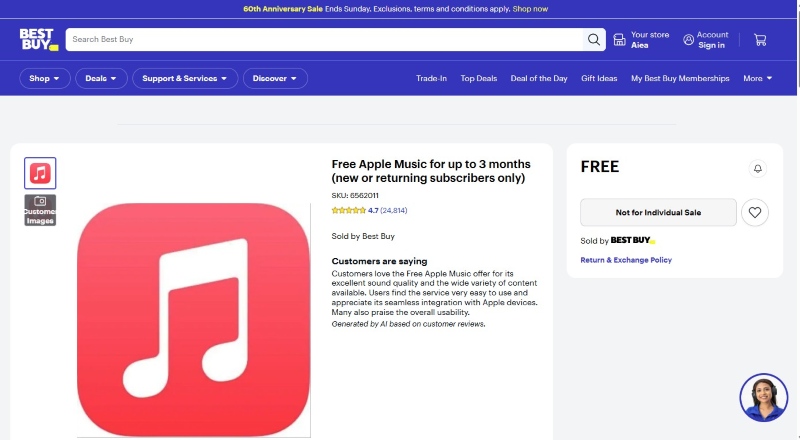
Note: The current Best Buy offer provides 3 months, not the previous 4-month promotion. It's available only in the U.S. and subject to Best Buy's current eligibility requirements.
Method 6 Get Apple Music Free with Barclays (4 Months)
Barclays is currently offering eligible banking customers up to 4 months of Apple Music free. The promotion is available to customers with eligible Blue Rewards, Premier Banking, Student Additions, or Higher Education accounts. The offer is generally available to new Apple Music subscribers or returning subscribers who have been without an Apple Music subscription for more than 60 days. If you're eligible, you can redeem the offer directly through the Barclays app or a promotional email from Barclays.
Step 1: Open the Barclays app and look for the Apple Music promotion, or check your registered email.
Step 2: Tap the offer to open the Apple Music redemption page .
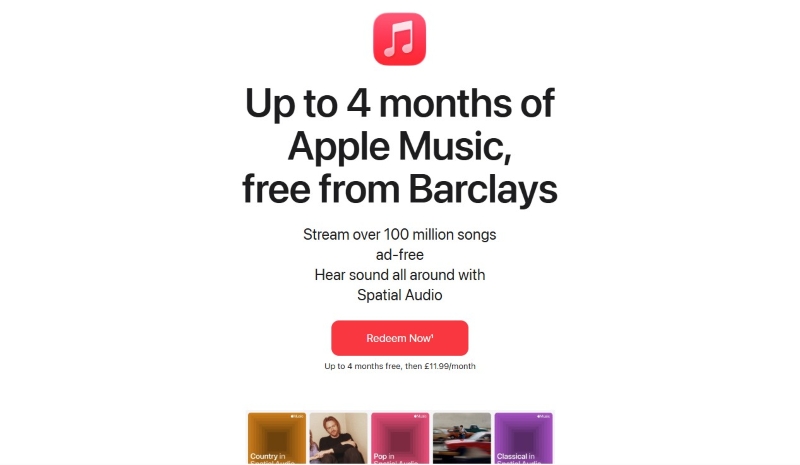
Step 3: Sign in with your Apple account and follow the on-screen instructions to claim your free Apple Music trial.
Note: The redemption period for this round of events ends on September 30, 2026.
Method 7 Claim Apple Music Offer via EE App (6 Months)
EE currently offers eligible consumer pay monthly and SIM-only customers 6 months of Apple Music free. The offer is available on qualifying plans with a minimum term of 12 months or more. If you've already used an EE Apple Music offer, you generally won't be eligible again unless EE specifically invites you. After the free period, Apple Music renews at £11.99/month unless you cancel. An Apple account is required to activate the offer.
Step 1: Open the EE App: Go to Plans & Extras > Add-ons > Get more add-ons.
Step 2: Choose the Apple Music offer and complete the activation.
Step 3: Follow the SMS link sent by EE to Apple and sign in to complete the setup.
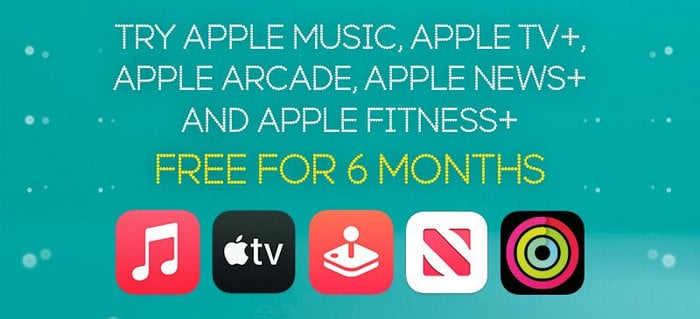
Note: Eligibility and offer terms may vary. Check the current EE offer details before redeeming.
Method 8 Purchase Eligible Apple Products (3 Months)
Surprisingly, Apple offers a purchase incentive for its eligible devices. For instance, eligible new subscribers can get three months of Apple Music free when purchasing a qualifying AirPods, HomePod, or Beats device.
Here's a list of qualifying devices:
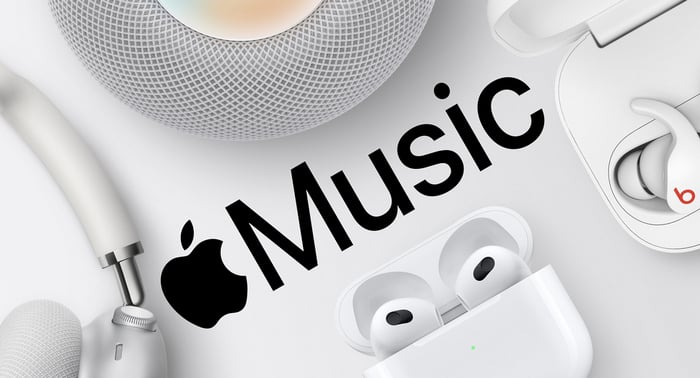
Note: You can't get this offer if you've previously had an Apple Music subscription. This deal must be redeemed within 90 days of first setting up or pairing your eligible device.
Method 9 Activate Verizon Unlimited Plan (Apple Music Benefit)
Verizon's legacy Unlimited plans include Apple Music as a promotional benefit. Customers with 5G Start Unlimited, 5G Do More Unlimited, or 5G Play More Unlimited plans previously received six months of Apple Music free. The 6-month promotion is no longer available for new enrollment, but eligible existing customers may still be able to manage or use their Apple Music benefit through Verizon. The 5G Get More Unlimited plan includes Apple Music for as long as you keep the plan.
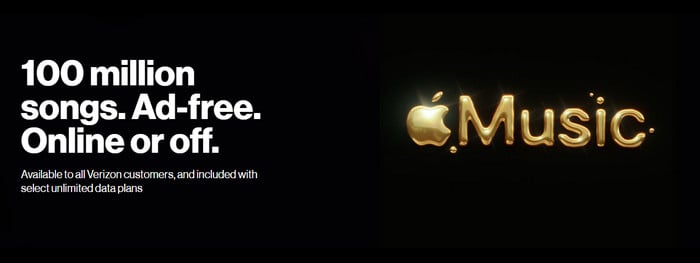
Note: Verizon no longer allows new enrollment in its legacy 6-month Apple Music promotion. The availability of Apple Music depends on your existing plan and enrollment status.
Method 10 Join Apple Music Family Plan
An Apple Music family subscription makes it easy for up to six people to enjoy all the features and the entire catalog of Apple Music. The family organizer can invite other family members to join to access Apple Music without paying extra charges.
Through iPhone, iPad, or iPod touch:
Step 1: Open Settings, tap your profile, then Invitations.
Step 2: Follow the onscreen instructions to accept an invitation. When you join a family, you might be asked to confirm your account information and to opt into any features or services your family set up.
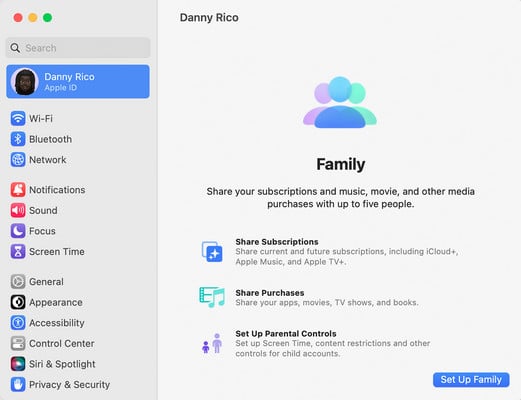
Note: Before the invitations, the owner of Apple Music needs to set up family sharing. For more details, please refer to Apple's guide on how to deal with family sharing.
Method 11 Get Apple Music Free with iD Mobile (Up to 2 Months)
iD Mobile currently offers up to 2 months of Apple Music free with eligible purchases made through iD Mobile or its participating affiliate partners. The offer is available with iPhone, Android, and SIM-only purchases. New Apple Music users can receive up to 2 months free, while returning subscribers are eligible for 1 month free.
Step 1: Make an eligible phone or SIM-only purchase through iD Mobile.
Step 2: After your purchase, open the order confirmation page or email and look for the “Redeem your offers” banner. You may also receive a redemption email from iD Mobile around 12 days after your purchase.
Step 3: Click the Apple Music offer, follow the link to Apple's website, and sign in with your Apple account to redeem the free trial.
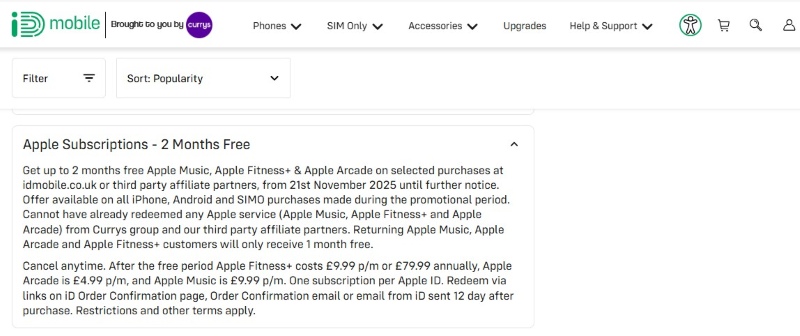
Note: The offer runs from November 21, 2025, until further notice and is limited to one redemption per Apple ID. Apple Music renews at £11.99/month after the trial unless canceled.
Method 12 Claim Apple Music Free with TELUS (3 Months)
TELUS currently offers 3 months of Apple Music free with eligible device purchases in Canada. The offer is available on selected devices, including eligible iPhone and iPad models, and is shown directly on qualifying product pages.
Step 1: Visit TELUS and choose an eligible device with the “Get 3 months of Apple Music free” offer.
Step 2: Purchase the eligible device through TELUS and complete the device setup.
Step 3: Follow the Apple Music redemption instructions provided with your purchase and sign in with your Apple account to activate the free trial.
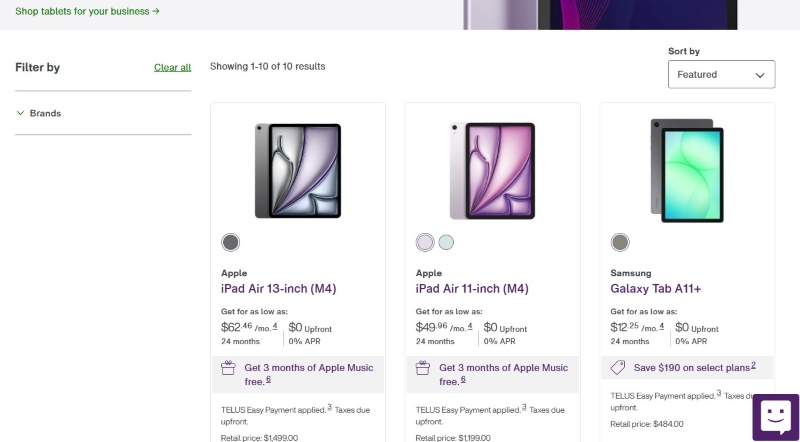
Note: The offer is available on eligible TELUS device purchases in Canada and is subject to the terms and eligibility requirements shown with the selected device.
💡 What Happens When Your Apple Music Free Trial Ends?
Once your free trial ends, you'll need a paid Apple Music subscription to continue accessing its full catalog. Downloads made through Apple Music are tied to your active subscription and can't be played after your subscription expires.
Want to keep your favorite songs after your subscription expires? See Method 13 below for a practical solution.
Method 13 Keep Your Apple Music Songs After Your Subscription Ends (Recommended!)
Here's the ultimate workaround for long-term offline playback. You can use AudiCable Audio Recorder to save Apple Music songs as regular audio files on your PC. Unlike Apple Music's in-app downloads, these locally stored files remain accessible even after your subscription expires, allowing you to play them on compatible MP3 players and other audio devices.
Tool Required: AudiCable Audio Recorder
AudiCable Audio Recorder is born to download songs, playlists, albums, podcasts, and audiobooks from Apple Music to a PC. Adjusting the output parameters, this tool effortlessly converts Apple Music tracks to MP3, AAC, WAV, FLAC, AIFF, or ALAC, with all music metadata information preserved. After recording, you'll quickly locate the lossless audio files of Apple Music in the local folder, and you can even transfer them to MP3 players, smart speakers, or the car via a USB drive.
AudiCable also features all-in-one music recording, which supports extracting music from most music sources, including Spotify, Amazon Music, Tidal, and YouTube Music.
Best AudiCable Audio Recorder (Win / Mac)
- Download music from Spotify, Apple Music, Amazon Music, Tidal, Line Music, Deezer, YouTube Music, Pandora, SoundCloud, and other music sources.
- Save Apple Music to MP3, AAC, WAV, FLAC, AIFF, or ALAC at 10x speed.
- Support to add more music websites manually.
- Save ID3 tags after recording.
- Offer Audio Editor, Format Converter, ID3 Editors, AA/AAX Converter, Vocal Remover and CD Burner.
- Keep songs playable after your subscription ends.
💡Tutorial on Downloading Apple Music Offline for Free Playback
AudiCable Audio Recorder supports running under both Windows and Mac systems. In this tutorial, we'll use the Mac version of AudiCable to show you how to download Apple Music as local audio. Please install AudiCable first, as required by your operating system.
Step 1 Pick Output Music Source
Launch AudiCable program on your computer, and you'll see various popular streaming music platforms on the Music tab. Click "Apple Music" icon here.
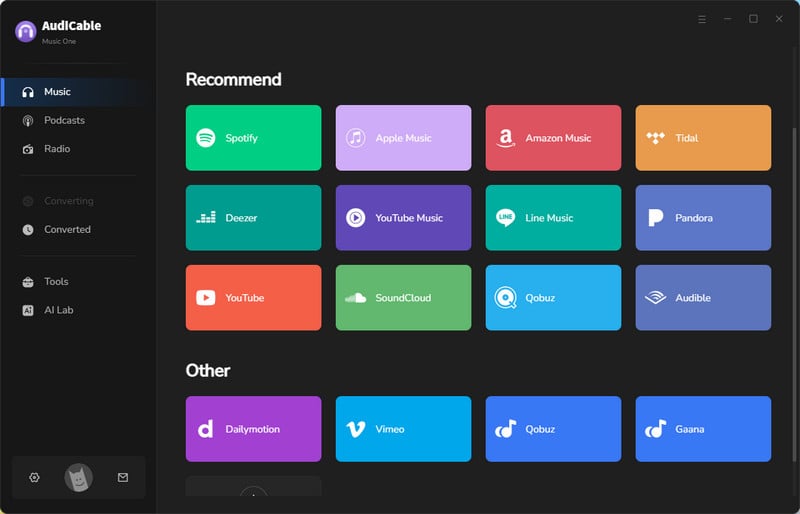
Note: To switch the convert mode for the desired music platform, just click Switch to Web Player on the top corner of the Home page.
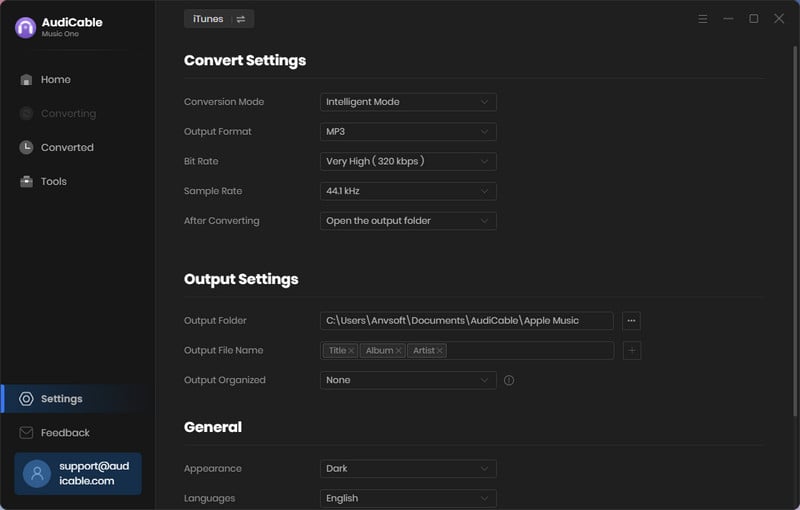
Step 2 Adjust Output Parameters
Click "Settings" icon in the bottom left. You can choose Output Format, Output Quality, Convert Speed and others. To organize your music library, you can create a new folder to store the downloaded iTunes audio files.
Step 3 Add Apple Music to AudiCable
On the home page, click "Add" to display your iTunes library with all music. Select the songs to import and click "OK".
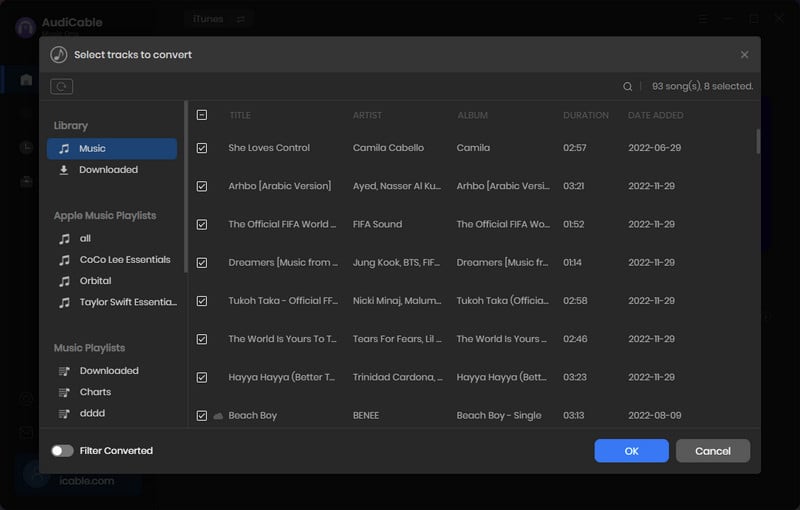
Note: If you choose to download music via the Web Download Mode, you can directly open an Apple Music playlist, album, or artist on the web player, then tap "Click to add" button to parse music.
Step 4 Begin Converting Apple Music to MP3
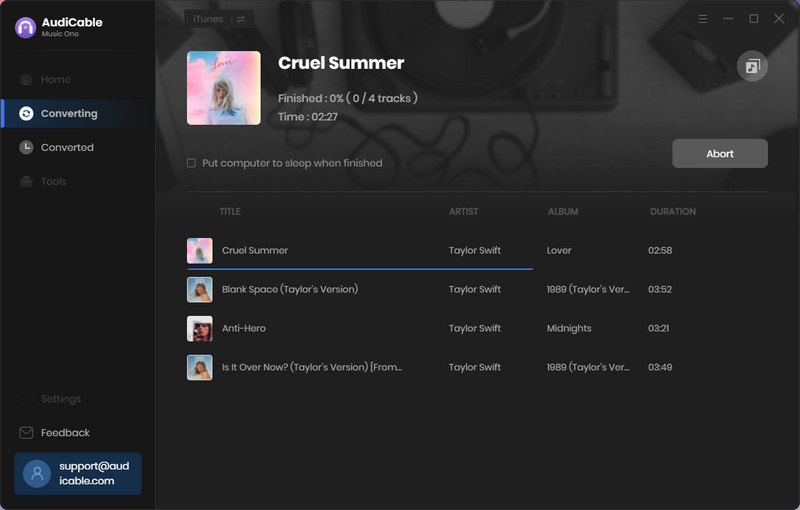
Click the "Convert" button, and AudiCable will start converting Apple Music songs to the local drive. The recording process will be finished soon. If you want to stop the conversion, just click "Abort".
Step 5 Get Lossless Apple Music on the Local Folder
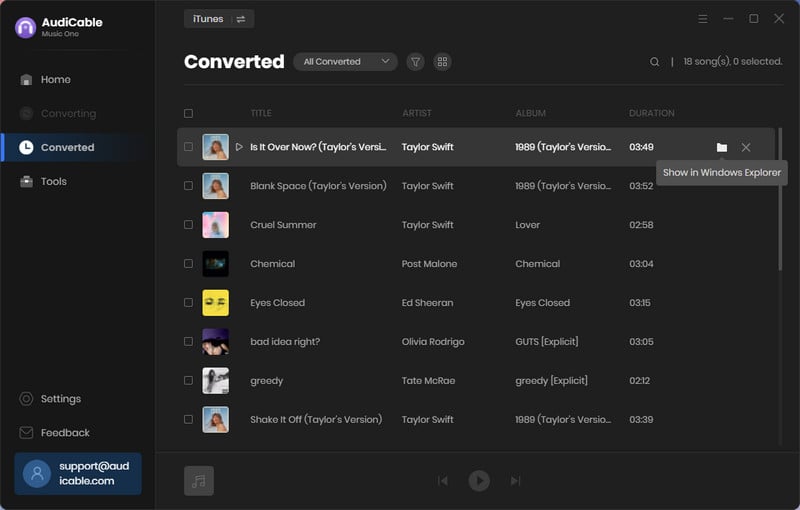
Once converted, tap "History" on the left tab, then click a "Folder" icon behind any song. You'll be directed to where converted Apple Music audio is stored.
💬 Video Tutorial - How to Get Apple Music for Free - Best Method 2026
FAQs about Apple Music Free Trial
💬 Q1: How can I get Apple Music for free or at a discount?
A: You can get Apple Music free through the standard trial (Method 1), eligible Apple or Beats device offers (Method 8), or carrier and retailer promotions from EE (UK), iD Mobile (UK), TELUS (Canada), and Best Buy (US). Eligible students can also get a discounted rate for up to 48 months. Free offers are time-limited and vary by region and eligibility.
💬 Q2: Are there any risks with getting free Apple Music offers?
A: No. Since Apple Music cooperated with some official partners, you can feel safe getting a free Apple Music membership once you're eligible. But you should keep an eye on the offer validity and not forget to cancel the trial before it ends.
💬 Q3: Can I get Apple Music free permanently?
A: No. Apple Music does not provide a promo to get free access to Apple Music permanently. However, you can keep Apple Music songs forever using an AudiCable Audio Recorder before the subscription expires.
Disclaimer:
- All these methods are for personal or educational use only.
- You should not use this tool to distribute music or for business.
Wrapping It Up
Now that you know how to get Apple Music for free, you can start planning to use one of the strategies and cutting costs immediately. It is worth noting that these promos are time-limited; thus, you're required to redeem them during the specified validity. For detailed redemption conditions and constraints, you should go to the official offer page.
Alternatively, if 6 months' offer isn't enough and you want to enjoy your Apple Music songs a bit longer, try the last yet the ultimate workaround - keep Apple Music songs permanently after unsubscribing. The required tool is AudiCable Audio Recorder for Apple Music, which helps you save iTunes songs to lossless local audio. At this point, you are able to freely access downloaded Apple Music tracks, without any time limits.
Related Articles
- Apple Music Playlist Downloaders: Save Playlists as MP3/FLAC
- How to Get Apple Music Student Subscription
- Best Apple Music Rippers in 2026
- Unlock Your Podcast: 2026's Best Apple Podcast to MP3 Downloaders
- Apple Music Unblocked: How to Access Apple Music Anywhere
- 12 Best Sites to Download MP3 Music for FREE

