


AudiCable Audio Recorder
YouTube to WAV Converter: 11 Tools Tested in 2026

By
Updated on: August 17, 2026
Category: YouTube Music Tips
Not every YouTube to WAV converter delivers the same results. Some tools focus on speed, while others offer better audio quality, batch downloads, or a more convenient user experience. We tested 11 YouTube to WAV downloaders in 2026 — including online converters, yt-dlp, Audacity, and desktop software — to help you find the best option to convert YouTube to WAV based on different needs.
📑 Content
- How We Tested YouTube to WAV Converters
- Quick Comparison Table
- AudiCable Music One: Best Overall YouTube to WAV Converter
- 8 Free Online YouTube to WAV Downloaders Tested in 2026
- yt-dlp: Best YouTube WAV Converter for Advanced Users
- Audacity: Best Free YouTube Audio Recorder
- FAQs About YouTube to WAV Converters
How We Tested YouTube to WAV Converters
To identify the best YouTube link to WAV converters, we evaluated each tool using the same testing criteria to compare real-world performance rather than relying solely on advertised features.
📊 Testing Criteria
| Evaluation Criteria | What We Checked | Weight |
|---|---|---|
| 🎧 Audio Quality | WAV specifications and frequency analysis | 25% |
| ⚡ Conversion Speed | Processing time and download stability | 20% |
| 📂 Batch Support | Playlist conversion, multiple URLs, batch downloads | 20% |
| 🔒 Safety & Reliability | Ads, redirects, installation risks | 20% |
| 😊 Ease of Use | Setup process, interface, user experience | 15% |
🏆 Test Results: Our Top Picks ⭐⭐⭐⭐⭐
After testing different YouTube to WAV converters, AudiCable Music One stood out for its balance of audio quality, conversion speed, batch support, and ease of use.
Quick Comparison Table
These tools include desktop software, open-source solutions, and free YouTube to WAV converters that allow users to quickly download and convert audio files.
| Tool | Type | Audio Quality | Batch Support | Safety & Reliability | Best For | Rating |
|---|---|---|---|---|---|---|
| AudiCable Music One | Desktop Software | Excellent | ✅ Playlists & multiple songs | Excellent | Best overall YouTube to WAV converter | ⭐⭐⭐⭐⭐ |
| Yout.com | Online Converter | Good | ❌ No | Good | Clean online conversions | ⭐⭐⭐⭐ |
| AudioCleaner AI | Online AI Tool | Good | ❌ No | Excellent | AI-based audio processing | ⭐⭐⭐⭐ |
| YouTubeToWAV.io | Online Converter | Basic | ❌ No | Good | Simple WAV downloads | ⭐⭐⭐⭐ |
| Y2Mate | Online Converter | Basic | ❌ No | Average | Quick free conversions | ⭐⭐⭐ |
| YT1D | Online Converter | Basic | ❌ No | Average | Beginners | ⭐⭐⭐ |
| Y2Down | Online Converter | Basic | ❌ No | Average | Flexible format downloads | ⭐⭐⭐ |
| CutYT | Online Converter | Limited | ❌ No | Good | Lightweight conversion | ⭐⭐⭐ |
| Toolesh | Online Converter | Limited | Limited | Good | Simple playlist conversions | ⭐⭐⭐ |
| yt-dlp | Command Line Tool | Excellent | ✅ Playlists & batch downloads | Excellent | Advanced users | ⭐⭐⭐⭐⯪ |
| Audacity | Audio Recorder | Depends on recording source | ❌ No | Excellent | Recording and editing | ⭐⭐⭐⭐ |
AudiCable Music One: Best Overall YouTube to WAV Converter
Why We Picked AudiCable Music One
AudiCable Music One can convert YouTube to WAV while preserving the available audio quality of the source file. It supports batch processing for multiple songs and entire playlists, making it more convenient than many free online converters that only handle one track at a time. In our tests, it successfully preserved key music information, including song titles, artist details, and album artwork, making local music library management easier. Furthermore, it provides a cleaner conversion workflow without the pop-up ads and redirects commonly found on some free online conversion websites.
✅ Pros:
- Converts YouTube videos and music to WAV and other popular formats.
- Supports batch conversion for multiple songs, albums, and playlists.
- Preserves song metadata, lyrics, and album artwork.
- Supports Spotify, Apple Music, Amazon Music, Tidal, Deezer, and other platforms.
- Includes useful tools like Format Converter, ID3 Editor, Vocal Remover AI, and CD Burner.
❌ Considerations:
- Requires desktop installation.
- Full features require a paid license.
📂 Our Test with AudiCable Music One
Test Process
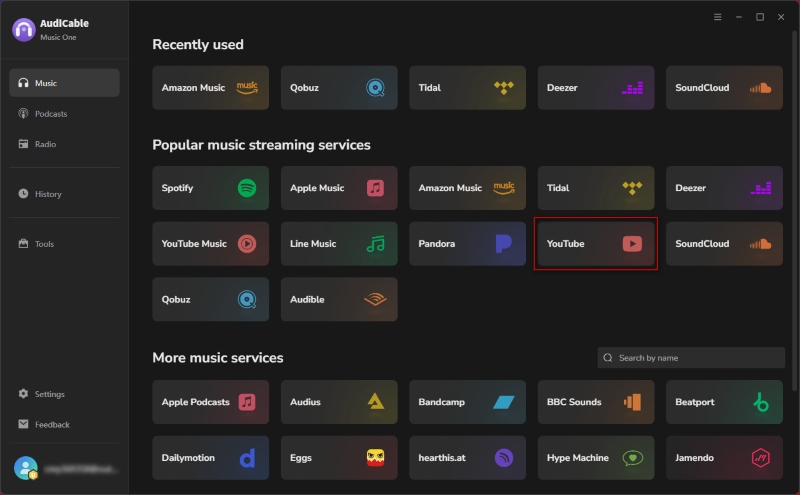
- Step 1: Launched AudiCable Music One and selected YouTube as the source platform on Windows 11.
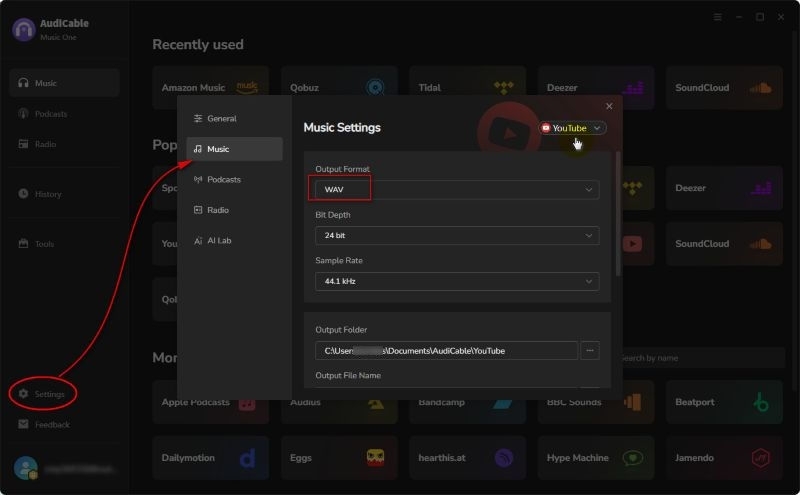
- Step 2: Selected "WAV" as the output format and chose a local folder for saving converted files.
- Step 3: Clicked the "+" button to add YouTube music videos.
- Step 4: Tapped "Convert" to start downloading YouTube audio.
- Step 5: Went to “History” to check the downloaded file information.
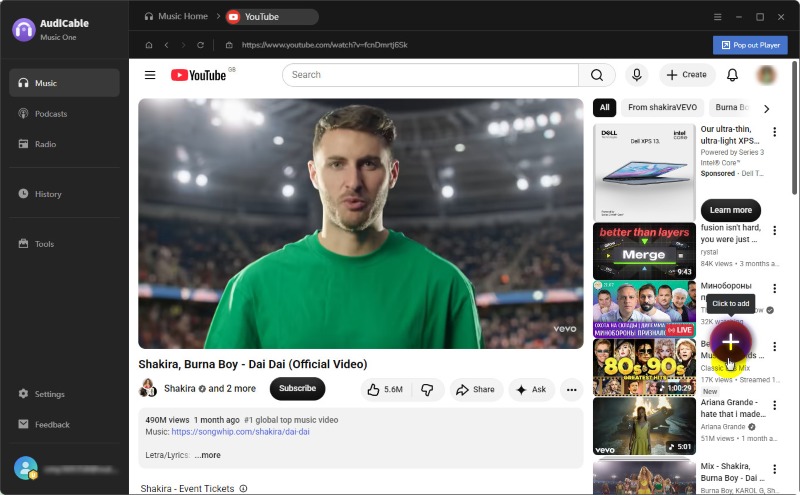
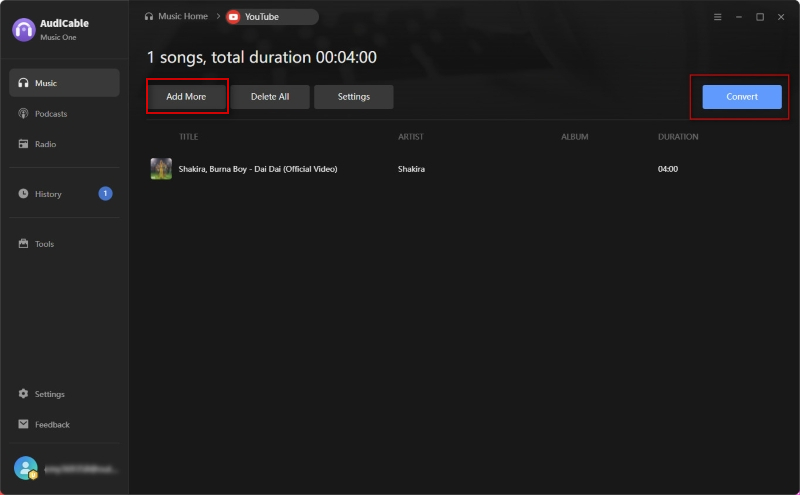
💡 Note: By clicking "Add More", users can add additional YouTube videos for batch audio conversion.
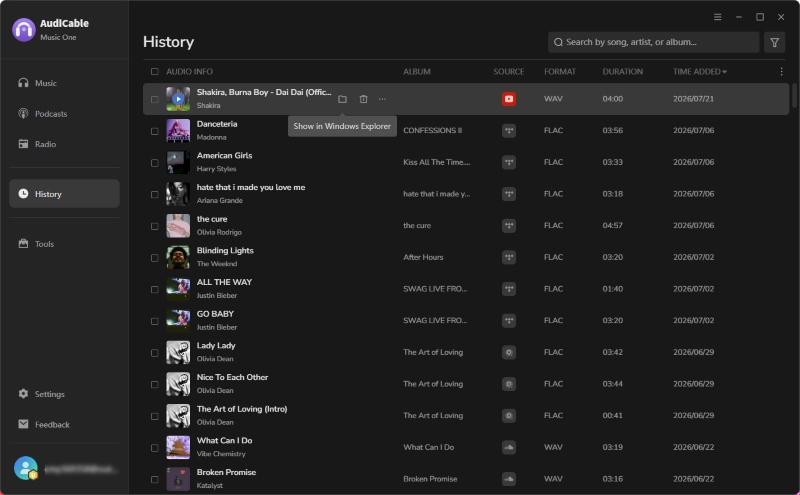
Test Results Snapshot
| URL Recognition | WAV Output | Conversion Speed | Batch Support | Metadata |
|---|---|---|---|---|
| ✅ Successful | ✅ Successful | ⚡ Fast | ✅ Supported | ✅ Preserved |
Audio Quality Check
After conversion, we checked the output file properties to confirm that the file was saved in WAV format. We also used Spek to analyze the frequency spectrum of the converted WAV file.
| Format | Sample Rate | Bit Depth | Metadata |
|---|---|---|---|
| WAV | 44.1 kHz | 24-bit | ✅ Preserved |
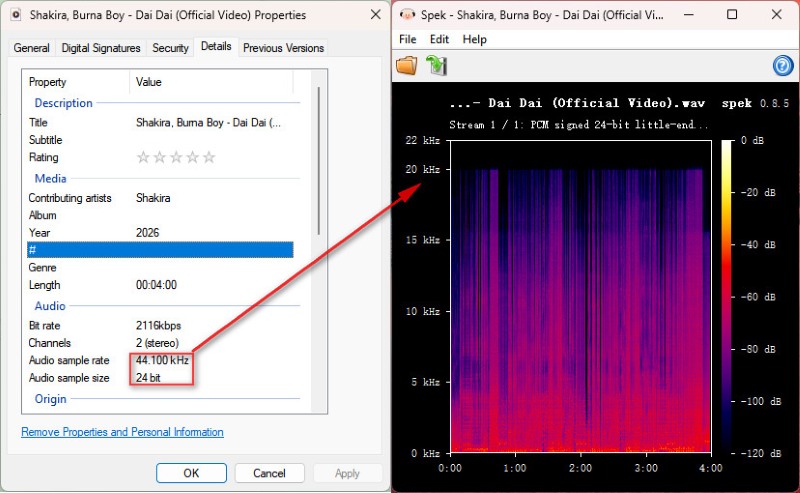
Our analysis showed that the exported WAV file retained the expected frequency characteristics without noticeable quality degradation.
8 Free Online YouTube to WAV Downloaders Tested in 2026
For users who occasionally need to convert YouTube to WAV, free online converters offer a quick solution without installing additional software. However, their performance can vary significantly in conversion speed, audio quality, download limits, ads, and overall reliability. We tested 8 popular YouTube WAV converter free online tools using the same YouTube audio source and compared their speed, output quality, usability, and limitations.
Yout.com – Simple YouTube to WAV Converter Online
🔗 https://yout.com/
Yout.com is a browser-based YouTube converter that allows users to extract audio from YouTube videos without installing desktop software. It supports multiple output formats, including WAV, MP3, and MP4, and focuses on providing a simple URL-based conversion experience. Unlike many free converters, Yout.com offers additional features through paid plans, such as higher-quality downloads and extended usage limits.
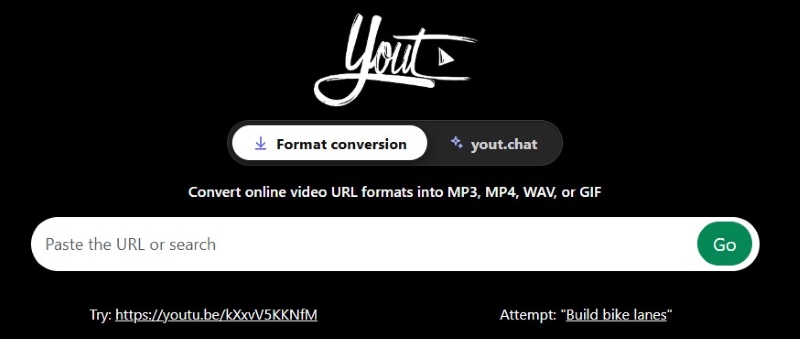
Test Result:
| User Experience | WAV Output | Speed | Quality Options | Batch Download | Ads / Pop-ups |
|---|---|---|---|---|---|
| Good | ✅ Yes | ⚡ Fast | Limited | ❌ No | Low |
✅ Pros:
- Clean and user-friendly interface
- Supports multiple output formats, including WAV audio extraction
- Offers additional features through premium plans for users who need more control
❌ Cons:
- Free version has limitations compared with paid features.
- Some advanced download options require a subscription.
👥 Best for: Users who prefer a cleaner experience and are willing to accept free-plan restrictions.
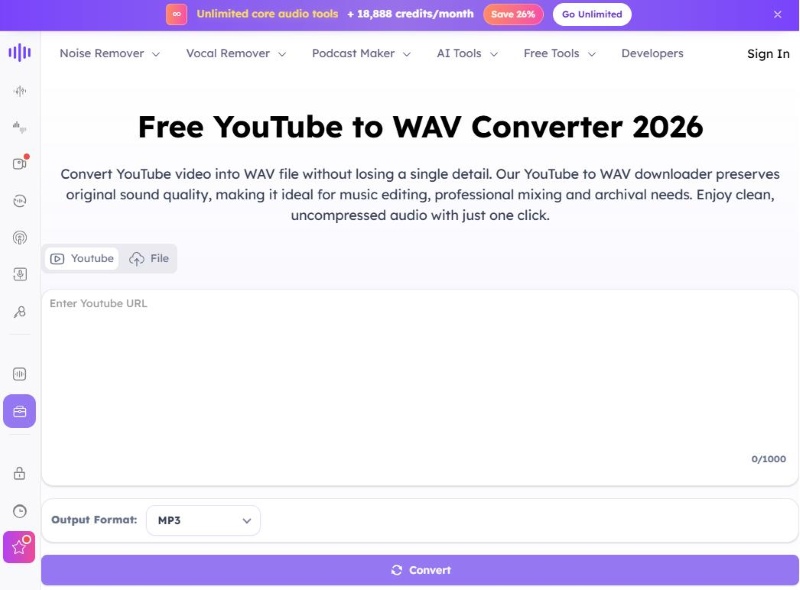
AudioCleaner AI – AI-Powered YouTube WAV Converter
🔗 https://audiocleaner.ai/youtube-to-wav
AudioCleaner AI is an online YouTube to WAV converter that combines audio conversion with AI-based enhancement features. It can clean and enhance audio through tools such as noise reduction and audio optimization. However, since it converts YouTube audio to MP3 before exporting it as WAV, the final file is not a true lossless WAV conversion.
Test Result:
| User Experience | WAV Output | Speed | Quality Options | Batch Download | Ads / Pop-ups |
|---|---|---|---|---|---|
| Good | ✅ Yes | ⚡ Fast | Advanced | ❌ No | None |
✅ Pros:
- Modern and user-friendly interface
- Includes AI-powered audio enhancement features
- No desktop installation required
❌ Cons:
- Focuses more on audio cleaning than simple WAV conversion.
- Advanced features may require payment.
- Requires additional audio processing before exporting to WAV.
👥 Best for: Users interested in online conversion with additional AI audio enhancement tools.
YouTubeToWAV.io – Fast YouTube WAV Converter Online
🔗 https://youtubetowav.io/
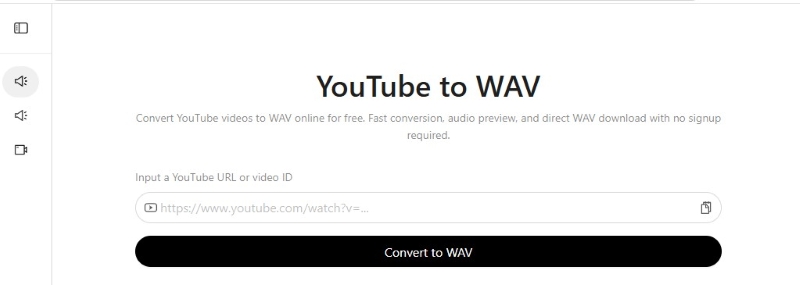
YouTubeToWAV.io is a dedicated online converter designed specifically for extracting WAV audio from YouTube videos. Its straightforward interface removes unnecessary options and focuses on a single task: converting YouTube links into WAV files. Its simple design makes it easy for beginners who do not want complicated settings.
Test Result:
| User Experience | WAV Output | Speed | Quality Options | Batch Download | Ads / Pop-ups |
|---|---|---|---|---|---|
| Excellent | ✅ Yes | ⚡ Fast | Limited | ❌ No | None |
✅ Pros:
- Dedicated to YouTube-to-WAV conversion
- Very simple and beginner-friendly workflow
- No account setup required
❌ Cons:
- Limited output customization options
- Mainly designed for single video conversions
- Lacks advanced features
👥 Best for: Users searching for a simple YouTube WAV converter online.
See also >>> Spotify to WAV Converter: 7 Best Tools & Download Guide
Y2Mate – Free YouTube to WAV Downloader
🔗 https://y2mate.yt/en/
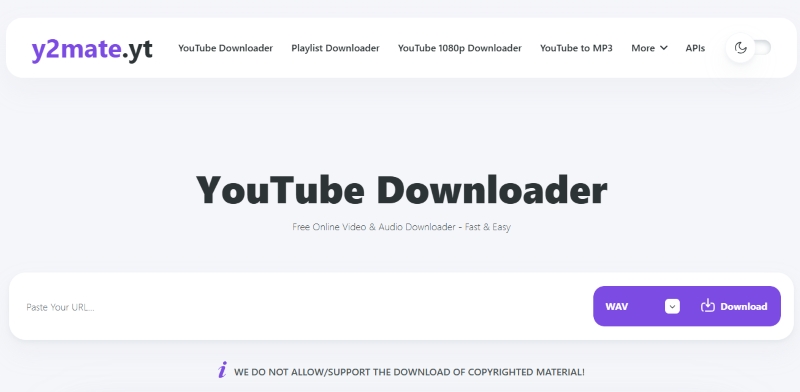
Y2Mate is one of the most widely recognized online YouTube downloaders, allowing users to download YouTube to WAV directly from a browser. Its main advantage is speed and accessibility, making it a convenient option for users who want to download YouTube to WAV for free without installing software. However, users should be aware that many Y2Mate domains rely heavily on ads and pop-ups, which can affect the overall browsing experience.
Test Result:
| User Experience | WAV Output | Speed | Quality Options | Batch Download | Ads / Pop-ups |
|---|---|---|---|---|---|
| Average | ✅ Yes | ⚡ Fast | Basic | ❌ No | High |
✅ Pros:
- Fast conversion process with no account registration required
- Supports popular audio formats including WAV and MP3
- Simple workflow suitable for quick one-time downloads
❌ Cons:
- Heavy advertising and pop-up redirects
- Limited control over output settings
👥 Best for: Users who need quick conversions but should be cautious about ads and misleading download buttons.
YT1D – Free Online YouTube Audio Ripper
🔗 https://yt1d.app/en/
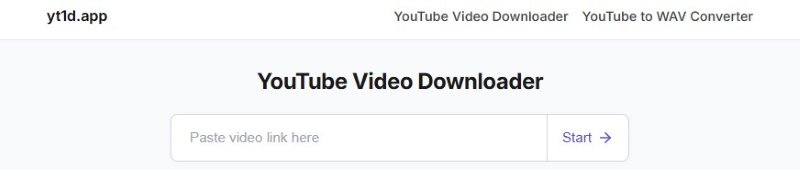
YT1D is a free online YouTube downloader that supports converting videos into various formats, including WAV audio. The platform emphasizes quick conversions through a simple paste-and-download workflow, making it accessible for beginners. However, like many free online converters, advanced features such as batch processing and greater control over output settings are limited.
Test Result:
| User Experience | WAV Output | Speed | Quality Options | Batch Download | Ads / Pop-ups |
|---|---|---|---|---|---|
| Average | ✅ Yes | ⚡ Medium | Basic | ❌ No | High |
✅ Pros:
- Beginner-friendly interface
- Supports multiple download formats beyond WAV
- Works directly in a browser without installation
❌ Cons:
- Limited advanced functions
- Not ideal for large playlists
👥 Best for: Casual users who prioritize simplicity over advanced features.
Y2Down – Simple YouTube Link to WAV Downloader
🔗 https://y2down.cc/enEN/youtube-wav
Y2Down is an online YouTube converter that supports multiple output formats, including WAV, MP3, and video formats. It provides a familiar conversion process where users paste a YouTube URL, select the desired format, and download the converted file. Its main advantage is format flexibility.
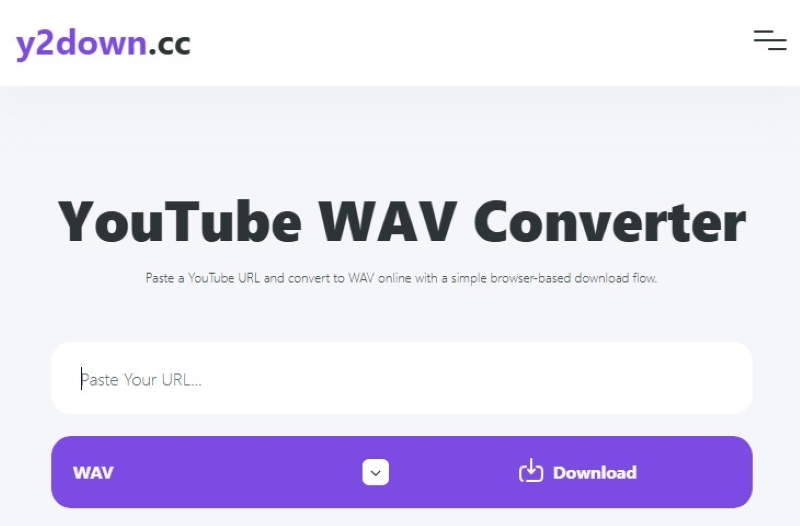
Test Result:
| User Experience | WAV Output | Speed | Quality Options | Batch Download | Ads / Pop-ups |
|---|---|---|---|---|---|
| Good | ✅ Yes | ⚡ Fast | Basic | ❌ No | Moderate |
✅ Pros:
- Supports WAV and various other output formats
- Easy conversion process suitable for beginners
❌ Cons:
- Limited control over WAV output parameters
- Advertisements or redirects appeared during testing
👥 Best for: Users who need a flexible but simple online converter.
CutYT – Easy YouTube to WAV Converter Online
🔗 https://www.cutyt.com/yt-wav
CutYT is a lightweight online YouTube converter that focuses on fast and simple audio extraction. Its YouTube to WAV tool provides a minimal interface without requiring software installation or account creation. It focuses on simplicity rather than advanced downloading features.
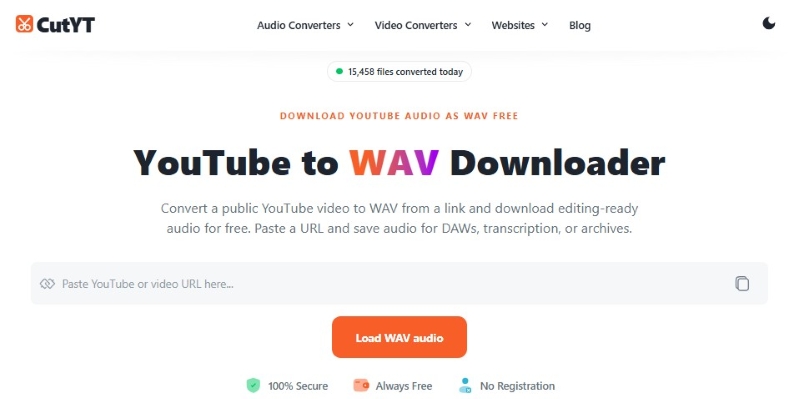
Test Result:
| User Experience | WAV Output | Speed | Quality Options | Batch Download | Ads / Pop-ups |
|---|---|---|---|---|---|
| Good | ✅ Yes | ⚡ Fast | Limited | ❌ No | None |
✅ Pros:
- Beginner-friendly interface
- Quick access without requiring software installation
- Suitable for occasional single-track conversions
❌ Cons:
- Fewer features compared with more established converters
- No support for advanced workflows such as batch processing
👥 Best for: Users who want a lightweight converter with minimal setup.
Toolesh – Simple Multi-Format YouTube Audio Converter
🔗 https://toolesh.com/youtube-to-wav-convertor/
Toolesh YouTube to WAV Downloader is a free online tool that allows users to extract audio from YouTube videos and convert them into WAV files directly in a web browser. It does not require software installation, making it a convenient option for users who need quick audio conversions.
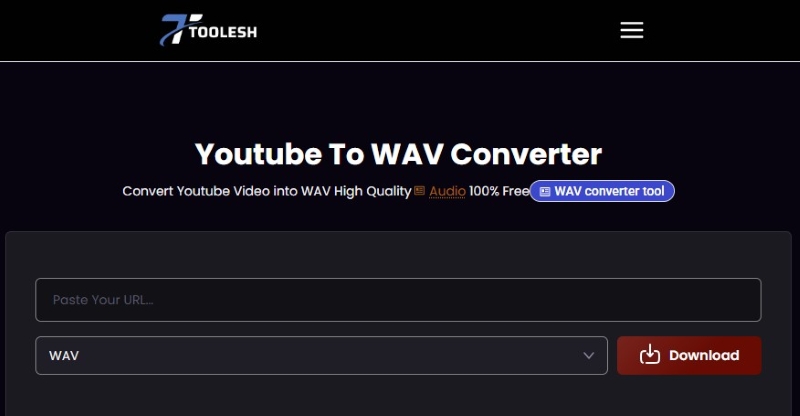
Test Result:
| User Experience | WAV Output | Speed | Quality Options | Batch Download | Ads / Pop-ups |
|---|---|---|---|---|---|
| Good | ✅ Yes | ⚡ Fast | Limited | ❌ No | Low |
✅ Pros:
- Easy-to-use interface
- Supports multiple formats besides WAV
- No installation required
❌ Cons:
- Limited extra features
- Not designed for professional music management
👥 Best for: Users who need a quick and simple way to convert individual YouTube videos to WAV files without installing software.
yt-dlp: Best YouTube WAV Converter for Advanced Users
🔗https://github.com/yt-dlp/yt-dlp
For users who want more control over YouTube downloads, yt-dlp is one of the most powerful free and open-source solutions available. Unlike browser-based converters, yt-dlp runs through the command line and offers advanced options for extracting audio, converting videos to WAV, downloading playlists, and processing multiple files at once. It is especially suitable for advanced users who need a free YouTube playlist to WAV converter or a customizable YouTube to WAV batch converter. However, beginners may find the command-line setup less convenient compared with one-click online tools.
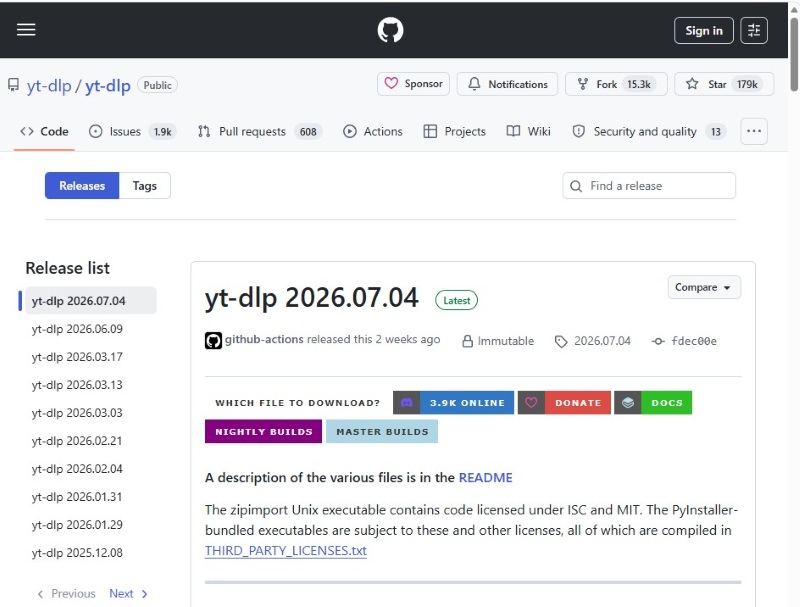
Testing steps
- Installed yt-dlp on Windows.
- Opened Command Prompt.
- Entered the YouTube URL.
- Configured WAV output using FFmpeg.
- Started the download process.
- Checked the exported audio file.
Example command:
yt-dlp -x --audio-format wav YouTube_URLTest Result:
| YouTube URL Support | WAV Conversion | Best Audio Quality | Playlist Download | Batch Conversion |
|---|---|---|---|---|
| ✅ Successful | ✅ Supported | ✅ Supported | ✅ Supported | ✅ Supported |
✅ Pros:
- Completely free and open source.
- Supports playlists and batch downloads.
- Highly customizable for advanced users.
- No advertisements or pop-ups.
- Works well for advanced download and conversion workflows.
❌ Cons:
- Requires command-line knowledge.
- Setup is more complicated than online converters.
- Requires additional components such as FFmpeg for format conversion.
👥 Best for: Advanced users, developers, and anyone who needs a free YouTube to WAV batch converter with flexible customization options for downloading playlists and processing multiple files.
Audacity: Record YouTube Audio to WAV for Free
🔗https://www.audacityteam.org/download/
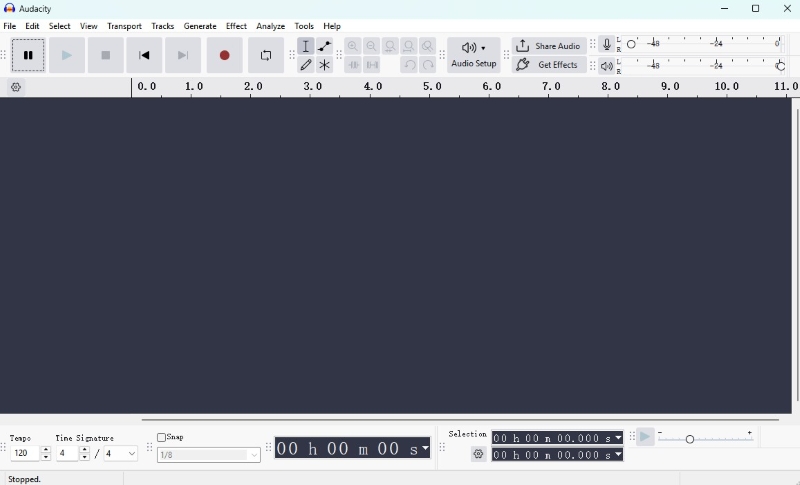
Audacity is a popular free and open-source audio editor and recorder, but it works differently from traditional YouTube converters. Instead of directly downloading YouTube audio, Audacity records audio playback and allows users to export recordings as WAV files. It also provides advanced editing features such as noise reduction, audio effects, and multi-track editing.
Testing steps
- Installed Audacity on Windows.
- Configured audio recording settings.
- Played a YouTube audio source.
- Recorded the playback.
- Exported the recording as WAV.
- Checked the output file.
Test Result:
| YouTube Audio Recording | WAV Export | Audio Editing | Noise Reduction | Direct YouTube Download | Playlist Conversion |
|---|---|---|---|---|---|
| ✅ Supported | ✅ Supported | ✅ Supported | ✅ Supported | ❌ Not Supported | ❌ Not Supported |
✅ Pros:
- Completely free and open source.
- Provides powerful audio editing features.
- Supports WAV export for recorded audio.
- Includes useful tools for audio cleanup and processing.
❌ Cons:
- Requires real-time recording.
- Cannot directly download YouTube videos.
- Not suitable for playlist conversions.
👥 Best for: Users who need a free solution to record, edit, and export YouTube audio as WAV for audio editing, podcasts, or personal projects.
Final Verdict
The best YouTube link to WAV converter depends on how you plan to use it. Free online tools are convenient for quick, occasional conversions, while advanced solutions offer more flexibility for users who need batch processing, playlists, or audio management.
Here are our recommendations based on different needs:
| Your Need | Recommended Tool |
|---|---|
| Quick one-time conversions | Free online converters |
| Download playlists or process multiple files | AudiCable Music One/yt-dlp |
| Record and edit YouTube audio | Audacity |
| ⭐ Best overall experience for music conversion and management | AudiCable Music One |
FAQs About YouTube to WAV Converters
💬 Q1: Is YouTube to WAV conversion really lossless?
A: Not always. WAV is a lossless audio format, but converting compressed YouTube audio into WAV does not restore lost audio data. The quality of a converted YouTube to WAV file also depends on the source audio quality. For true lossless or high-resolution audio, you need to start with a lossless audio source.
💬 Q2: Does YouTube support lossless audio?
A: No. YouTube does not provide true lossless audio streaming. Most YouTube audio is compressed to reduce file size and improve playback performance. If you want true lossless or high-resolution audio, you need a lossless source from supported music services. Tools like AudiCable Music One can help preserve high-quality audio by converting supported streaming music into formats such as FLAC and WAV while keeping metadata.
💬 Q3: Are free YouTube WAV converters safe?
A: It depends on the website. Many users search for ways to download YouTube to WAV for free, but some free converters may contain excessive ads, pop-ups, or misleading download buttons. To stay safe, choose reputable tools and avoid downloading unknown software. Desktop solutions often provide a more stable and reliable experience for users who frequently convert audio files.
💬 Q4: What is the best format for high-quality audio?
A: The best audio format depends on your needs. For lossless audio, FLAC, WAV, and ALAC are better choices than compressed formats like MP3. WAV is ideal for editing and professional use, while FLAC offers lossless quality with smaller file sizes, making it better for music storage.
Disclaimer:
- All these methods are for personal or educational use only.
- You should not use this tool to distribute music or for business.
Conclusion
Choosing a YouTube to WAV downloader is not just about getting a WAV file — it is about finding the right balance between audio quality, convenience, and control. Free online converters work well for quick conversions, while yt-dlp and Audacity offer more flexibility for users who need advanced features or editing options. For users managing a larger music collection, a dedicated desktop solution can offer a smoother and more organized workflow. AudiCable Music One makes it easier to download YouTube to WAV and organize audio files in one place.
Get the best AudiCable YouTube to WAV converter now!!
Related Articles
- 11 Best FREE YouTube Shorts to MP3 Converters in 2026
- Listen to YouTube Music Offline without Premium
- Best YouTube Audio Rippers & MP3 Converters in 2026
- Top 9 Free YouTube Playlist to MP3 Downloaders [Full Review]
- Rip Music from YouTube Video for Free
- Best Free Instagram Audio Downloader (2026) – Convert to MP3

