


AudiCable Audio Recorder
Best YouTube Audio Rippers & MP3 Converters in 2026

By
Updated on: July 28, 2026
Category: YouTube Music Tips
Trying to rip audio from YouTube shouldn’t be this frustrating — but it often is. You find a “free” YouTube audio ripper, paste the link, and then… ads everywhere, random redirects, or worse, the download just fails halfway through. Even when it does work, the audio quality isn’t always what you expected.
So which tools actually work in 2026? We tested some of the most popular YouTube audio downloaders across desktop, mobile, online, and open-source options — to help you find the best option based on your needs.
📑 Content
- How We Tested These Tools?
- Best YouTube to MP3 Converter Tools – Desktop, Mobile & Online
- AudiCable YouTube Audio Ripper(Safest Desktop)
- NoteBurner YouTube to MP3 Ripper(Desktop)
- NewPipe(Mobile)
- VidMate(Mobile)
- Toolsmart(Online)
- OnlyMP3(Online)
- yt-dlp(Open-Source)
- YouTube Audio Rippers Comparison Table
- FAQs About YouTube Audio Rippers
How We Tested These Tools?
To make this list actually helpful, we didn’t just rely on specs — we tested each YouTube audio ripper using real videos, including long uploads, short clips, music, and even spoken content.
Here’s what we paid close attention to:
- Download reliability – Did the tool complete the download without errors or interruptions?
- Audio quality – How clear was the output? We looked at the overall fidelity and consistency.
- Conversion speed – How fast could it convert YouTube videos to MP3 or other formats?
- Ads & redirects – Were there annoying pop-ups, fake buttons, or forced redirects?
- User experience – From setup to daily use, was it smooth, intuitive, and actually enjoyable?
Only the tools that performed well across most of these areas made it into our final list — so you’re not wasting time on unreliable or low-quality options.
Best YouTube to MP3 Converter Tools – Desktop, Mobile & Online
Here’s our full breakdown. We grouped tools by platform so you can pick the one that fits your workflow.
AudiCable YouTube Audio Ripper(Safest Desktop)
⬇️ Download website:https://www.audicable.com/
In our testing, AudiCable Audio Recorder stood out as one of the most reliable YouTube to MP3 converters we tried. It handled everything we threw at it — songs, podcasts, even longer videos — without hiccups, and the output quality stayed consistently solid across formats like MP3, WAV, FLAC, and AIFF.
One thing we really liked is the batch download feature. You can queue up multiple videos and let it run, saving a lot of time — especially if you’re building a playlist. Even better, it keeps the audio quality and metadata intact, so you don’t end up with messy or incomplete files.
What makes it even more useful is that it’s not just limited to YouTube. You can also record and convert audio from platforms like Spotify, Apple Music, and Tidal, which makes it feel more like an all-in-one tool for managing your music across different sources.
✅ Key Advantages:
- Clean, ad-free interface that’s easy to use.
- Batch downloads so you can save multiple videos at once.
- Almost 100% success rate in our tests, even for long videos.
- Flexible formats: MP3, AAC, WAV, FLAC, AIFF, and ALAC.
- Keeps original audio quality and full ID3 tags (title, artist, album, etc.).
- Bonus tools included: audio editor, format converter, tag editor, CD burner, and AI splitter.
⚠️ Considerations:
- Desktop only (no direct mobile app)
👥 Best for: Users who want stable downloads and high-quality audio without dealing with pop-ups.
📂 How to Extract Audio from YouTube with AudiCable?
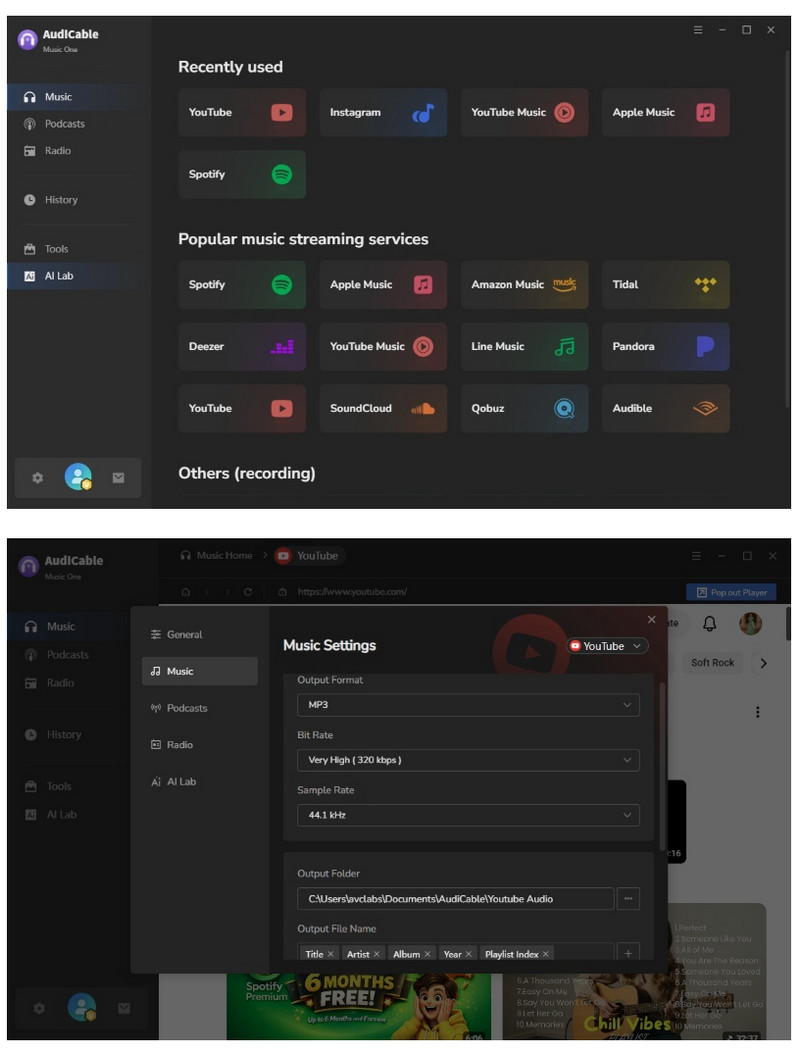
- Step 1: Launch AudiCable, click the YouTube icon to access the built-in web player, then open Settings (gear icon) to select MP3 and adjust output preferences.
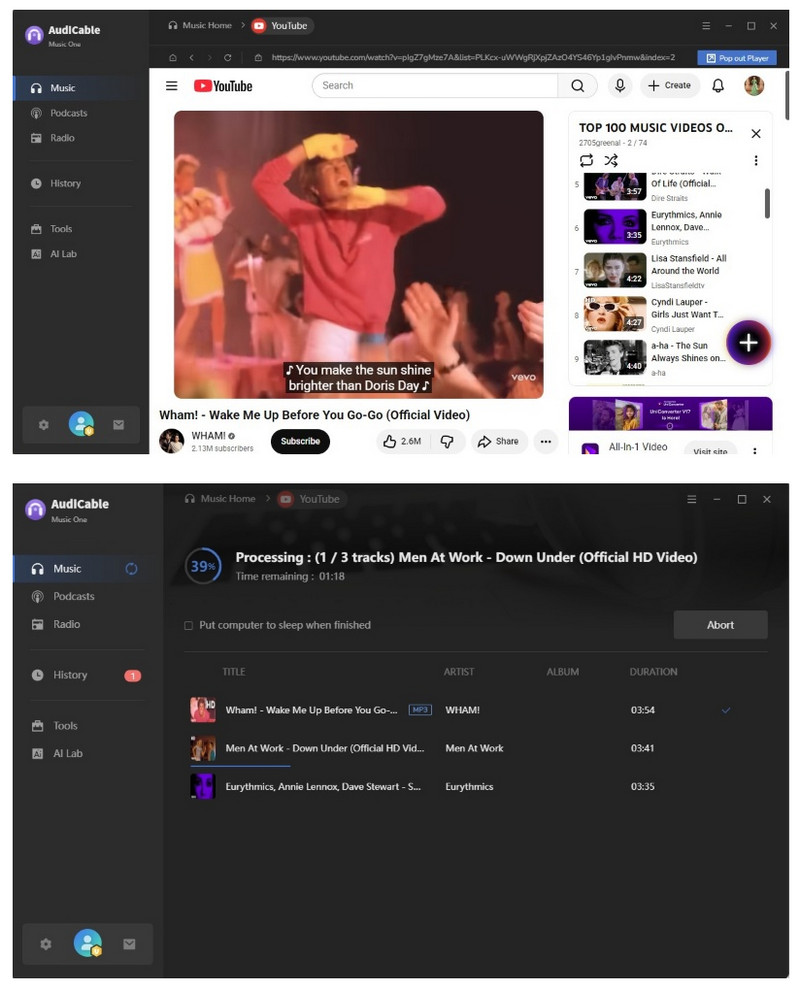
- Step 2: Play any YouTube video in the built-in player, click the “+” button to add it, then hit Convert to start downloading.
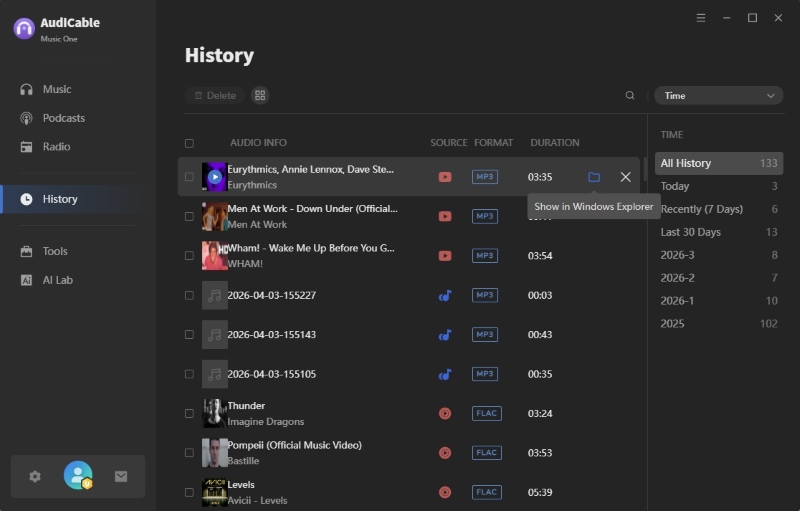
- Step 3: After conversion, go to “History” and click the folder icon next to a track to access all saved MP3 files.
NoteBurner YouTube to MP3 Ripper (Desktop)
⬇️ Download website: https://www.noteburner-video.com/all-in-one-downloader.html
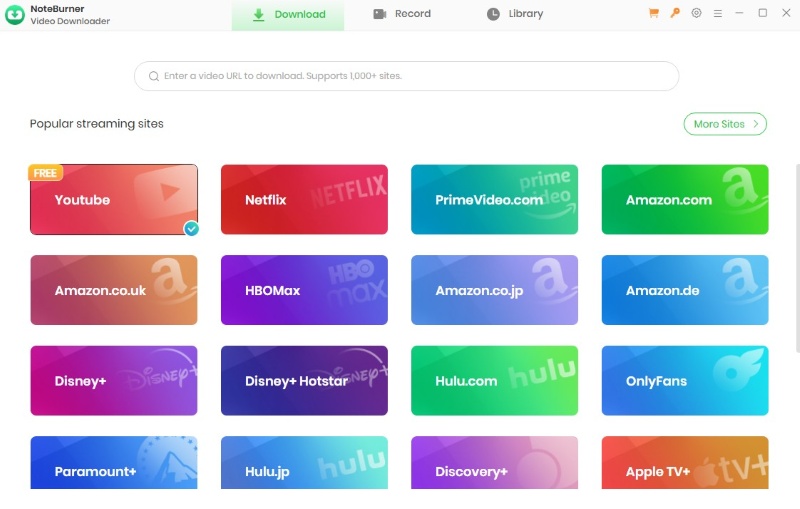
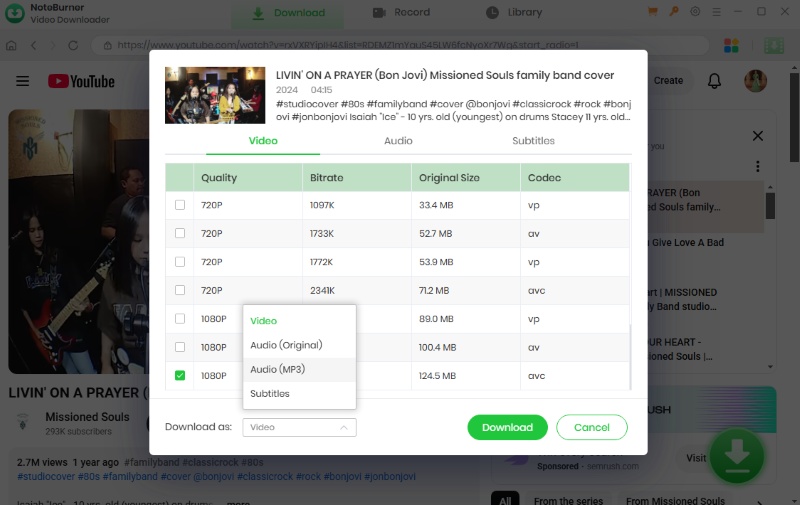
NoteBurner YouTube to MP3 Ripper is a simple desktop tool for extracting audio from YouTube videos into MP3 or AAC (M4A) formats. In our testing, it handled standard conversions reliably, making it a solid choice for basic use. The interface is clean and intuitive, so even beginners can get started quickly. It’s available on both Windows and macOS, covering most users.
While it’s not a dedicated audio-only tool, it supports over 1,000 websites and also allows downloading videos in MP4 or MKV formats (up to 1080p), which is useful if you occasionally need video along with audio.
✅ Key Advantages:
- Free to download YouTube Audio.
- Works with 1,000+ websites, not limited to YouTube.
- Clean, intuitive, and user-friendly interface.
⚠️ Considerations:
- Limited output audio formats compared to some competitors.
👥 Best for: Users who just want a quick, no-frills way to download MP3s.
📂 How to Download A YouTube Video to MP3?
- Step 1: Install and launch NoteBurner on your PC or Mac, then select "YouTube".
- Step 2: Open Settings to choose the output quality and select where you want to save the files.
- Step 3: Tap Download and select Download as Audio.
NewPipe (Mobile)
⬇️ Download website: https://newpipe.net/
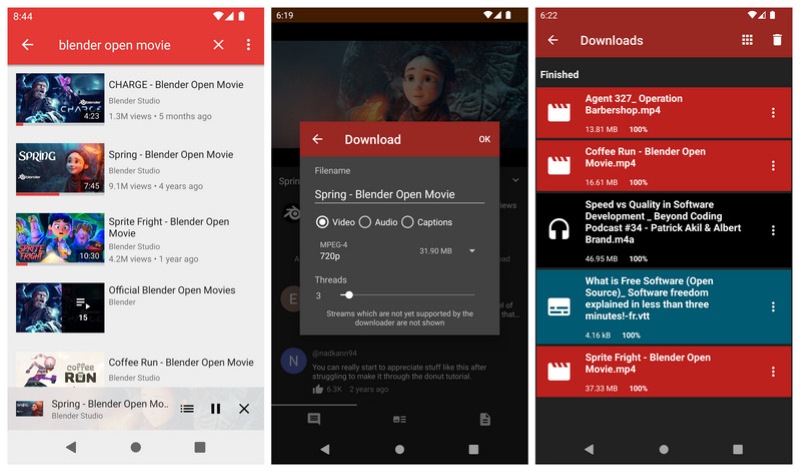
NewPipe is a lightweight, open-source Android app that lets you watch YouTube videos, download content, and extract audio without needing a Google account. In our testing, it handled basic audio extraction and background playback smoothly. Its ad-free, privacy-focused design, along with features like audio — only mode and offline downloads, makes it a great option for mobile users.
That said, it’s more of a streaming app than a dedicated YouTube audio ripper, so format options and customization are somewhat limited. Still, if you want a free and convenient way to grab audio directly on Android, it’s a solid choice.
✅ Key Advantages:
- Completely free and open-source with no hidden costs.
- Lightweight and runs smoothly on most Android devices.
- No ads or tracking, ideal for privacy-focused users.
- Supports audio-only mode, background playback, and offline downloads.
- No Google account required.
⚠️ Considerations:
- No desktop or iOS version available.
- Limited audio format options.
- Less control over output quality and settings.
👥 Best for: Android users who want quick, on-device audio downloads.
📂 How to Download YouTube Audio?
- Step 1: Install and open NewPipe, then use the search bar to find and open the video you want.
- Step 2: Tap the Download button below the video, choose Audio, and select a format like M4A or WebM.
- Step 3: Choose the save location and start the download. Once finished, you can listen to it offline anytime.
VidMate (Mobile)
Download website: https://www.vidmate-download.com/
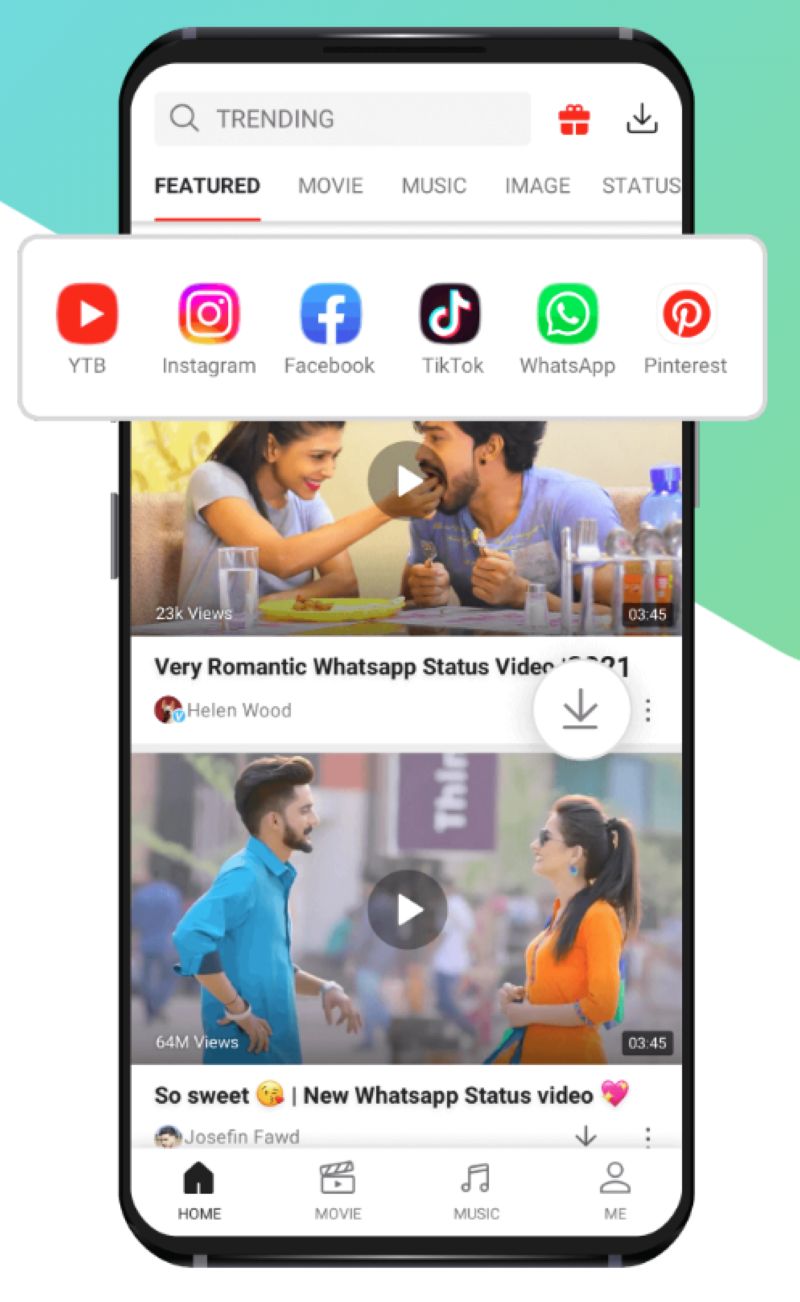
VidMate is a versatile Android app that lets you download videos and extract audio from platforms like YouTube, Facebook, Instagram, and TikTok. It supports formats such as MP4 and MP3, with multiple quality options available. In our testing, it felt fast and flexible — you can grab both video and audio in just a few taps without switching between apps.
However, VidMate isn’t available on Google Play and requires a manual APK installation. It also includes quite a few ads, and the interface can feel a bit cluttered compared to cleaner alternatives. Still, if flexibility matters more than simplicity, it gets the job done well.
✅ Key Advantages:
- Supports downloads from multiple platforms.
- Download both video and audio (MP4 / MP3) in one app.
- Flexible quality options, from low resolution to HD.
- Fast download speeds, especially for shorter videos.
- Completely free to use.
⚠️ Considerations:
- Requires manual APK installation.
- Ads can be distracting.
- Interface can feel cluttered compared to cleaner tools.
- Potential safety risks depending on the source.
👥 Best for: Android users who want both video and audio downloads and don’t mind ads.
📂 How to Rip YouTube Audio to MP3?
- Step 1: Download VidMate from its official website, install the APK, and open the app.
- Step 2: Use the built-in search bar or browse YouTube inside VidMate, then open the video you want.
- Step 3: Tap the red Download button, choose MP3 or M4A, select your preferred quality, and start downloading.
Toolsmart (Online)
🔗 Online site: https://www.toolsmart.ai/feature-youtube-to-mp3/
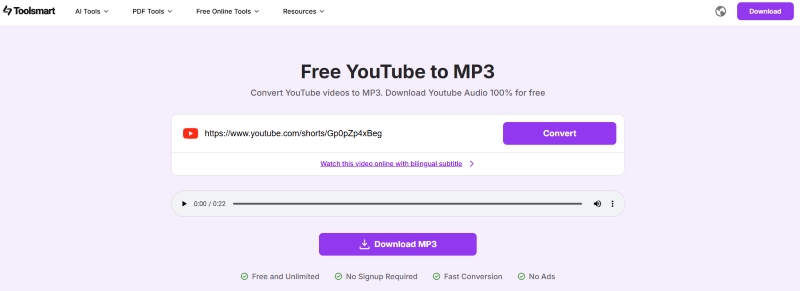
Toolsmart is a simple browser-based YouTube to MP3 converter that requires no installation or sign-up. Just paste your link and download. In our testing, it stood out for its clean experience — no pop-ups, no redirects, and a smooth, straightforward process. It also includes an audio preview feature, which is a nice touch before downloading. That said, it’s fairly basic. You’re limited to MP3 output with minimal control over quality, and performance can be less reliable with longer videos. Still, for quick, no-fuss downloads, it works well.
✅ Key Advantages:
- Free to use with no sign-up required.
- Clean, ad-free interface with no pop-ups.
- Fast and easy for short videos.
- Built-in audio preview before downloading.
⚠️ Considerations:
- Basic features only, limited customization.
- Mostly MP3-focused with few format options.
- Less reliable when handling long videos.
👥 Best for: Users who want quick online downloads with minimal setup.
📂 How to Get YouTube Audios as MP3 Files?
- Step 1: Find the YouTube video you want and copy its URL.
- Step 2: Go to Toolsmart’s YouTube to MP3 page, paste the link, and click Convert.
- Step 3: Once finished, click Download MP3 to save the audio file.
OnlyMP3 (Online)
🔗 Online site: https://en.onlymp3.cx/converter-v5
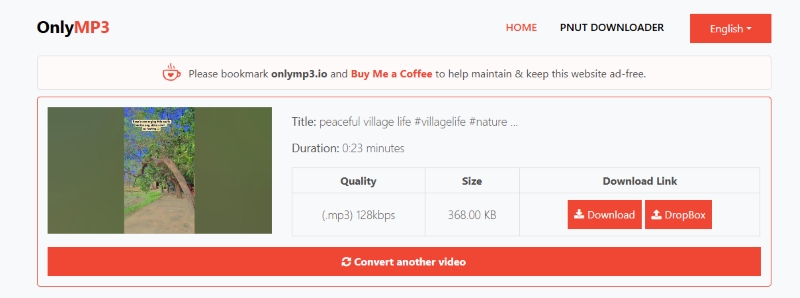
OnlyMP3 is a straightforward web tool for converting YouTube videos into MP3 files. It works well with most videos, including longer ones, and also offers a handy option to save directly to Dropbox — useful if you don’t want to store files locally. Overall, it’s a practical, no-frills solution when you just need quick audio downloads. It’s not a powerful or advanced tool, but that’s kind of the point. It focuses on simplicity rather than customization, making it easy for one-off conversions.
✅ Key Advantages:
- Free to use.
- Works directly in your browser.
- Fast and convenient for everyday use.
- Supports direct saving to Dropbox.
⚠️ Considerations:
- MP3-only output, no other formats supported.
- No bitrate or quality customization options.
👥 Best for: Users who want simple, one-off MP3 downloads without extra setup.
📂 How to Rip Audio from YouTube Video Online?
- Step 1: Copy the URL of the YouTube video you want.
- Step 2: Open OnlyMP3 in your browser, paste the link into the input box, and click Convert.
- Step 3: Once ready, click Download or save to Dropbox, then confirm Download MP3 in the pop-up window.
yt-dlp (Open-Source)
⬇️ Download website: https://github.com/yt-dlp/yt-dlp
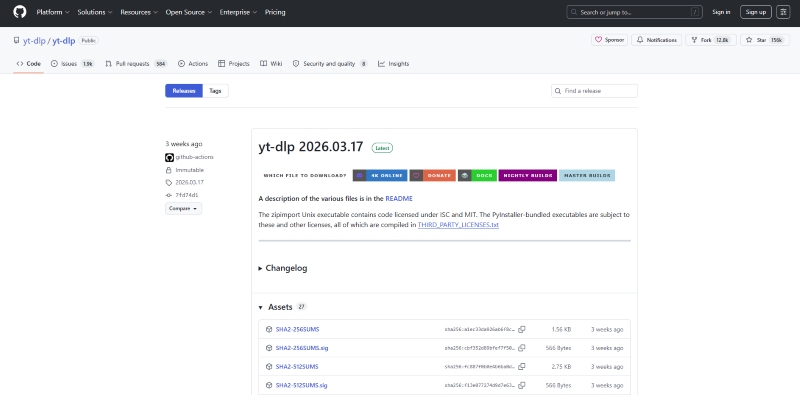
Yt-dlp is a powerful command-line tool designed for users who want far more control than typical online converters. It doesn’t have a visual interface, but instead offers advanced capabilities like high-quality audio extraction, batch processing, and detailed format selection.
In practice, it’s fast, reliable, and much more flexible than browser-based tools — especially when working with playlists or large-scale downloads. The only real trade-off is the learning curve, since everything is done through commands rather than clicks.
✅ Key Advantages:
- Free and open-source.
- Full control over audio quality, format, and download settings.
- Efficient for playlists and bulk downloads.
- Supports advanced features like subtitles, auto-trimming, and custom file naming.
⚠️ Considerations:
- No graphical user interface.
- Requires setup and basic terminal usage.
- Steeper learning curve for beginners.
👥 Best for: Tech-savvy users who want full control over downloads.
📂 How to Download YouTube Audio with Yt-dlp?
- Step 1: Download yt-dlp from GitHub and install it, then ensure it’s added to your system path.
- Step 2: Open your terminal and run the command below with your video URL:
- Step 3: Press Enter, and the audio will be extracted and saved as an MP3 in your folder.
yt-dlp -x --audio-format mp3 [video URL]
📊YouTube Audio Rippers Comparison Table
Below is a detailed comparison of the best YouTube audio rippers and YouTube to MP3 converters based on real testing.
| Tool | Platform | Formats | Batch | Audio Quality | Speed | Ads / Redirects | Extra Features | Price | Recommend Level |
|---|---|---|---|---|---|---|---|---|---|
| AudiCable YouTube Audio Ripper | Desktop | MP3, AAC, WAV, FLAC, AIFF, ALAC | ✅ | High + Metadata | ⚡⚡⚡⚡ | 🚫 None | Audio Editor, CD burner, etc. | Paid (Free trial) | ⭐⭐⭐⭐⭐ |
| NoteBurner YouTube Ripper | Desktop | MP3, AAC | ⚠️ Limited | Good | ⚡⚡⚡⚡ | 🚫 None | 1,000+ site support | Paid | ⭐⭐⭐⭐⯪ |
| NewPipe | Android | M4A, WebM | ❌ | Decent | ⚡⚡⚡⚡ | 🚫 None | Background play, offline | Free | ⭐⭐⭐⭐ |
| VidMate | Android | MP3, M4A, MP4 | ❌ | Average | ⚡⚡⚡⚡ | ⚠️ Heavy ads | Multi-platform downloads | Free | ⭐⭐⭐⭐ |
| Toolsmart | Online | MP3 | ❌ | Good | ⚡⚡⚡⚡⚡ | ✅ Clean | Audio preview | Free | ⭐⭐⭐⯪ |
| OnlyMP3 | Online | MP3 | ❌ | Average | ⚡⚡⚡⚡ | ⚠️ Some ads | Dropbox export | Free | ⭐⭐⭐ |
| yt-dlp | Desktop (CLI) | Multiple | ✅ | Excellent | ⚡⚡⚡⚡ | 🚫 None | Advanced configs, subtitles | Free (Open-source) | ⭐⭐⭐⭐ |
💡 Quick Picks
- Best Overall: AudiCable (quality + stability + features)
- Fastest & Cleanest Online Tool: Toolsmart
- Most Powerful: yt-dlp
- Best for Android: NewPipe (clean) / VidMate (flexible)
👉 If you want the most stable YouTube audio downloader with high-quality output and full metadata, AudiCable Audio Recorder is still our top recommendation based on testing.
FAQs About YouTube Audio Rippers
💬 Q1: Is it safe to use YouTube audio downloaders?
A: Some are fine, but a lot aren’t. If a site is full of pop-ups, redirects, or weird download buttons, that’s a red flag. Stick to clean, simple tools — or better yet, use trusted desktop or open-source options for a safer experience.
💬 Q2: How to safely extract audio from YouTube without copyright issues?
A: The key is to only download content you have the rights to use. This includes your own videos, royalty-free or copyright-free audio, or any material where you’ve clearly been given permission by the creator.
💬 Q3: Can YouTube audio rippers preserve metadata when converting to MP3?
A: Sometimes — but not always. Most online converters only give you a plain MP3 with basic info. If metadata matters to you, it’s worth using a more advanced tool like AudiCable Music One. It can automatically pull in details like artist, album, and cover art, so your music library actually looks organized without extra effort.
Disclaimer:
- All these methods are for personal or educational use only.
- You should not use this tool to distribute music or for business.
The End
Downloading YouTube audio doesn’t have to be a hassle. Whether you want to quickly convert YouTube videos to MP3, extract audio for offline listening, or keep your library organized, there’s a tool for every need. Toolsmart and OnlyMP3 are great for fast, simple downloads. AudiCable Music One handles high-quality audio with full metadata. NewPipe and VidMate work well on Android, and yt-dlp gives power users full control.
Choose the right YouTube to MP3 converter for your workflow, and you’ll be able to enjoy your favorite songs offline without any hassle!
Get the best AudiCable YouTube Audio Ripper now!!
Related Articles
- YouTube to WAV Converter: 11 Tools Tested in 2026
- 8 YouTube to MP3 Sites Tested: Safe Picks & Risks (2026)
- How to Get YouTube Premium Subscription for Free
- Best FLAC Downloaders 2026 – True Lossless Music (Free & Paid)
- Best Free Instagram Audio Downloader (2026) – Convert to MP3
- Top 9 Free YouTube Playlist to MP3 Downloaders [Full Review]

