


AudiCable Audio Recorder
9 Best Spotify Alternatives in 2026: Free & Paid Options

By
Updated on: August 19, 2026
Category: Spotify Music Tips
People on Spotify forums often show they're getting tired of the service. It's not that they hate Spotify, but small problems bother them. For example, prices may increase, or some songs may become unplayable. Also, downloaded songs disappear when you stop paying. None of these is a deal-breaker on its own. But over time, they add up.
That’s usually when people start looking for Spotify alternatives or exploring alternatives to Spotify Premium — not to replace it completely, but to find something that fits better. In this guide, we compare the best Spotify alternative options, including both paid services and free Spotify alternatives, to help you decide what actually works for your listening style.
📑 Content
Quick Decision Guide
If you don’t want to read everything, this table helps you choose in seconds.
| Platform | Best For | Key Features | Free Option | Audio Quality | Offline Access |
|---|---|---|---|---|---|
| Apple Music | Premium streaming | Curated playlists, Apple ecosystem | No | Lossless / Spatial Audio | Subscription-based |
| Deezer | Smart recommendations | Flow personalization, easy discovery | Yes (limited) | Hi-fi available | Subscription-based |
| Tidal | Audiophile sound | HiFi, exclusive releases | No (trial only) | HiFi / Hi-Res FLAC | Subscription-based |
| Amazon Music | Convenience + Alexa users | HD / Ultra HD audio, Alexa integration, podcasts | Yes | HD / Ultra HD | Subscription-based |
| Qobuz | Audiophile + music depth | Hi-Res downloads, editorial reviews, album-focused listening | No | Hi-Res FLAC (up to 24-bit / 192kHz) | Offline + purchased downloads |
| SoundCloud | Indie discovery | User uploads, remixes, niche genres | Yes | Variable | Limited/free |
| YouTube Music | Variety | Videos, live performances, rare tracks | Yes (with ads) | Standard | Subscription-based |
| AudiCable | Full control | Convert & download from multiple platforms | Yes (trial) | Original quality preserved | Permanent files |
| MP3 Sites | Quick access | Direct downloads, no install | Yes | Inconsistent | Varies |
👉 Which Spotify Alternative Should You Choose?
- If you want best sound quality → Tidal / Qobuz
- If you want free listening → YouTube Music / SoundCloud
- If you want full control → AudiCable Streaming Music Recorder
Streaming Alternatives to Spotify (Most Similar Apps)
For users who want a familiar listening experience, these apps are the most common Spotify alternatives, offering similar features with different strengths.
Apple Music
🔍Access Site: https://music.apple.com/
💰 Price: $11.99/month (Individual)
🔊 Audio Quality: Lossless + Hi-Res Lossless + Dolby Atmos
🎵 Library Size: 100M+ songs
🔄 Cross-Device: iOS / Android / Mac / CarPlay / Apple Watch
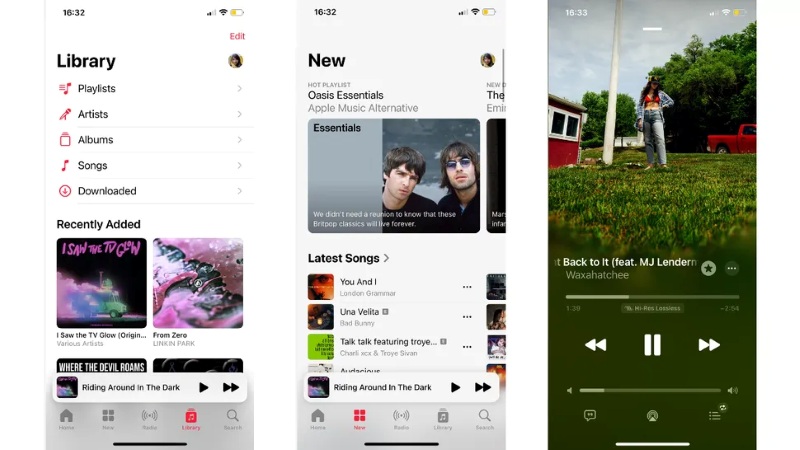
Apple Music is a top streaming service, similar to Spotify, boasting over 100 million songs. A key feature is how smoothly it integrates with Apple products. It focuses on high-quality sound with lossless options. If audio quality matters to you, it's a good fit. Spotify has a free version, but Apple Music is ad-free and well-organized with curated playlists. Although there's no free option, it's easy to navigate and offers expert recommendations. It’s often considered one of the best alternatives to Spotify for users who prefer a more curated listening experience.
😀 Why users like it:
- Strong editorial curation with well-designed playlists.
- High-quality audio support, including lossless and spatial audio.
- Smooth integration with iPhone, iPad, and Mac.
☹️ Considerations:
- Outside the Apple environment, adaptability is limited.
- A fee-based membership must be maintained at all times.
Best for: Users who demand high-quality audio and a superior streaming experience.
💡 Pro Tips: How to Transfer Apple Music Songs to a USB Drive?
Deezer
🔍Access Site: https://www.deezer.com/
💰 Price: $10.99/month
🔊 Audio Quality: HiFi (FLAC 16-bit)
🎵 Library Size: ~90M songs
🔄 Cross-Device: iOS / Android / Web / Intelligent Device
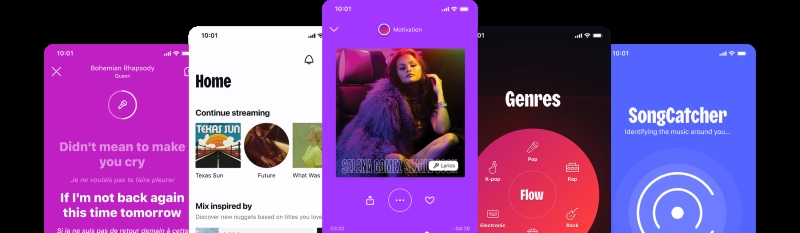
Deezer makes listening to music easy. The "Flow" feature is special. It learns what you like and automatically suggests music. You don't have to tell it what to play. It just uses your listening history. Ease arrives through minimal design, avoiding clutter while supporting exploration. Deezer also supports HiFi audio quality, making it a good middle-ground option between mainstream platforms and audiophile services. Unlike Spotify, Deezer’s “Flow” offers a more passive, radio-like listening experience. Deezer also offers a limited free tier, making it a potential free Spotify alternative for casual listeners.
😀 Why users like it:
- Simple interface with easy navigation.
- The “Flow” recommendation system adapts to listening habits.
- Good balance of mainstream and personalised music discovery.
- Decent audio quality options, including HiFi.
☹️ Considerations:
- Smaller ecosystem compared to major competitors.
- Limited availability of advanced features in some regions.
Best for:
Users who want a simple and intelligent music recommendation experience.
💡 Pro Tips: How to Download Deezer Music to MP3 Songs?
Tidal
🔍Access Site: https://tidal.com/
💰 Price: $11.99/month
🔊 Audio Quality: HiFi + Hi-Res FLAC(up to 24-bit)
🎵 Library Size: 110M+ songs
🔄 Cross-Device: Supports high-end audio devices (Roon, etc.)
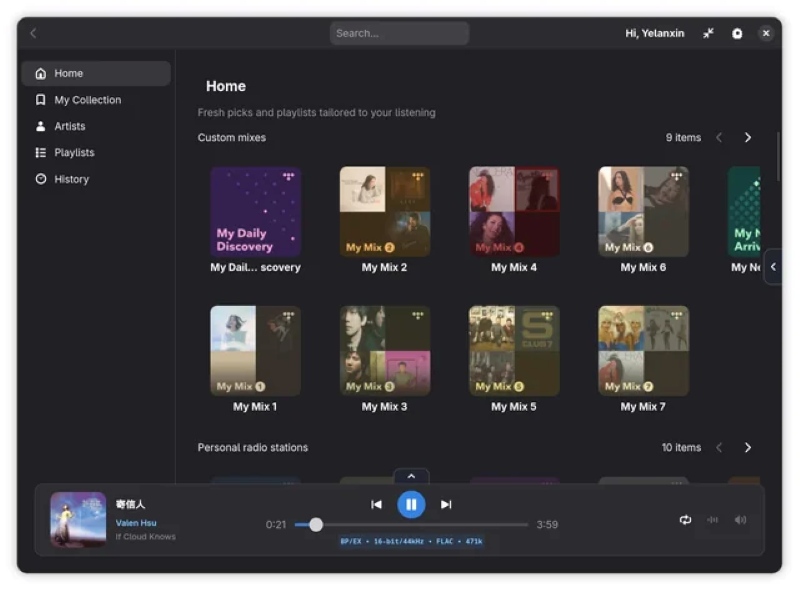
Compared with Spotify, Tidal puts more emphasis on sound quality than discovery features. Tidal aims to make you feel truly inside the music. The listening experience is key. They focus on quality, not just a large number of songs. People who notice subtle sound differences often prefer Tidal. Earlier access occurs for certain albums, sometimes only through this service, particularly with specific creators. A quieter interface shapes interaction, differing from widely used platforms. Keep in mind, Tidal has a higher price and may not be available in all locations.
😀 Why users like it:
- Superior sound quality compared to most mainstream streaming platforms.
- High-fidelity audio experience ideal for premium headphones and home audio systems.
- Exclusive content and early access enhance the overall listening experience.
☹️ Limitations:
- Higher subscription cost compared to Spotify and other competitors.
- Smaller catalogue in some regions, especially for niche or local content.
- Less focus on casual listening and discovery features.
Best for:
Users who prioritise sound quality and want a premium, audiophile-level streaming experience.
🔥 See Also: How to Download Flac Songs from Tidal Music?
Amazon Music
🔍Access Site: https://music.amazon.com/
💰 Price: $12.99/month(Prime users ~$11.99)
🔊 Audio Quality: HD + Ultra HD
🎵 Library Size: 100M+ songs
🔄 Cross-Device: Alexa / Echo / Fire TV / Car integration
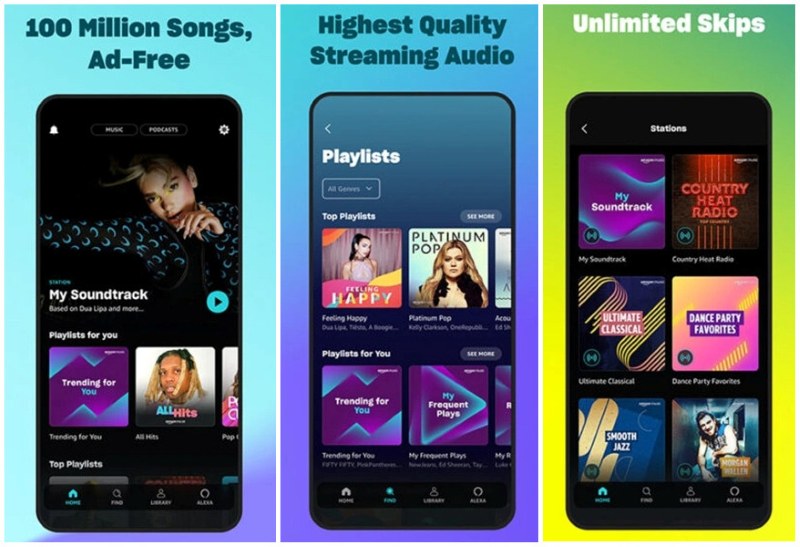
Amazon Music integrates better with Amazon products and has easier-to-access HD audio than Spotify. This makes it a good option for users who prefer convenience over advanced music discovery. Amazon Music offers a flexible streaming service with a free choice and paid plans. Thanks to its convenience and competitive pricing, it’s a solid option for Amazon users. It provides HD and Ultra HD audio, plus a wide range of high-resolution FLAC tracks, making it easier for everyday users to access high-fidelity sound compared to platforms like Tidal or Qobuz. It also integrates seamlessly with Alexa, supports voice control, and includes podcasts, lyrics, and curated playlists.
😀 Why users like it:
- Free tier available.
- HD / Ultra HD and Hi-Res FLAC audio options.
- Strong Alexa and smart home integration.
- Combines music, podcasts, and lyrics in one platform.
☹️ Limitations:
- The interface isn’t as smooth or intuitive as Spotify.
- The free version feels a bit limited once you use it more.
- Music recommendations don’t feel as accurate as Spotify’s.
Best for:
Users who want a cost-effective streaming service with solid audio quality, especially those already using Amazon devices.
🔥 Read Also: How to Download Amazon Music to PC?
Qobuz
🔍Access Site: https://www.qobuz.com/
💰 Price: $12.99/month
🔊 Audio Quality: Hi-Res FLAC(up to 24-bit / 192kHz)
🎵 Library Size: ~100M songs
🔄 Cross-Device: Multi-platform support (limited ecosystem)
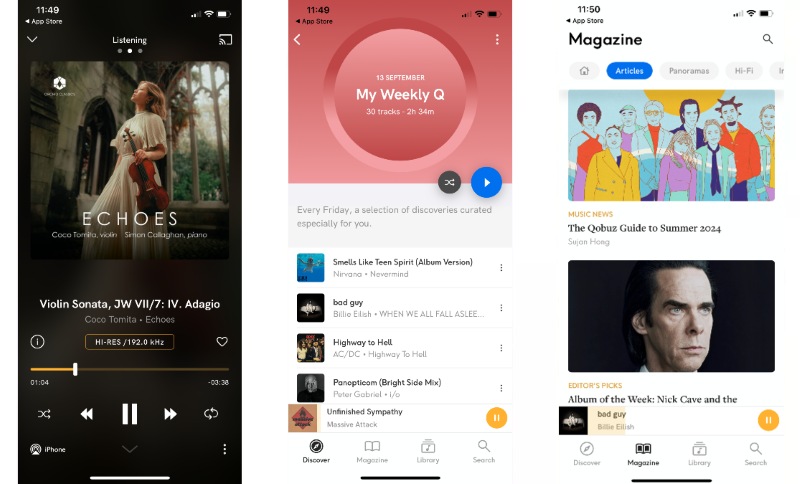
Music lovers who care about clarity might find Qobuz stands apart. Instead of relying on machines, real people shape what gets recommended - bringing depth through thoughtful write-ups and background details. What sets it apart? A clear emphasis on human expertise, providing detailed reviews and artist information. Downloads are possible, especially useful for those drawn to jazz, classical, or acoustic styles where detail matters. Here, the catalog isn't as endless as some giants, but it's designed to guide your choices. Compared to Spotify, Qobuz places a stronger emphasis on high-resolution audio and editorial depth, appealing more to listeners who prioritise sound quality over mainstream recommendations.
😀 Why users like it:
- True Hi-Res audio quality for audiophiles.
- Strong editorial content and album insights.
- Focus on full albums rather than singles.
☹️ Limitations:
- Smaller mainstream music library.
- Limited availability in some regions.
- No free tier in most markets.
Best for:
Audiophiles and listeners who value sound quality and music depth over algorithmic recommendations.
📌 Pro Tips: How to Download Music from Qobuz to FLAC Files?
Free Spotify Alternatives (Best for Discovering New Music)
For users who enjoy finding new, independent, or hard-to-find music beyond mainstream catalogues.
SoundCloud
🔍Access Site: https://soundcloud.com/
💰 Price: Free / Go+ ~$4.99+
🔊 Audio Quality: Variable (some HiFi tests emerging)
🎵 Library Size: 300M+ user-uploaded tracks
🔄 Cross-Device: Web / Mobile
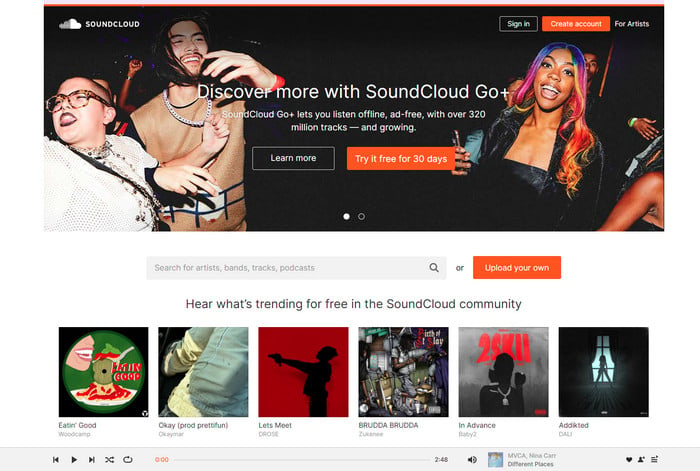
SoundCloud stands out as a Spotify alternative by focusing more on music discovery than mainstream streaming. Artists can upload their tracks directly, giving listeners access to unique sounds, remixes, and unreleased versions you won’t find on traditional platforms. This open ecosystem means the music library is constantly evolving with new creators and fresh content. While SoundCloud offers free listening, audio quality can vary, and some mainstream songs may be missing. Unlike Spotify’s licensed catalog, SoundCloud’s direct artist uploads make it especially strong for discovering emerging, independent, and experimental music. Because of its free access and creator-driven platform, it’s widely used as a free Spotify alternative for music exploration.
😀 Why users like it:
- Large community of independent and emerging artists.
- Free listening option for casual users.
- Great for discovering remixes, demos, and experimental music.
☹️ Considerations:
- Inconsistent audio quality across tracks.
- Limited availability of mainstream and licensed music.
Best for:
Users who enjoy discovering new, independent, and underground music.
💡 Pro Tips: How to Convert Soundcloud to WAV?
YouTube Music
🔍Access Site: https://music.youtube.com/
💰 Price: $11.99/month
🔊 Audio Quality: Up to ~256kbps (no HiFi support)
🎵 Library Size: 100M+ songs + full YouTube video library
🔄 Cross-Device: Excellent cross-platform support
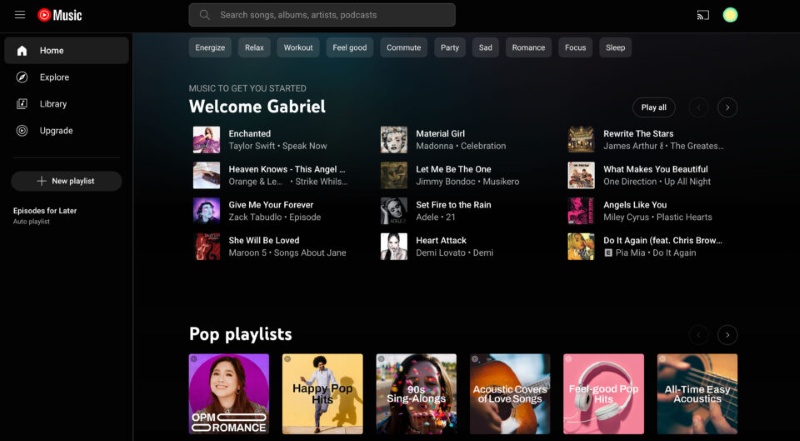
As an alternative to Spotify, YouTube Music combines the standard music streaming service with the rich video content available on YouTube. Beyond official albums, it holds concerts filmed in real time, different versions of songs, interpretations by other artists, and uncommon recordings rarely found on competing platforms. Each person sees suggestions that shift based on what they listen to, along with what videos they watch. Navigating feels effortless due to a clean layout connecting sound and visuals without friction. Ads appear when using the standard access level; however, paying unlocks continuous playback, even without internet. Background usage becomes possible once upgraded.
😀 Why users like it:
- A massive range of music content is freely accessible.
- Live performances and rare recordings included.
- Highly personalised recommendations.
- Combines music and video in one platform.
☹️ Considerations:
- Ads in the free version.
- Subscription required for offline playback.
Best for:
Casual listeners who want free and flexible access.
🔥 Read Also: How to Transfer YouTube Music to USB?
Spotify Alternatives for Offline Listening & Full Control [HOT]
AudiCable Music One
🔍Access Site: https://www.audicable.com/
💰 Price: $6.66/month (billed annually)
🔊 Audio Quality: Spotify Lossless, Apple Music (Hi-Res) Lossless, Amazon Music Ultra HD, Tidal HiRes FLAC, Deezer HiFi, etc,.
🎵 Library Size: Unlimited (depends on source platform)
🔄 Cross-Device: ✅ Permanent local files
Most Spotify alternatives focus on improving specific streaming features — but they still rely on subscriptions, which means you never truly own your music. AudiCable Audio Recorder takes a different approach. Instead of offering temporary access, it allows you to download and keep your music permanently. You can convert songs from Spotify and other platforms into formats like MP3, AAC, or FLAC, making them playable on any device without restrictions. This means your music remains accessible even if you cancel your subscription. For users looking for a Spotify Premium alternative without ongoing fees, AudiCable provides a practical solution. More importantly, it shifts the experience from streaming to ownership — giving you full control over your music library.
😀 Why users like it:
- Converts streaming music into MP3, AAC, FLAC, and other formats for permanent offline use.
- Supports major platforms like Spotify, Apple Music, YouTube Music, and Tidal.
- Batch downloads playlists, albums, podcasts, and audiobooks efficiently.
- Preserves metadata such as artist, album, and lyrics for better organisation.
- Includes extra tools like format conversion, ID3 editing, CD Burner, and audio trimming.
☹️ Considerations:
- The free version only converts the first minute of each track.
- Desktop-only software with no mobile app currently available.
Best for:
Users who want full control, offline access, and long-term ownership of their music.
💻 How to Download Songs from Any Music Site?
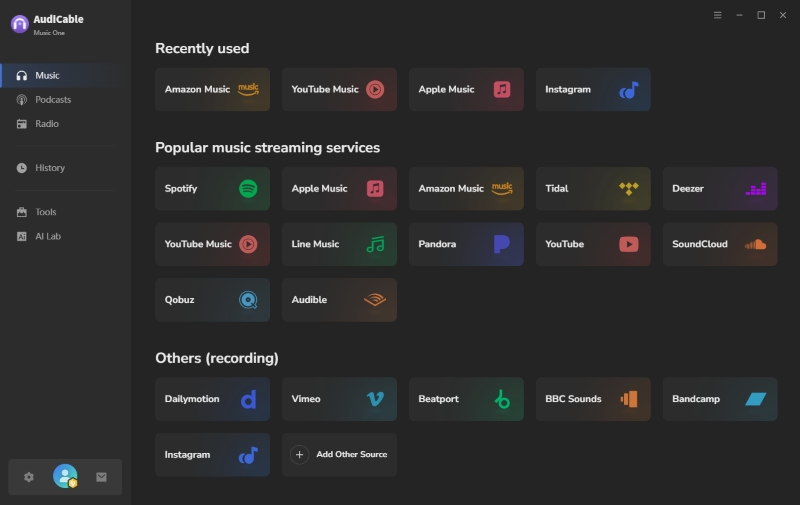
Step 1 Choose Spotify or its best alternative
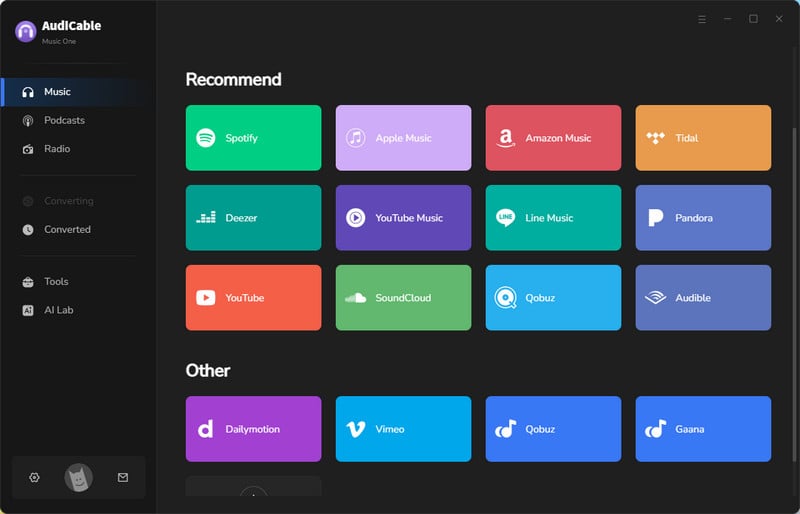
Open AudiCable Audio Recorder and select your music source from the main interface. You can choose platforms like Spotify directly or add other sources if needed.
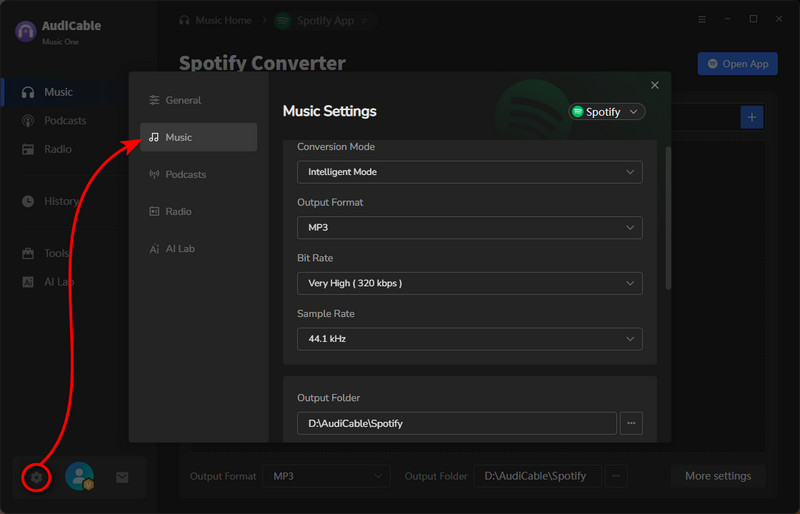
Step 2 Adjust output settings
Go to “Settings” to choose your preferred format (such as MP3), audio quality, and conversion speed. You can keep the default settings or adjust them based on your needs.
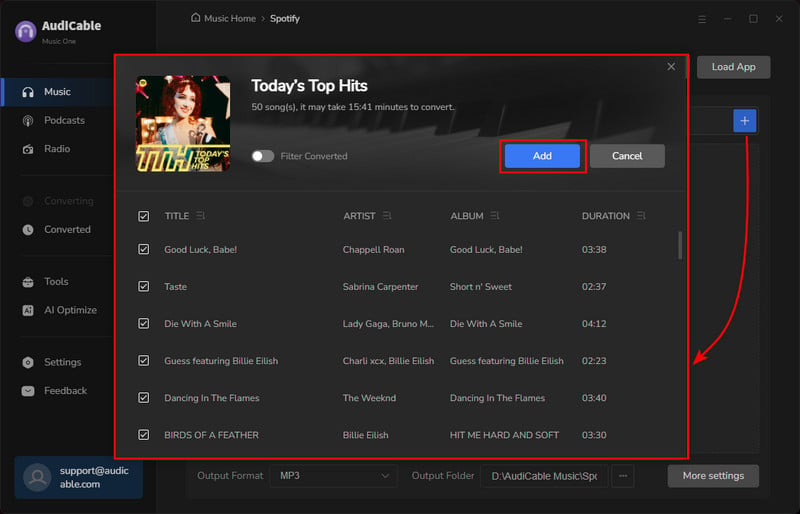
Step 3 Add music
Browse your playlists, albums, or artists in the built-in web player, then click the "+" button to select the tracks you want to download.
Step 4 Start downloading songs
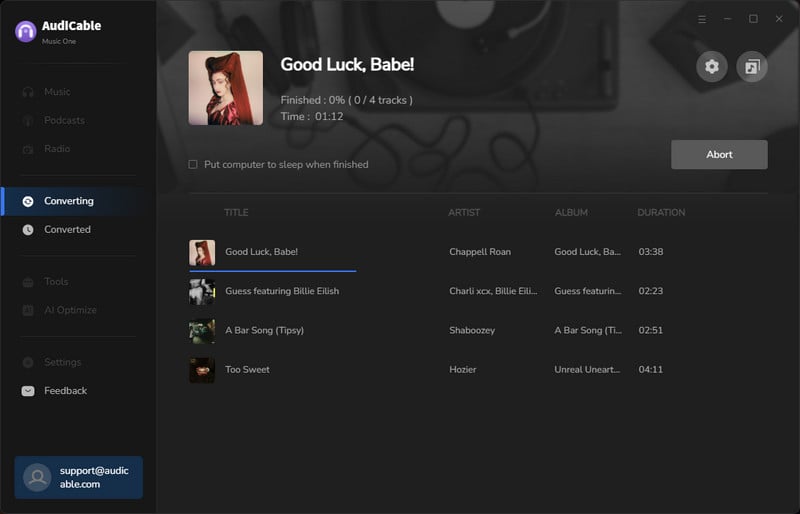
Click “Convert” to begin downloading your music. AudiCable will process multiple tracks at once, so you don’t have to do it one by one. If you want to stop the conversion, just click "Abort".
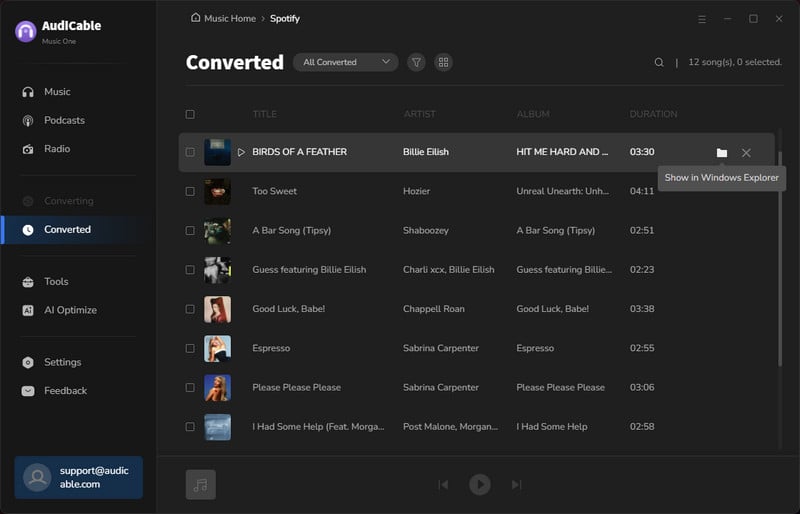
Step 5 Access your files
Once finished, go to the “History” section to find your downloaded songs. They’ll be saved locally and ready to play on any device.
Online MP3 Music Sites
Online MP3 music download sites provide quick and convenient access to music files without requiring any subscription. Their simplicity and wide song availability make them suitable for casual listening or fast one-time downloads. However, audio quality and file reliability can vary depending on the source, and not all tracks are consistently available. These sites are sometimes used as a free Spotify alternative, especially for quick and temporary downloads.
😀 Why users like it:
- Quick and easy access to music downloads.
- No software installation required in most cases.
- Useful for occasional or casual listening needs.
☹️ Considerations:
- Audio quality and file consistency may vary depending on the source.
- Availability of certain tracks can be inconsistent.
Best for:
Users who need temporary, casual, or one-time music downloads.
FAQs about Spotify Alternatives
💬 Q1: What is the best Spotify alternative overall?
No single option suits all users. For superior audio, consider Tidal or Apple Music. For diverse music discovery, SoundCloud and YouTube Music are good. AudiCable Audio Recorder lets you own your music, avoiding subscriptions. Your ideal choice hinges on your listening preferences.
💬 Q2: Can I transfer my Spotify playlists to another platform?
Yes, playlist transfer is possible if you decide to move away from Spotify. Use third-party applications to move Spotify playlists to services such as YouTube Music or Deezer. This avoids manually recreating your library. Transfer accuracy can vary; some songs may be missing on the new platform.
💬 Q3: What happens to my downloaded music if I cancel my subscription?
Most streaming services link saved songs to a live membership. Once the plan ends, playback without internet often halts – downloads aren’t kept as standard audio files; instead, they exist as locked copies connected to user profiles. These versions serve short-term use inside the app, not lasting personal collections.
💬 Q4: Is switching to a Spotify alternative or alternatives to Spotify Premium really necessary?
Not always. If Spotify meets your current listening needs, switching isn't mandatory. However, users seek alternatives for enhanced audio, broader music selection, or greater access control. The focus isn't on a complete replacement but on selecting a service that better aligns with your listening preferences.
Wrapping It Up
While Spotify remains popular, more users are experiencing its limitations: the need for subscriptions, changing song availability, and potential offline restrictions. No single app excels in all areas; some focus on audio fidelity, others on personalised suggestions or ease of use. The ideal choice depends on individual listening habits, not just app features. For some, switching apps might suffice. However, if having long-term access to your music is a priority, alternatives to standard streaming should be considered.
Ultimately, the best Spotify alternative is the one that aligns with your long-term music management preferences.
Get the best AudiCable Audio Recorder now!!
Related Articles
- Qobuz vs Spotify: Full Comparison of Audio Quality & Features
- How to Cancel Spotify Premium and Keep Your Music: 2026 Guide
- Spotify Ad Blocker: How to Block Ads in 2026
- Best 5 Eevee Spotify Alternatives in 2026
- Spotify Video Downloaders That Actually Work in 2026 (Tested Methods)
- Spotify vs Pandora - Which One is Right for You?

