


AudiCable Audio Recorder
8 Best Spotify Podcast Downloaders (2026 Review)

By
Updated on: August 19, 2026
Category: Spotify Music Tips
If you listen to podcasts on Spotify regularly, you've probably noticed one major limitation. While Spotify lets you download episodes for offline listening, those downloads stay locked inside the app. The moment you want an actual MP3 file—something you can store, transfer, or play on any device—Spotify doesn't give you that option.
That's why more users start looking for a reliable Spotify podcast downloader. In this review, we break down the most practical ways to download podcasts from Spotify, including reliable desktop software, Spotify podcast downloader free online tools, and recording tools for situations where direct downloads aren't available. Each option is evaluated based on real usage, so you can download Spotify podcasts and keep them accessible beyond the app.
Best Podcast Downloader [Stable Desktop Tool]
If you are looking for the most reliable and feature-rich solution, desktop software like AudiCable stands out. With advanced technology, AudiCable allows you to download Spotify podcasts to MP3 or other audio formats without losing quality.
AudiCable Spotify Podcast Downloader (Lossless & Batch Download)
🛡️Stability & Security: High
✅Output Formats: MP3, MP4, AAC, WAV, FLAC, AIFF, and ALAC.
AudiCable Spotify Music and Podcast Downloader is a powerful desktop application designed for users who want to download Spotify podcasts and convert them into standard audio files. As a professional Spotify podcast downloader to MP3, it allows you to download Spotify podcast to MP3, WAV, FLAC, or even MP4 for video podcasts, making it one of the most stable solutions to download podcast from Spotify without quality loss.
😀Key Advantages
- Up to 10× faster conversion speed for efficient downloads.
- Batch download entire podcast series with one click.
- Preserves original metadata and artwork.
- Maintains original audio quality without compression loss.
- Supports Spotify Free and Premium accounts, as well as other platforms.
- Integrate Format Converter, ID3 Editor, AA/AAX converter, CD Burner, Audio Editor, and Vocal Remover.
- Free updates and responsive customer support.
☹️Considerations
- AudiCable provides a one-minute preview per track, with a subscription needed to access the full version.
- Desktop-only application, with no online version support.
💻 How to Download Spotify Podcast to MP3 (Step-by-Step Guide)
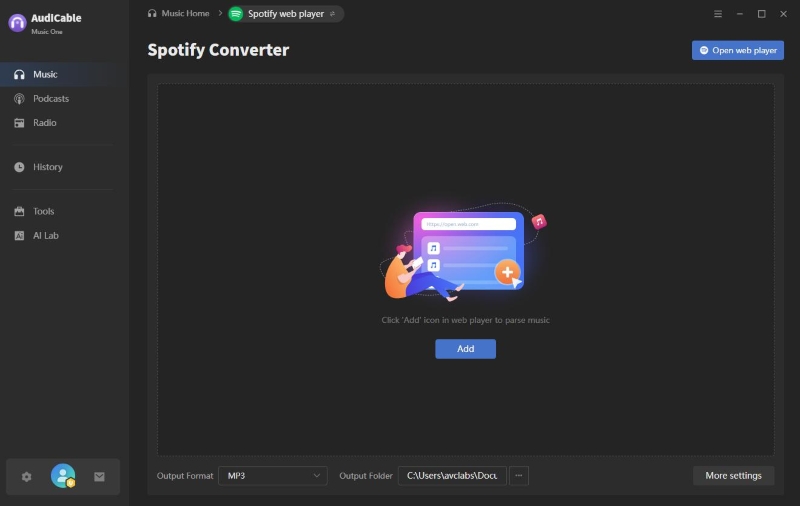
Step 1: Install and launch AudiCable on your PC or Mac, select "Spotify" from the home interface, and log into your account to begin.
Step 2: Click "Settings" in the lower-left corner, choose MP3 as the output format, customize audio quality, and select your output folder.
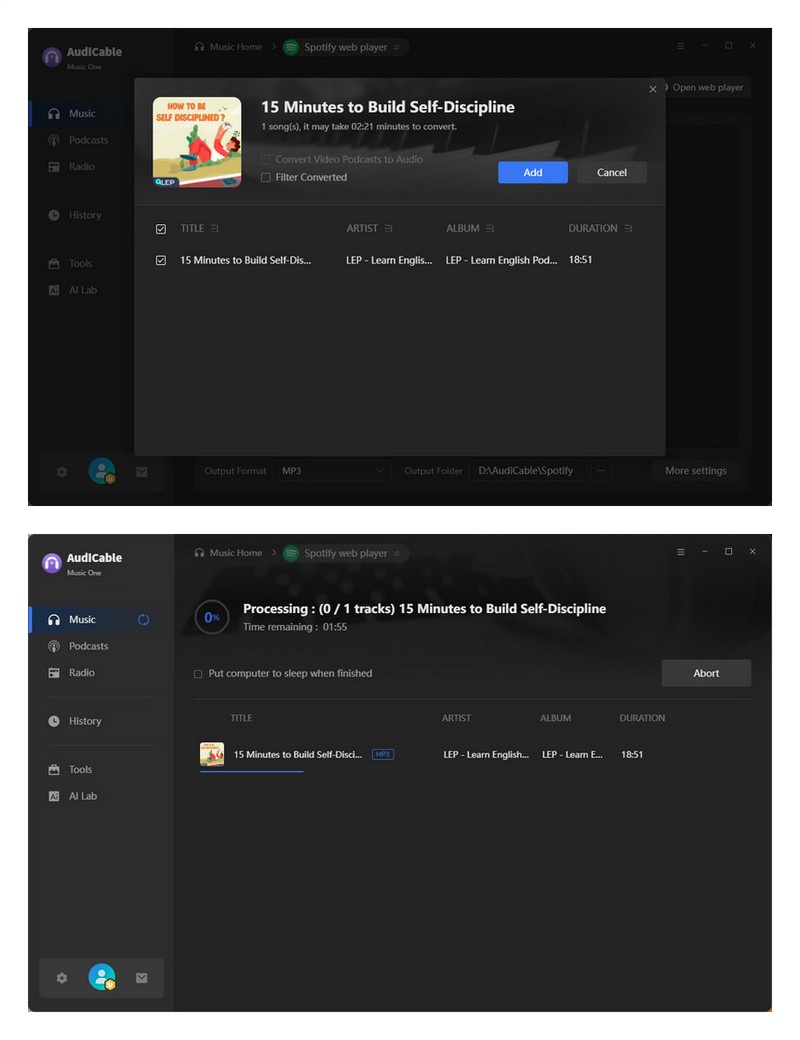
Step 3: Drag and drop episodes from Spotify into AudiCable, or paste the episode link into the URL field, then click "Add".
Step 4: Click "Convert" to begin saving the podcast as an MP3. You can stop the process anytime by clicking "Abort".
Step 5: Go to the "History" tab and click the folder icon next to any entry to open your output directory containing the downloaded MP3 files.
AudiCable Free Podcast Downloader
🛡️Stability & Security: High
✅Output Formats: MP3, MP4.
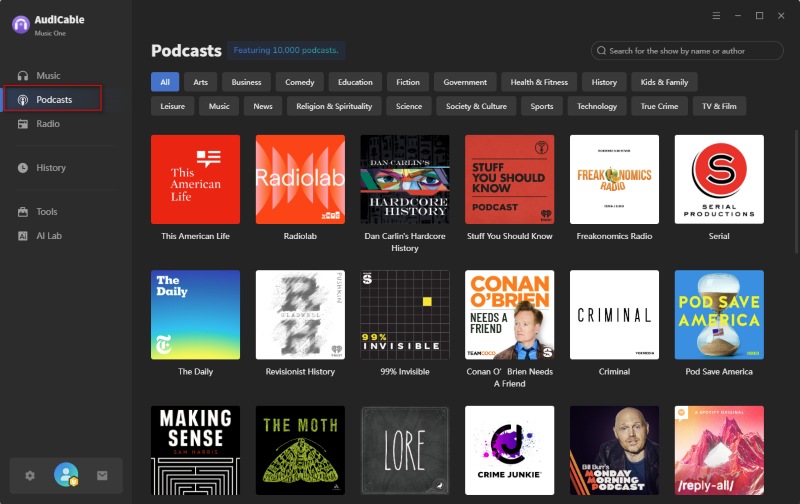
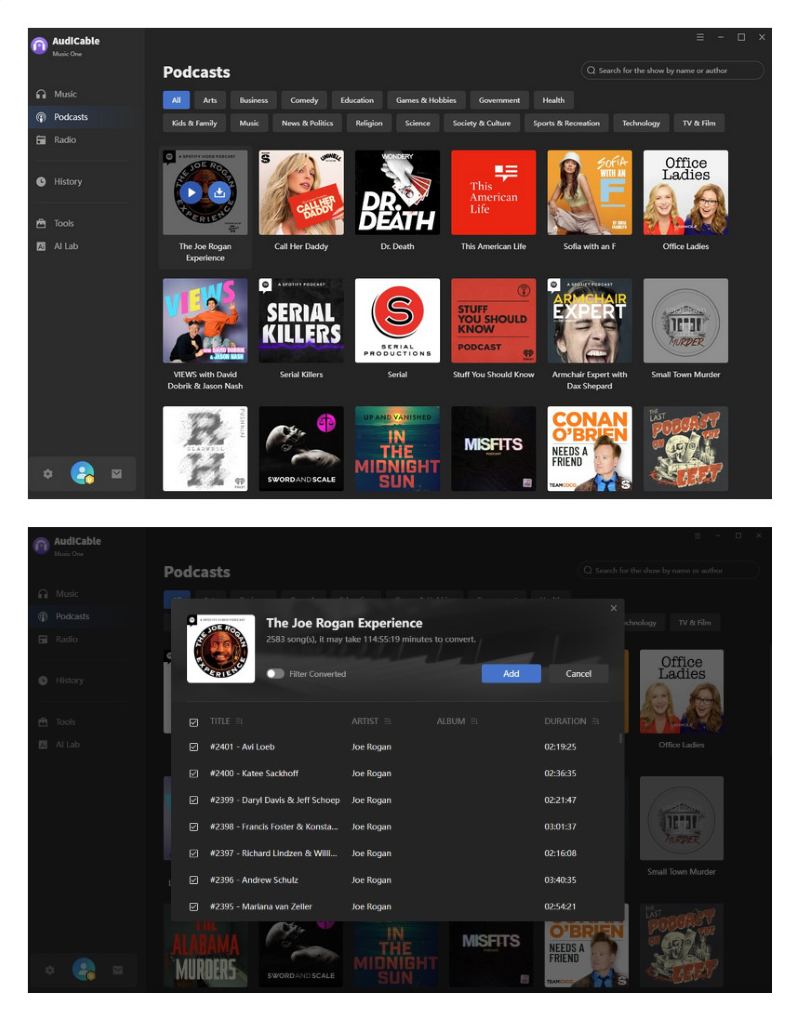
AudiCable Free Podcast Downloader is a completely free, all-in-one tool built into the AudiCable application. It offers over 10,000 popular podcasts covering a wide range of genres to suit different interests and preferences. Accessible from the left column of the main interface, it lets you download podcasts in MP3 or MP4 format at no cost. Beyond Spotify, it also supports downloading podcasts from Apple Music, Amazon Music, YouTube Music, SoundCloud, and more, making it a versatile solution for all your podcast needs.
😀Key Advantages
- Free to use.
- Up to 10× faster conversion speed.
- Play podcasts online directly within the tool.
- No podcast app installation required.
- Include a wide range of podcasts from Spotify, Apple Music, Tidal, and more.
- Preserves metadata and maintains the best audio quality.
☹️Considerations
- Desktop-only application, with no online version support.
💻How to Convert Any Podcast to MP3 for FREE?
Step 1: Launch AudiCable Audio Recorder and click Settings. Select the Podcast section, then set your output folder and choose what actions to take once the conversion is complete.
Step 2: Go to the Podcasts column on the left. You can browse episodes by genre or quickly find a specific show using the search bar at the top. All listed podcasts are free to download.
Step 3: Hover over your desired podcast show to reveal the Play and Download buttons. Click Download, then select the episode(s) you want to save.
Step 4: After the download finishes, click the folder icon next to the podcast to instantly access your downloaded files.
Free Spotify Episode Downloader [Online Tools]
Online tools are often the first choice for users looking for a free Spotify podcast downloader solution. These browser-based services work as a Spotify podcast to MP3 converter online, allowing you to quickly download Spotify podcasts without installing any software.
Podcast MP3 Downloader
🛡️Stability & Security: Medium
✅Output Formats: MP3.
➡️Official Website: https://podcastmp3.com/
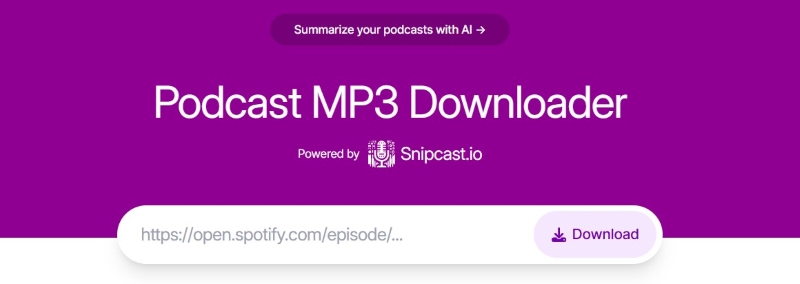
Podcast MP3 Downloader is one of the simplest online tools that functions as a lightweight Spotify podcast ripper, enabling users to download Spotify podcasts to MP3 directly from episode links without registration.
😀Key Advantages
- Web-based, no installation required.
- Supports Spotify podcast episode links.
- Free to use for individual downloads.
☹️Considerations
- One episode at a time.
- Audio quality is unstable, typically only 128kbps.
- Some shows cannot be downloaded.
💻How to Rip Spotify Podcasts to MP3?
Step 1: Copy the Spotify podcast episode link.
Step 2: Paste it into the search bar of the tool.
Step 3: Click download.
Step 4: It will automatically save as an MP3 file.
PodcastToMP3
🛡️Stability & Security: Medium
✅Output Formats: MP3.
➡️Official Website: https://podcasttomp3.com/
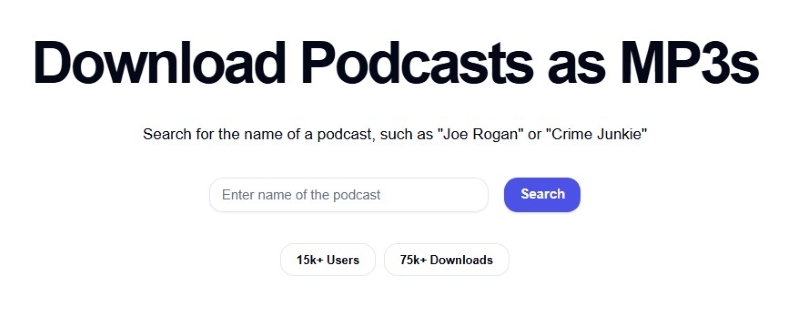
PodcastToMP3 takes a similar approach, offering a lightweight way to download Spotify podcasts to MP3 through a browser-based interface. The service prioritizes simplicity and speed over advanced customization. For users who just need a basic Spotify podcast to MP3 converter online, this tool can be a practical choice.
😀Key Advantages
- Completely free.
- No registration required.
- Works on desktop and mobile browsers.
☹️Considerations
- No batch download.
- Not preserve complete metadata.
- Only supports the MP3 output format.
💻 How to Convert Spotify Podcast to MP3?
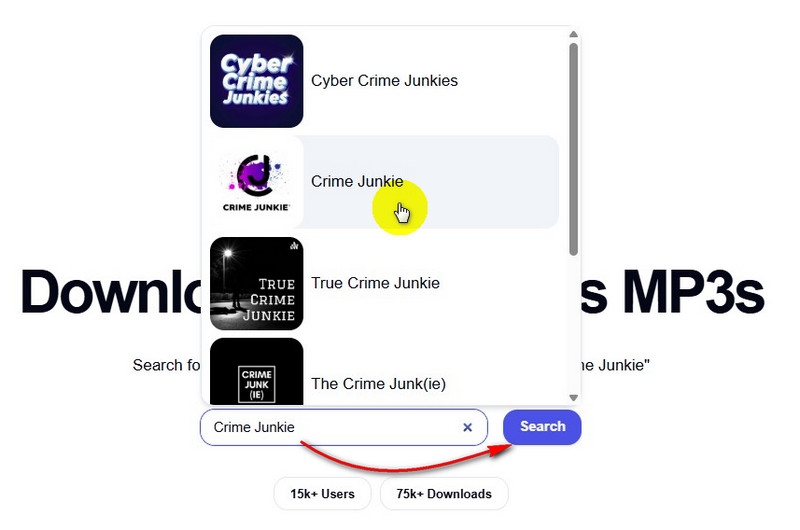
Step 1: Enter the name of the Spotify podcast and select the correct one.
Step 2: Click Search.
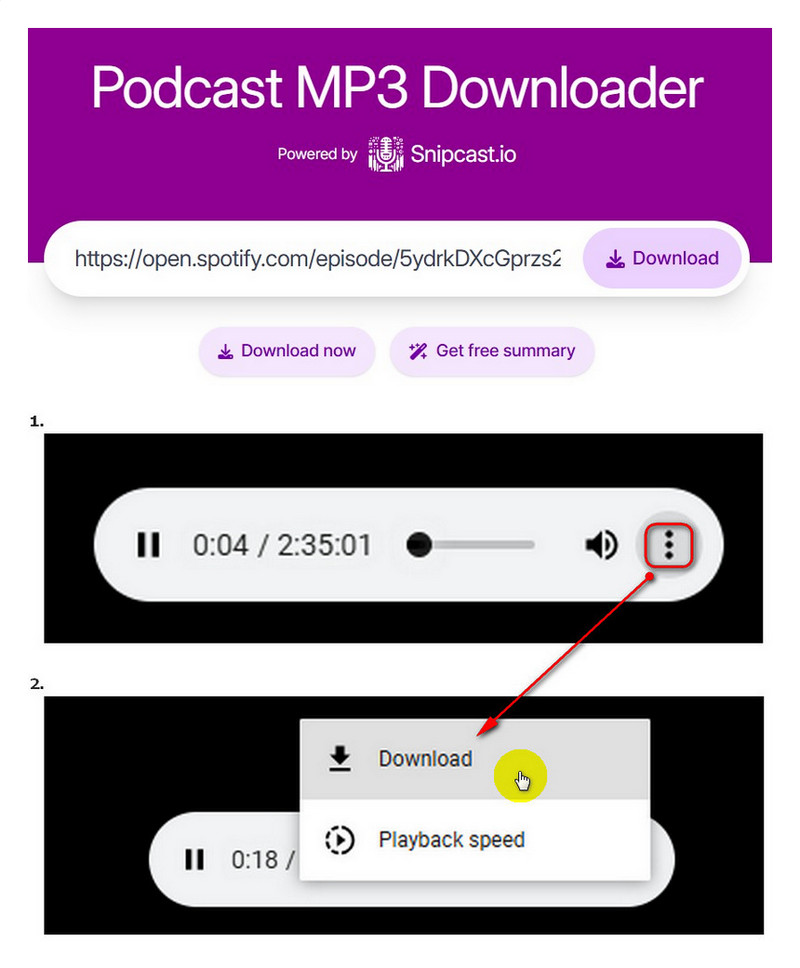
Step 3: Choose the episodes and click "download", then a new tab automatically pops up.
Step 4: In the new tab, click three dots and press download, then you can save the Spotify podcast to MP3.
PodcastIndex Site
🛡️Stability & Security: Medium
✅Output Formats: MP3.
➡️Official Website: https://podcastindex.org/
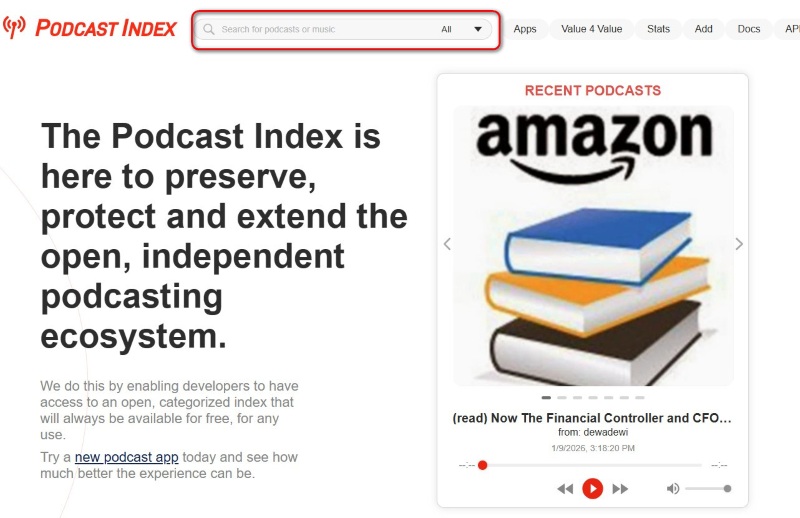
PodcastIndex is not a traditional Spotify podcast downloader, but it can still be useful in certain cases. Many podcasts available on Spotify are also distributed publicly through open podcast feeds, and PodcastIndex helps users locate those sources. When a podcast is not exclusive to Spotify, this approach may allow direct access to the original audio files without conversion.
😀Key Advantages
- Completely free to search and use, with no account required.
- It indexes podcasts from many platforms.
- Open-source and community-driven.
☹️Considerations
- Limited usefulness for Spotify-exclusive podcasts.
- No batch download.
- Not preserve complete metadata.
💻 How to Export Spotify Podcast to MP3?
Step 1: Search for the name of the Spotify podcast.
Step 2: Select the target podcast.
Step 3: Click the download icon for each episode to download the podcast as an MP3.

Podbean Podcast Downloader
🛡️Stability & Security: Medium
✅Output Formats: MP3.
➡️Official Website: https://www.podbean.com/
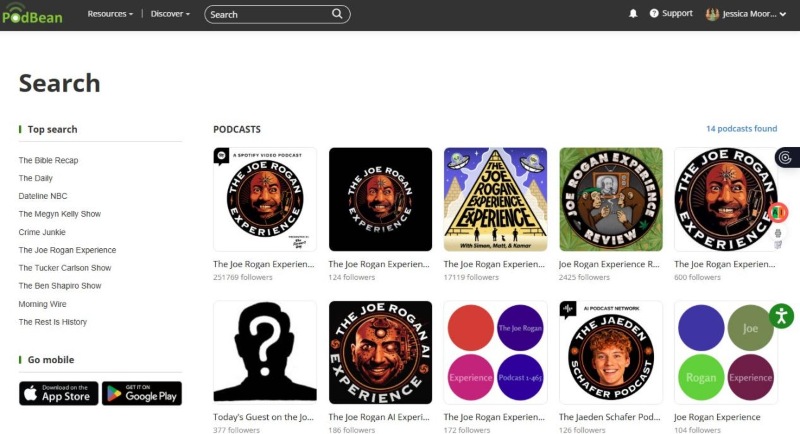
Podbean hosts and distributes a large number of podcasts and provides direct download options for supported episodes. If a Spotify podcast is also available on Podbean, this becomes one of the easiest ways to download podcast episodes as MP3 files.
😀Key Advantages
- Direct MP3 downloads.
- Web-based, free, and straightforward.
- No third-party conversion required.
☹️Considerations
- Only works for podcasts distributed through Podbean.
- Only MP3 downloads are supported.
💻 How to Get Spotify Podcasts in MP3 Format?
Step 1: Enter the name of the Spotify podcast in the search bar.
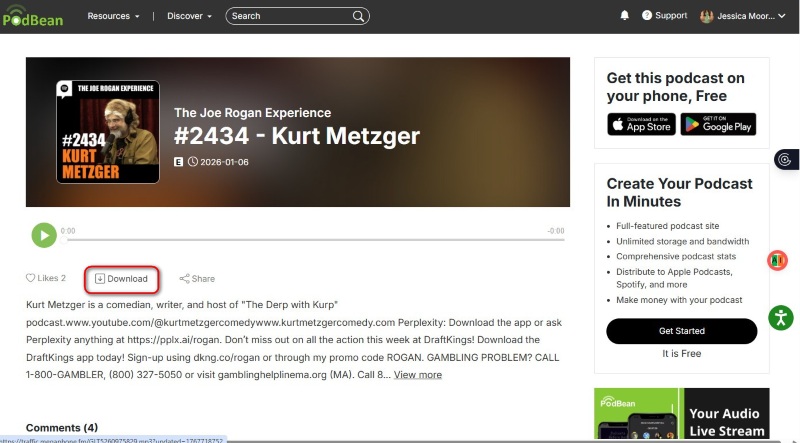
Step 2: Tap the specific episodes that are to be downloaded.
Step 3: Hit the button "Download", then the show will be downloaded as MP3 files.
Useful Spotify Podcast Recorder [Recorder & Editor]
When direct downloads aren't an option, recording tools act as a fallback Spotify podcast ripper, allowing you to manually download Spotify podcasts by capturing system audio and exporting them to MP3.
Audacity
🛡️Stability & Security: High
✅Output Formats: MP3, WAV, OGG
➡️Download Website: https://www.audacityteam.org/download/
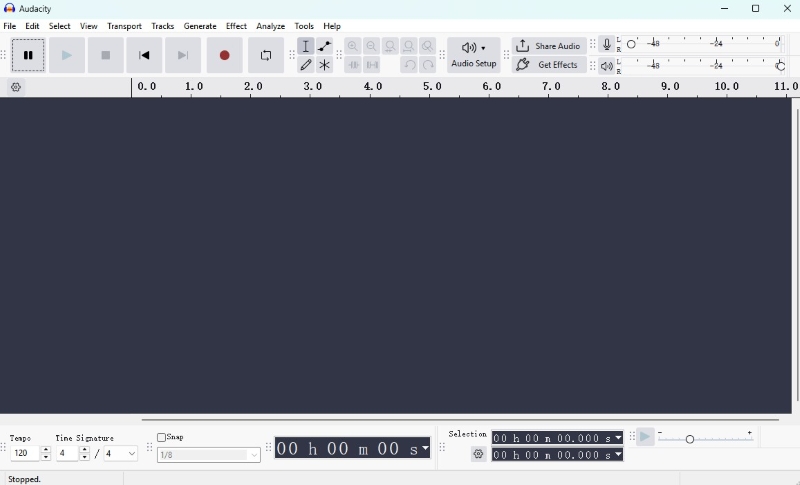
Audacity is a well-known, open-source audio recorder and editor available on Windows, macOS, and Linux. Although it's not designed specifically as a Spotify podcast downloader, it can be used to record podcasts directly from system audio.
😀Key Advantages
- Supports multiple output formats.
- Completely free and highly customizable.
- Supports extensive post-recording editing.
☹️Considerations
- Requires manual, real-time recording.
- Playback must run in full while recording.
- Less efficient for long episodes or multiple downloads compared to direct Spotify podcast to MP3 tools.
💻How to Proceed with Spotify Podcast to MP3?
Step 1: Open Audacity and go to Audio Setup. Set the recording input to system audio / (loopback).
Step 2: Play the Spotify podcast episode you want to capture, then click the Record button in Audacity.
Step 3: Click the Stop button once the playback ends.
Step 4: Go to File > Export Audio, select MP3, choose a location, name the file, and save.
Cinch Audio Recorder
🛡️Stability & Security: Medium
✅Output Formats: MP3, WAV.
➡️Download Website: https://www.cinchsolution.com/cinch-audio-recorder/
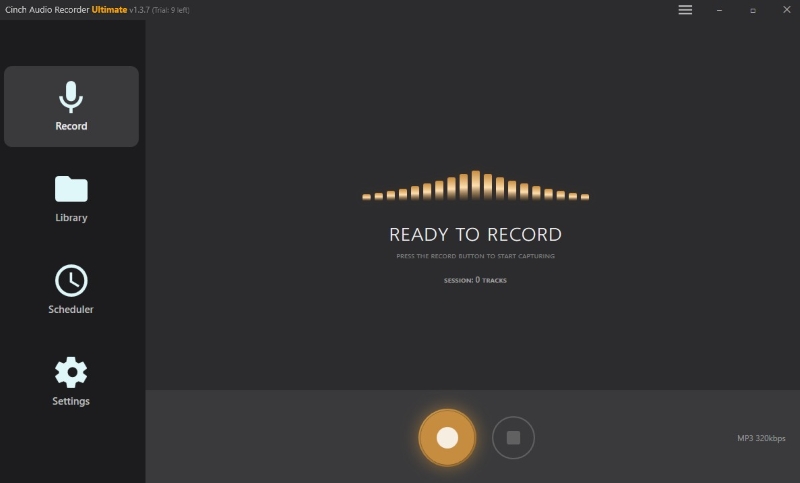
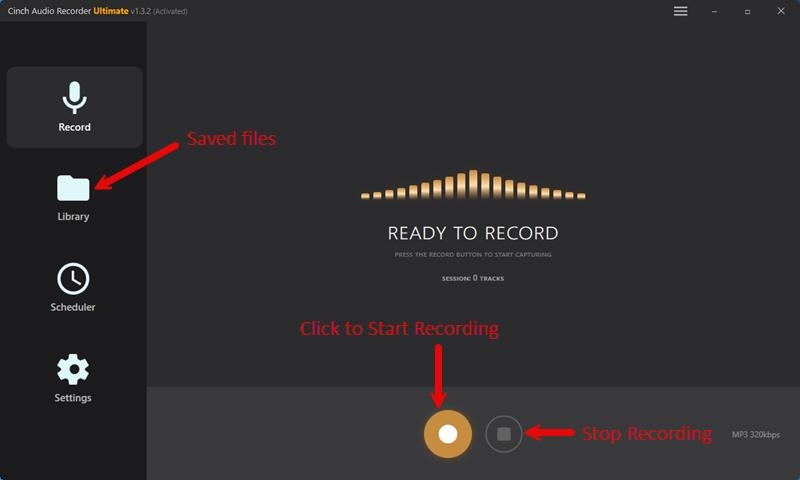
Cinch Audio Recorder is a Windows-based tool built specifically for capturing streaming audio. It automatically records Spotify podcasts as MP3 files while preserving sound quality, making it a more streamlined option than general-purpose editors.
😀Key Advantages
- Record audio and export it as MP3 or lossless WAV format.
- Identify and save metadata such as title and cover.
- Save audio at a maximum quality of 320 kbps.
☹️Considerations
- Primarily aimed at Windows users, with relatively limited support for macOS.
- Real-time recording required.
- Full experience requires purchasing the full version.
💻How to Save a Spotify Podcast to MP3?
Step 1: Launch Cinch Audio Recorder and confirm the output format and save path in the settings.
Step 2: Click the Record button and play the Spotify podcast or audio content you want to record.
Step 3: Click Stop when playback is finished; the recorded audio will be automatically saved.
Step 4: Open the folder to manage and play the recording.
📊 A Side-by-Side Comparison
| Tool Name | Output Format | Quality | Speed | ID3 Tags | Batch Download | Platforms | Price (Monthly) |
|---|---|---|---|---|---|---|---|
| AudiCable Spotify Podcast Downloader | MP3, MP4, AAC, WAV, FLAC, AIFF, ALAC | ⭐⭐⭐⭐⭐ (Lossless) | ⚡⚡⚡⚡⚡ Fast | ✓ Full | ✓ Yes | Windows, macOS | $6.66 (Yearly Plan) |
| AudiCable Free Podcast Downloader | MP3, MP4 | ⭐⭐⭐⭐ | ⚡⚡⚡⚡ | Partial | Limited | Windows, macOS | Free |
| Podcast MP3 Downloader | MP3 | ⭐⭐ | ⚡⚡⚡ | ✕ | ✕ | Browser | Free |
| PodcastToMP3 | MP3 | ⭐⭐ | ⚡⚡⚡ | ✕ | ✕ | Browser | Free |
| PodcastIndex | MP3 (Original Feed) | ⭐⭐⭐⭐ | ⚡⚡⚡ | Depends | ✕ | Browser | Free |
| Podbean Podcast Downloader | MP3 | ⭐⭐⭐⭐ | ⚡⚡⚡ | Partial | ✕ | Browser | Free |
| Audacity | MP3, WAV, OGG | ⭐⭐⭐⭐ | ⚡⚡ Real-Time | Manual | ✕ | Windows, macOS, Linux | Free |
| Cinch Audio Recorder | MP3, WAV | ⭐⭐⭐⭐ | ⚡⚡ Real-Time | ✓ Auto | ✕ | Windows | $25.99 |
Disclaimer:
- All these methods are for personal or educational use only.
- You should not use this tool to distribute music or for business.
FAQs about Spotify Podcast Downloader
💬 Q1: What is the best Spotify podcast downloader for beginners?
A: If you want a free Spotify podcast downloader, online tools like Podcast MP3 Downloader or PodcastToMP3 are easiest. For regular use, AudiCable Music One is more efficient.
💬 Q2: What's the difference between Spotify's offline downloads and MP3 downloads?
A: Offline downloads in Spotify are encrypted and only playable inside the app. MP3 downloads allow you to transfer and play episodes on any device.
💬 Q3: Can I convert an entire podcast series to MP3 at once?
A: Desktop tools like AudiCable Audio Recorder support batch downloads. Online tools and recorders usually handle episodes individually.
The End
Whether you want to download Spotify podcasts, convert them to MP3, or simply keep your favorite episodes accessible offline, there's a solution for every type of user. Desktop software like AudiCable Spotify Podcast Downloader is perfect for quality-conscious listeners, online tools provide quick access without installation, and recording tools like Audacity and Cinch Audio Recorder ensure no episode is ever out of reach.
By choosing the right Spotify podcast downloader, you can easily download podcasts from Spotify and enjoy offline playback on any device — without being locked into the Spotify app.
Get the best AudiCable Spotify Podcast to MP3 Converter now!!
Related Articles
- Effective Ways to Convert Spotify to MP3 in 2026
- Spotify Video Downloaders That Actually Work in 2026 (Tested Methods)
- How to Convert Spotify Link to MP3: 5 Methods Tested in 2026
- How to Mix Songs on Spotify & Save a Mix Playlist
- 12 Best Sites to Download MP3 Music for FREE
- How to Get Spotify Premium for Free - 100% Work

