


AudiCable Audio Recorder
How to Convert Spotify Links to MP3: 5 Methods Tested in 2026

By
Updated on: September 11, 2026
Category: Spotify Music Tips
You have a Spotify link—a song, a playlist, or an entire album—and you’d like to save it as an MP3 you can keep anywhere. The problem is, Spotify won't export music to MP3. So you’ll have to step beyond the app to get it done.
We put five ways to convert Spotify links to MP3 to the test, including desktop software, online converters, an open-source tool, a mobile solution, and a recording method. We checked not just whether each one worked, but also what you actually get at the end—including audio quality, download options, speed, ease of use, and reliability.

📑 Content
- Can You Convert a Spotify Link to MP3?
- 5 Ways to Convert Spotify Link to MP3 Tested
- Method 1. Use AudiCable Spotify Link to MP3 Converter
- Method 2. Use an Online Spotify Link to MP3 Converter
- Method 3: Use spotDL
- Method 4. Convert a Spotify Link to MP3 on Android
- Method 5. Record Spotify Playback with Audacity
- Spotify Link to MP3 Converters Comparison
- FAQs About Spotify Link to MP3
Can You Convert a Spotify Link to MP3?
Yes, you can—just not through Spotify. Even with Premium, there's no way to export a track as an MP3.
A Spotify link is basically a shortcut. Copy it, share it—it takes you right back to Spotify. What about offline downloads? They stay inside Spotify, rather than appearing as regular music files. You can't simply move them to another player. That's why people turn to third-party converters. In theory, you paste a link and get an MP3. In reality, the results are all over the place. Audio quality, speed, and reliability vary from tool to tool—and we're about to find out which ones actually work.
So how do you actually copy a Spotify link? It's straightforward.
On desktop, just open the track, album, or playlist you want. Click the three-dot menu, go to Share, and select Copy Song Link. On mobile, it's just as simple. Open the content in the Spotify app, tap the three-dot menu, hit Share, then tap Copy.

Once you have it, paste that URL into any compatible Spotify to MP3 converter—and you're ready to go.
5 Ways to Convert Spotify Link to MP3 Tested
Method 1 Use AudiCable Spotify Link to MP3 Converter
🔍 Website: https://www.audicable.com/
If you regularly convert Spotify links, a desktop converter is a convenient option.
AudiCable Spotify Link to MP3 Converter offers a simple way to convert Spotify links to MP3s. It supports Spotify Free and Premium accounts and can convert various content like songs, playlists, podcasts, and audiobooks, while retaining ID3 tags. The converter supports multiple output formats, including MP3, AAC, WAV, FLAC, AIFF, and ALAC. It also features batch downloading for converting multiple tracks efficiently. We used a Spotify playlist link for our test, sucessfully converting all tracks to MP3.
AudiCable Spotify Link to MP3 Downloader (Win / Mac)
- Convert Spotify links, tracks, albums, and playlists to MP3.
- Customize audio settings and export music in MP3, AAC, WAV, FLAC, AIFF, and ALAC formats.
- Keep ID3 tags and album artwork with downloaded files.
- Batch download music at speeds of up to 10×.
- Support both Spotify Free and Premium accounts.
- Access additional audio tools, including a Format Converter, ID3 Editor, Audio Editor, and more.
- Download music from multiple platforms, including Apple Music, Tidal, Qobuz, and SoundCloud, etc.
💻 Steps to Convert Spotify Link to MP3:
Step 1 Install and launch AudiCable Spotify Link Converter. From the Music tab, choose Spotify as the source.

Step 2 Open "Settings" and select MP3 as the output format. You can also choose where to save the converted files.

Step 3 Paste the Spotify link into AudiCable, or drag and drop the content into the app. Once it loads, click "Add" to import the tracks.

Step 4 Click "Convert" to start. AudiCable will process the tracks and save them as MP3 files in your selected folder.

Step 5 When the conversion finishes, open the "History" tab. Click the folder icon next to the download to open the folder containing your MP3 files.

🔬 Our Test
We tested AudiCable with both individual Spotify tracks and complete playlists. For a playlist, we could paste the link once, add all the tracks, and start the conversion together instead of processing each song one by one. This made a noticeable difference when handling larger playlists. We also checked the MP3 files for metadata and audio quality. We set the output to 320 kbps and 48 kHz, which MediaInfo confirmed. Spek showed the frequency spectrum extending to around 20 kHz. This does not by itself prove that the source was lossless, but it provides a useful check against an obviously low-frequency-cutoff file.

📊 Test Result:
| Bitrate | Batch Download | Metadata | Conversion Speed | Audio Quality | Stability & Security | Rating |
|---|---|---|---|---|---|---|
| 320 kbps | ✅ Supported | ✅ Preserved | ⚡ Up to 10× | ✅ Verified | ✅ Stable & Safe | ⭐⭐⭐⭐⭐ |
Verdict: AudiCable Spotify Link to MP3 Converter is a suitable option in this test for users who regularly convert Spotify links, especially playlists, and want batch processing, metadata, and multiple output formats.
Method 2 Use an Online Spotify Link to MP3 Converter
If you only need to convert a Spotify link occasionally, an online Spotify link to MP3 converter can be more convenient because there's nothing to install. However, online converters for Spotify link to MP3 downloads vary considerably. Some support playlists or albums, while others only process individual tracks.
We put several popular Spotify downloaders through a hands-on test using real Spotify links. We tested individual tracks, playlists, and albums to see how each tool handled different types of Spotify links and downloads. The tools tested were Spotisaver, SpotyLoader, SpotMate, and SpotiDown, tested in September 2026.
The four tools take slightly different approaches. Spotisaver can recognize playlists and package the tracks into a ZIP file, while SpotyLoader supports playlists and albums but processes tracks individually. SpotMate offers a quick-download option for multiple songs, and SpotiDown can download an entire playlist as a ZIP file.

How to Convert Spotify Links to MP3 for Free?
The basic process is usually the same:
Step 1 Copy the Spotify song, album, or playlist link and open an online Spotify converter.
Step 2 Paste the URL into the input box and let the website analyze the link.
Step 3 Select MP3 from the available output options.
Step 4 Click the download button to save the MP3 file.
🔬 Our Test
We checked more than whether the download button worked. Some tools advertise 320 kbps MP3, but the actual output may have a lower bitrate or a limited frequency range. We therefore checked the reported bitrate, actual audio quality, redirects, pop-ups, and supported links. For the security check, we used VirusTotal to scan each site. Scores show flagged vendors; higher scores indicate more concerns.
 |
 |
 |
 |
📊 Test Result:
| Tool | Spotify Link Support | Actual Quality | Metadata | Ads/Redirects | Speed | Security Scan (VirusTotal) |
|---|---|---|---|---|---|---|
| Spotisaver | ✅ Tracks, Playlists & Albums | ~20 kHz | Partial | No | Medium | 9/91 |
| SpotyLoader | ✅ Tracks | 16-19 kHz cutoff | Partial | Redirect | Slow | 0/90 |
| SpotMate | ✅ Tracks | 15-16 kHz cutoff | Partial | No | Fast | 1/91 |
| SpotiDown | ✅ Tracks, Playlists & Albums | 16-17 kHz cutoff | Partial | Ads | Slow | 0/90 |
Verdict: Online Spotify link converters are convenient for occasional downloads, but their quality, stability, and safety can vary significantly from one website to another.
Method 3 Use spotDL
🔍 Website: https://github.com/spotDL/spotify-downloader
For users who are comfortable with the command line, spotDL is a different type of solution.
SpotDL is a free, open-source command-line tool that downloads Spotify playlists, albums, and tracks as MP3 files. Instead of pulling audio directly from Spotify, it uses the metadata from a Spotify link (track name, artist, and album) to find and download the corresponding audio from YouTube Music.
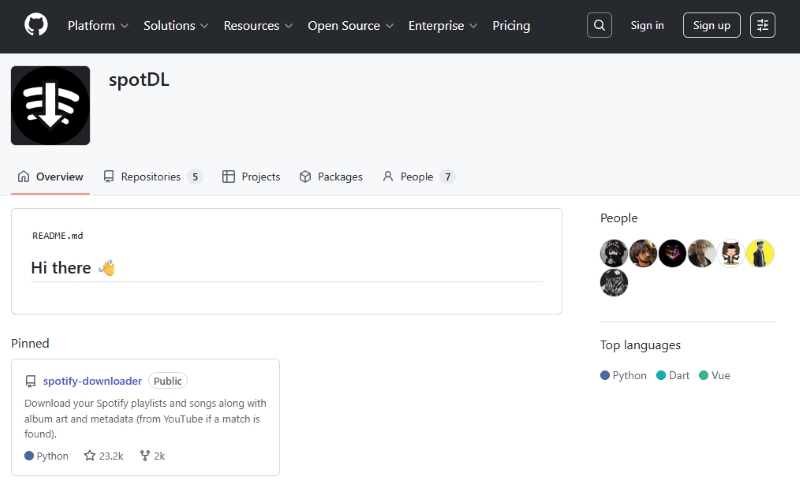
How to Get a Spotify Link to MP3 with SpotDl?
Step 1 Install Python and spotDL on your Windows PC.
Step 2 Open Spotify, find the song, album, or playlist you want to download, and copy its URL.
Step 3 Open Command Prompt and enter:
spotdl download "YOUR_SPOTIFY_URL"Step 4 SpotDL searches for the corresponding audio source and saves the resulting audio file to your computer.
⚠️ Note: Because spotDL relies on an external audio source rather than directly exporting Spotify's protected audio, the resulting quality depends on the source it finds.
🔬 Our Test
We tested spotDL 4.5.2 on Windows 11 with a Spotify track link. The Spotify URL was recognized correctly, and the track metadata was retrieved successfully. However, spotDL failed when searching YouTube Music for the corresponding audio source.

The failure occurred with an SSL: UNEXPECTED_EOF_WHILE_READING error while connecting to music.youtube.com. We confirmed that our proxy connection itself was working and that yt-dlp could access YouTube successfully. Because spotDL could not complete the YouTube Music search, the track was not downloaded, and we could not verify the output bitrate or audio quality.

This is not the only type of issue users have reported with spotDL. For example, a Reddit user on r/DataHoarder reported that spotDL repeatedly downloaded the wrong album artwork and title for a track, even when the Spotify link was provided directly. This suggests that, in addition to connection-related failures, metadata and source matching can also require manual checking.
📊 Test Result:
| URL Recognition | Metadata Retrieval | Audio Source Search | Audio Download | Speed | Audio Quality |
|---|---|---|---|---|---|
| ✅ Successful | ✅ Successful | ❌ Failed | ❌ Failed | Medium | Not verified |
Verdict: SpotDL is a flexible free option for command-line users, but its reliance on YouTube Music can affect download reliability, and our test could not complete the audio download.
Method 4. Convert a Spotify Link to MP3 on Android
🔍 Website: https://www.noteburner.com/sp-music-converter-windows/tutorial-android.html
If you're using an Android phone and don't want to move the Spotify link to a computer first, a mobile Spotify downloader can be more convenient.
NoteBurner Spotify Downloader for Android is an Android app with a built‑in Spotify web player, so you can sign in and browse your music right inside the app—no copy‑pasting URLs back and forth. It works with Spotify Free or Premium. Pick a track, album, or playlist—save to MP3, AAC, FLAC, or WAV. Batch convert entire playlists. ID3 tags stay intact, so you get proper titles, artists, and cover art. No messy files, no manual cleanup.
📱 How does it work for converting Spotify links to MP3?
Step 1 Install NoteBurner Spotify Downloader on your Android phone and open the app.
Step 2 Sign in to your Spotify Free or Premium account using the built-in Spotify web player.
Step 3 Open the Spotify playlist, album, or artist you want to save, then tap the Add (+) icon and select the tracks you want to convert.


Step 4 Choose MP3 as the output format, select your preferred audio quality and output location, and confirm the settings.
Step 5 Tap Download to start the conversion. Once finished, open the History tab to find the converted music files on your phone.


🔬 Our Test
We tested NoteBurner with an 11-track Spotify album instead of a single song. After signing in through its built-in Spotify player, we added the album, selected MP3, and started the download. Once finished, we checked the files in MediaInfo and Spek to verify the bitrate, metadata, and actual frequency range.
📊 Test Result:
| Spotify Album Link | MP3 Download | Metadata | Speed | Batch Download | Birate | Result |
|---|---|---|---|---|---|---|
| ✅ Recognized | ✅ Successful | ✅ Preserved | Fast | ✅ Yes | 320kbps | Successful |
Verdict: A mobile downloader makes sense if you mainly use Spotify on Android and want the resulting files directly on your phone.
👍 Read more: Spotify Downloader Android: 5 Tools Reviewed in 2026
Method 5 Record Spotify Playback with Audacity
🔍Website: https://www.audacityteam.org/download
Another option is to record Spotify playback rather than downloading the audio through a dedicated converter.
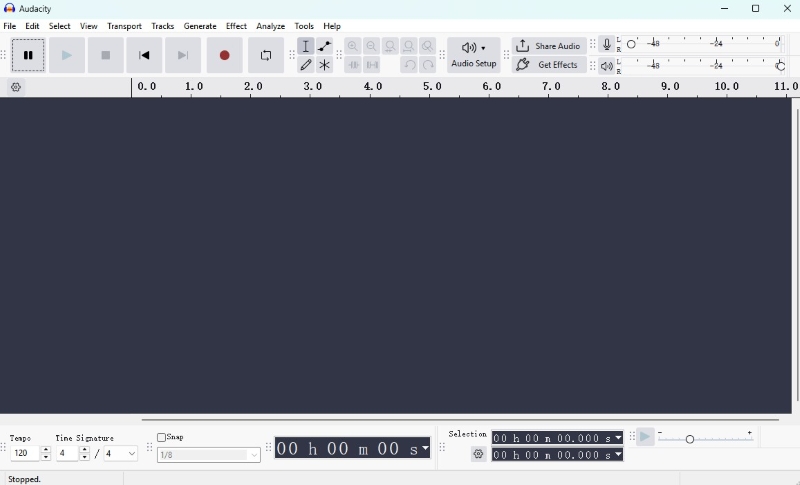
Audacity is a free audio recording and editing application that can capture audio from your computer when configured with a suitable recording source. The basic concept is simple: play the Spotify track and record the system audio.
🎙️ How to Record Spotify Playback with Audacity?
Step 1 Install and open Audacity on your computer.
Step 2 Set Audacity to record system audio, then open Spotify and find the track from your link.
Step 3 Start recording in Audacity, then play the Spotify track from beginning to end.
Step 4 Stop the recording and export the captured audio in MP3.
Step 5 Check the exported file and edit the recording if necessary.
🔬 Our Test
We used Audacity to record a Spotify track on our Windows PC, then exported it as an MP3 and checked the file with Spek.
The results were pretty much as expected. A four-minute song took about four minutes to record, and each track in a playlist would need to be recorded separately. We also had to watch out for notifications and other system sounds. For audio quality, we selected a 48 kHz sample rate and 320 kbps MP3 quality. However, Spek showed the exported file cutting off at around 15 kHz. This shows that choosing 320 kbps as the MP3 export setting does not guarantee a wider frequency range or higher source quality.

📊 Test Result:
| Spotify Playback | MP3 Export | Batch Download | Metadata | Speed | Setup Difficulty |
|---|---|---|---|---|---|
| ✅ Yes | ✅ Yes | ❌ No | Requires Manual Editing | Slow | Medium |
Verdict: Audacity is useful when you need a general-purpose recording solution, but it is much less efficient than a dedicated converter for downloading large Spotify playlists.
Spotify Link to MP3 Converters Comparison
| Tool | Type | Main Advantage | Main Drawback | Ease of Use | Best For | Recommendation |
|---|---|---|---|---|---|---|
| AudiCable | Desktop | Batch downloads and stable performance | Requires desktop software | Easy | Users who want safe and reliable downloads | Highly Recommended ★★★★★ |
| Spotisaver | Online | Supports playlists and ZIP downloads | Some instability and security concerns | Easy | Quick online downloads | Use with caution ★★☆☆☆ |
| SpotyLoader | Online | Simple browser-based download | Slow and redirects | Easy | Individual tracks | Worth Considering ★★★☆☆ |
| SpotMate | Online | Fast and easy to use | Lower audio quality | Easy | Quick downloads | Worth Considering ★★★☆☆ |
| SpotiDown | Online | Supports playlist ZIP downloads | Ads and lower audio quality | Easy | Playlist downloads | Use with Caution ★★☆☆☆ |
| spotDL | Command Line | Free and open-source | Requires command-line setup | More Technical | Advanced users | Recommended ★★★★☆ |
| NoteBurner | Android | Direct downloads with batch support | Android only | Easy | Android users | Recommended ★★★★☆ |
| Audacity | Recording | Free and widely available | Real-time recording | Medium | Free recording | Worth Considering ★★★☆☆ |
Key Takeaways
- AudiCable performed best overall in our testing for batch downloads, flexible formats, and an easier workflow.
- Online converters are convenient for quick downloads, but stability and audio quality vary.
- SpotDL is a solid free option for advanced users comfortable with a more technical setup.
- NoteBurner is a convenient choice for Android users who want direct downloads.
- Audacity is a free recording option, but real-time recording isn't practical for large playlists.
Disclaimer:
- All these methods are for personal or educational use only.
- You should not use this tool to distribute music or for business.
FAQs About Spotify Link to MP3
💬 Q1: Does a Spotify link converter really give you 320 kbps MP3?
A: Not necessarily. A converter may advertise 320 kbps as an output option, but that doesn't prove the source audio has equivalent quality. Check the actual file with MediaInfo and inspect its spectrum with Spek for a more reliable assessment.
💬 Q2: Does a Spotify music converter improve the original audio quality?
A: No. A Spotify music converter cannot add audio detail that isn't present in the source. Even if a Spotify to MP3 converter lets you choose 320 kbps, the resulting file may still have a limited frequency range if the source or recording already has lower-quality audio.
💬 Q3: What is the easiest way to convert a Spotify link to MP3?
A: For regular use, a dedicated desktop converter is generally easier than command-line tools or manual recording. Online converters can be even faster for individual tracks, but you should check their safety and actual output quality before relying on them.
💬 Q4: What is the difference between Spotify to MP3 and Spotify music conversion?
A: Spotify to MP3 usually refers specifically to saving Spotify music as MP3 files. Spotify music conversion is a broader term that can include other output formats such as AAC, WAV, FLAC, AIFF, or ALAC, depending on the converter you use.
Wrapping It Up
A Spotify link can be converted to MP3 in several ways, but our testing showed that convenience, reliability, and actual audio quality can vary considerably between methods. AudiCable Spotify Link to MP3 Converter stood out as the most balanced option for regular downloads, while online converters, spotDL, NoteBurner, and Audacity each have their own use cases.
If you regularly download Spotify music, AudiCable is a convenient option to consider.

