


AudiCable Audio Recorder
Best 5 Eevee Spotify Alternatives in 2026

By
Updated on: August 19, 2026
Category: Spotify Music Tips
Looking to get more out of Spotify? Eevee Spotify, also known as Spotify Eevee, has gained attention for enabling unlimited skips, smoother streaming, and expanded playback controls. While Eevee Spotify offers a more flexible listening experience, it isn't perfect. Installation can be complicated, updates may break functionality, and long-term stability isn't guaranteed.
That's why many listeners are exploring alternatives. There are several options that provide similar benefits, along with new ways to discover, organize, and enjoy your music. This guide will introduce five of the best Eevee Spotify alternatives, complete with key features, comparisons, and FAQs to help you find the perfect fit for your listening style.
- Part 1 Overview of Eevee Spotify
- Part 2 Five Alternatives to Eevee Spotify
- Part 3 A Side-by-Side Comparison
- Part 4 FAQs about Eevee Spotify Alternatives
Part 1 Overview of Eevee Spotify
If you've ever felt limited by Spotify's free version, you'll understand why Eevee Spotify started gaining attention.
In simple terms, Eevee Spotify is a modified version of the official Spotify app. It retains Spotify's familiar interface but adjusts certain restrictions to simulate parts of the Spotify Premium experience—such as removing ads or lifting skip limits.
So how does it actually work? Instead of being a brand‑new music platform, Eevee Spotify connects to Spotify's existing service, much like the standard app does. The difference lies in patched code within the app itself. To users, it looks like the original Spotify—just with fewer limitations.
😀 What Are the Advantages?
- Unlimited song skips — Skip as many tracks as you like.
- On-demand playback — Any song from Spotify's library can be played at any time.
- Ad-free listening – No interruptions between songs.
- Enhanced playback controls — Access playback options normally locked to Premium.
☹️What Are the Limitations?
- Update sensitivity — Official Spotify updates may break compatibility.
- Variable performance — Performance can vary depending on device compatibility or changes to Spotify's system.
- Manual installation — Requires sideloading tools rather than a simple one-tap download from an app store.
- Long-term reliability concerns — Functionality may stop working without warning.
💻How to download Eevee Spotify? (Simplified Steps)
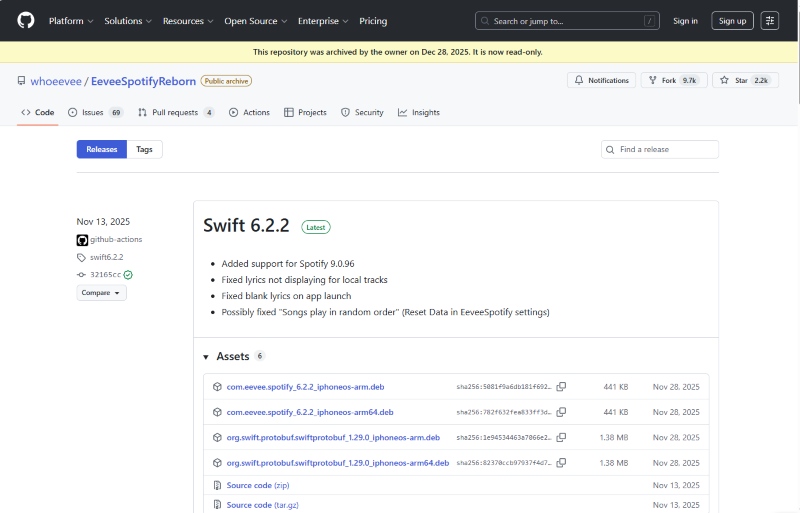
Because Eevee Spotify is not available on the App Store or Google Play, installation requires manual sideloading.
Step 1 Download the IPA File
Go to the EeveeSpotifyReborn releases page on GitHub (https://github.com/whoeevee/EeveeSpotifyReborn/releases) and download the latest available IPA file to your computer or device.
Step 2 Install via a Sideloading Tool
Use a sideloading tool such as AltStore (install directly on your iPhone via the AltStore app) & Sideloadly (install from a Windows or macOS computer via a USB connection). Open the tool, select the downloaded IPA file, and start the installation process.
Step 3 Trust the App Profile
Go to Settings > General > VPN & Device Management. Find the Apple ID profile used for installation. Tap Trust. After that, you can open Eevee Spotify and log in with your Spotify account.
Part 2 Five Alternatives to Eevee Spotify
AudiCable Spotify Music Converter — Safest Alternative
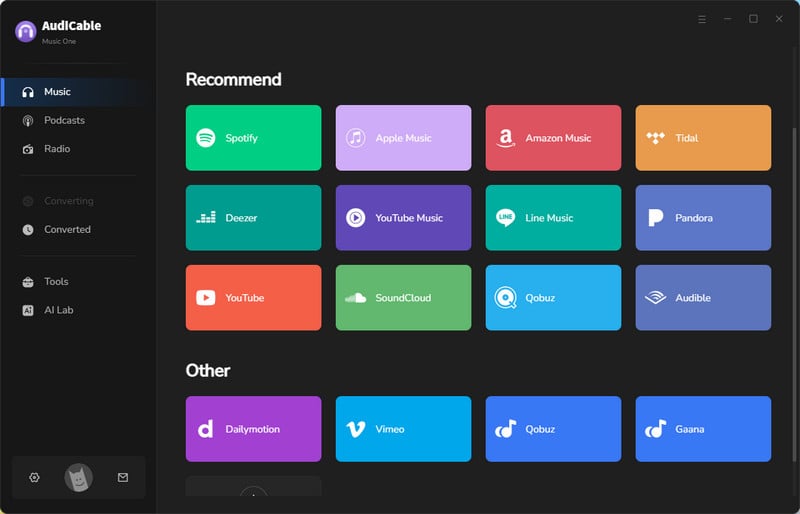
If stability and offline access matter most, AudiCable Spotify Music Converter stands out. Unlike modified streaming apps, AudiCable Audio Recorder is a desktop application that downloads and converts Spotify music into permanent audio files. Because it operates independently from patched builds, it's far less affected by Spotify app updates.
Its high-efficiency conversion engine allows Spotify tracks to be converted into MP3, AAC, WAV, FLAC, AIFF, or ALAC while preserving original sound quality and ID3 metadata. With support for batch conversion of songs, playlists, albums, podcasts, and audiobooks, AudiCable offers a practical and flexible solution for building a stable, high-quality offline music library.
Site: https://www.audicable.com/
✅Key Advantages:
- Ad-free, safe, and easy-to-use interface.
- Download Spotify songs, albums, playlists, podcasts, and videos in batches.
- Lightning-fast downloads — up to 10× faster than usual.
- Preserve full original audio quality with support for Spotify Lossless FLAC (up to 24-bit).
- Preserve all song details automatically: lyrics, album art, title, artist, track number, and others.
- Convert tracks to MP3, AAC, WAV, FLAC, AIFF, or ALAC as needed.
- Supports Spotify Free and Premium accounts.
- Integrate Format Converter, ID3 Editor, AA/AAX converter, CD Burner, Audio Editor, and Vocal Remover.
- Free updates and responsive customer support.
⚠️ Considerations:
- Users can try a one-minute preview of each track, and a subscription is needed to unlock full access.
📂 Top Eevee Spotify Alternative: Convert Spotify Songs to MP3 Easily
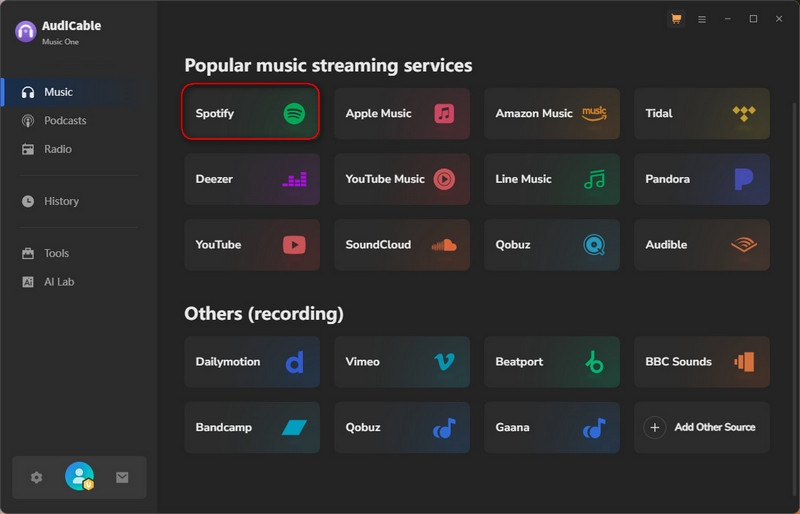
Step 1 Choose Music Platform and Download Mode
Install and launch the AudiCable program on your computer. You'll see various streaming service icons in the selection list. Choose to convert from "Spotify" here.
Step 2 Set up Output Parameters
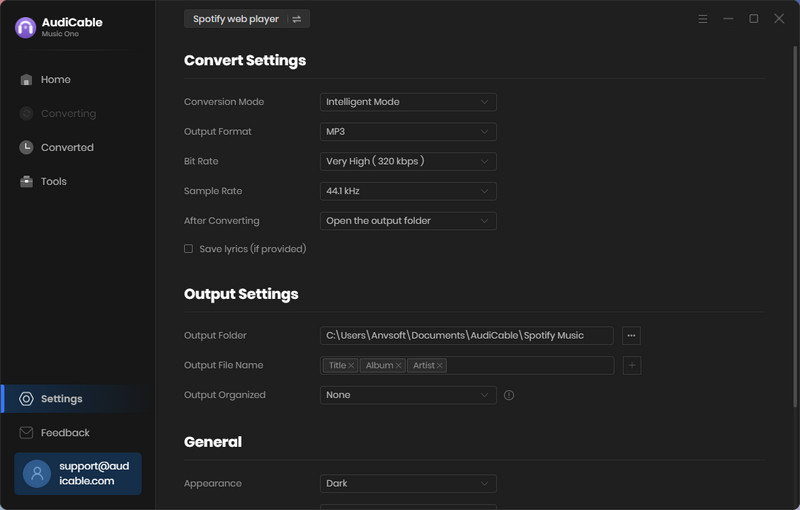
Press "Settings" in the bottom left corner, then select the output format and other custom parameters. Here, we'll use MP3 output as an example.
Step 3 Add Spotify Music to AudiCable
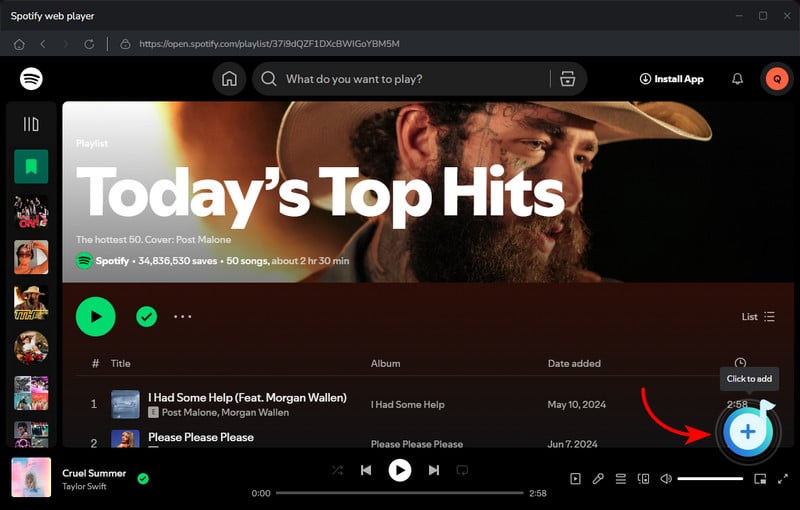
Drag and drop the tracks directly from the Spotify app into AudiCable. Or simply copy the link of the song and paste it into AudiCable's URL box. Select the tracks you want to download and click Add.
Step 4 Convert Spotify Music to MP3 without Premium
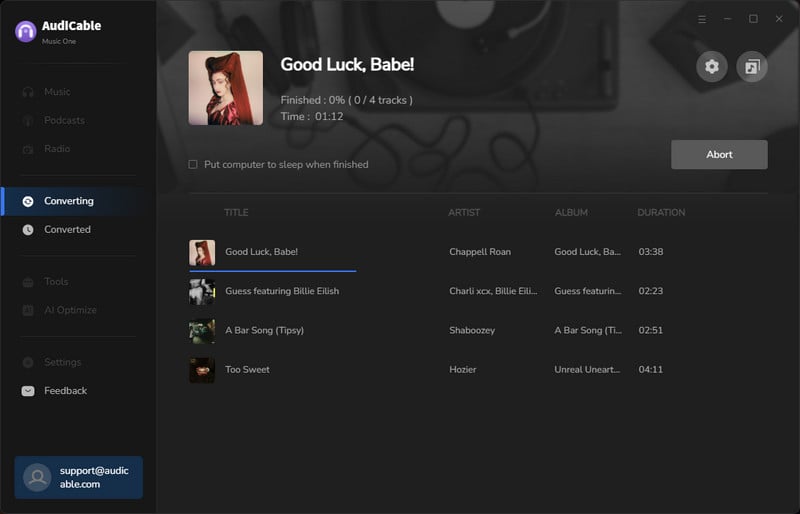
Click "Convert" to begin downloading the Spotify songs as MP3 files. AudiCable will record each track automatically. You can stop the process anytime with Abort if needed.
Step 5 Check Downloaded MP3 Files
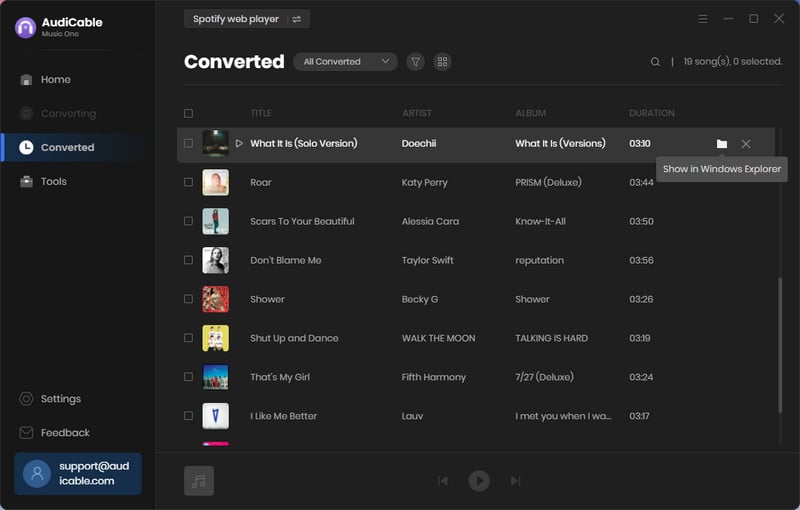
Once finished, go to "History". Click the folder icon next to any track to open the location where your downloaded Spotify songs are stored as MP3 files.
Note: You can only convert the first 1 minute of each audio with the free trial version. Please buy the full version to unlock its limits.
Spotify++
Spotify++ is a modified version of the official Spotify iOS app. Instead of being downloaded from the App Store, it is shared as an IPA file on GitHub or other third-party platforms and installed manually on an iPhone or iPad using tools such as AltStore or Sideloadly. It is adjusted to bypass some of the restrictions placed on free accounts, giving users access to features that resemble parts of the Premium experience while retaining Spotify's familiar interface and layout.
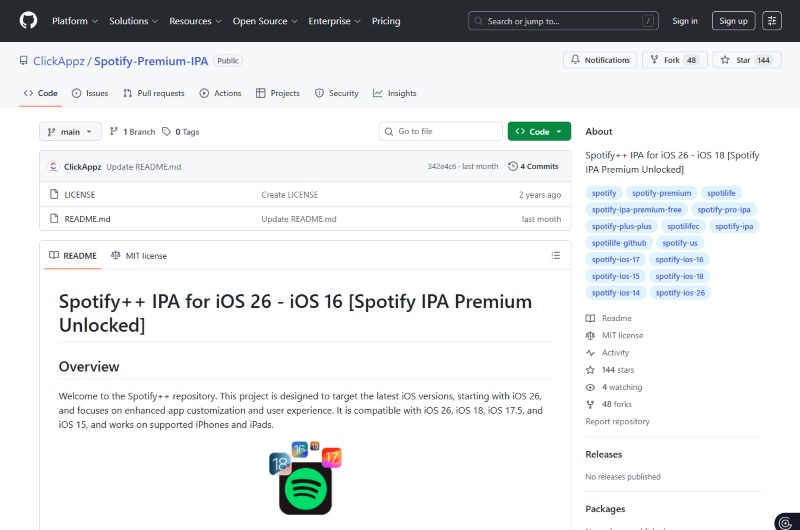
Site: https://github.com/ClickAppz/Spotify-Premium-IPA?
✅Key Advantages
- Installed by sideloading the IPA file onto an iPhone or iPad without paying.
- Works within Spotify's user interface, so the experience feels native.
- Supports many Premium tier features like ad‑free playback and unlimited skips without paying.
⚠️ Considerations
- Become unstable or stop functioning after official Spotify updates.
- Offline downloads and other server‑side features are generally unavailable.
- Potential security risks include malware or credential theft.
SpotveeC
SpotveeC is a GitHub project that offers ready‑to‑install IPA files built around the EeveeSpotify tweak for iOS. In simple terms, it takes the official Spotify app, injects the EeveeSpotify patch to remove ads and skip limits, and packages it so users can sideload it onto an iPhone or iPad using tools like AltStore or Scarlet.
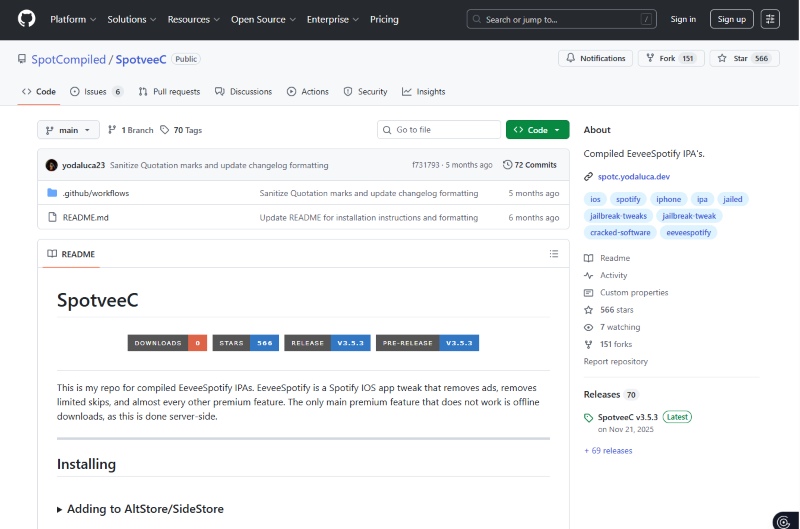
Site: https://github.com/SpotCompiled/SpotveeCv
✅Key Advantages
- Regularly updated builds to stay compatible with the latest Spotify versions.
- Core Premium-like features enabled, including ad removal and unlimited skips.
⚠️ Considerations
- No server-verified offline downloads.
- Vulnerable to Spotify updates.
- Sideloading risks remain.
SpotC++
SpotC++ is an all‑in‑one modified Spotify IPA that combines EeveeSpotify with additional tweaks such as Sposify into a single build. Its key strength lies in its feature depth. In addition to ad removal and unlimited skips, it brings together multiple quality-of-life enhancements in a single build, making it one of the most feature-rich Spotify mods available on GitHub.
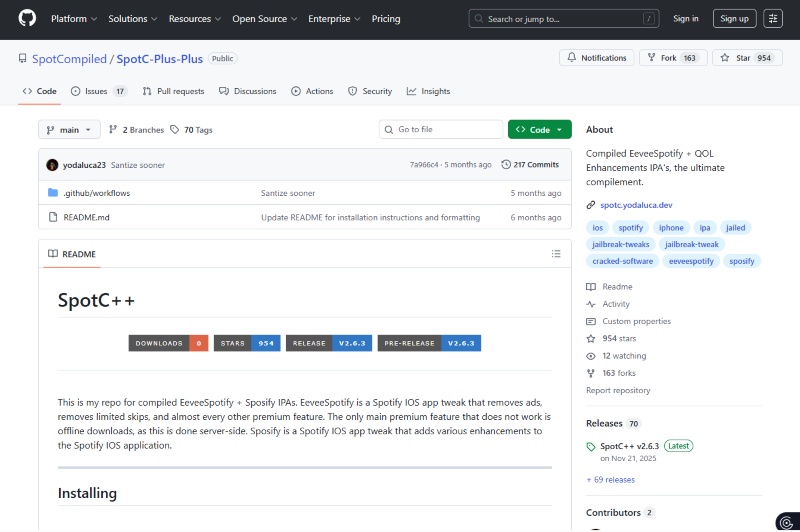
Site: https://github.com/SpotCompiled/SpotC-Plus-Plus
✅Key Advantages
- Combines EeveeSpotify with additional enhancements.
- Regularly updated to align with new Spotify versions and tweak improvements.
- Supports optional integrations.
⚠️ Considerations
- May experience reduced stability due to multiple bundled modifications.
- Certain features may not function consistently and could require manual troubleshooting.
- Carries potential account suspension and security risks.
SpotilifeC
SpotilifeC is a compiled IPA built around the older Spotilife tweak, one of the earliest Spotify mod projects. It focuses on removing ads and lifting basic playback restrictions to deliver a simple Premium‑style experience. However, because the tweak predates EeveeSpotify and receives fewer updates, it often falls behind in compatibility and feature support compared to newer builds.
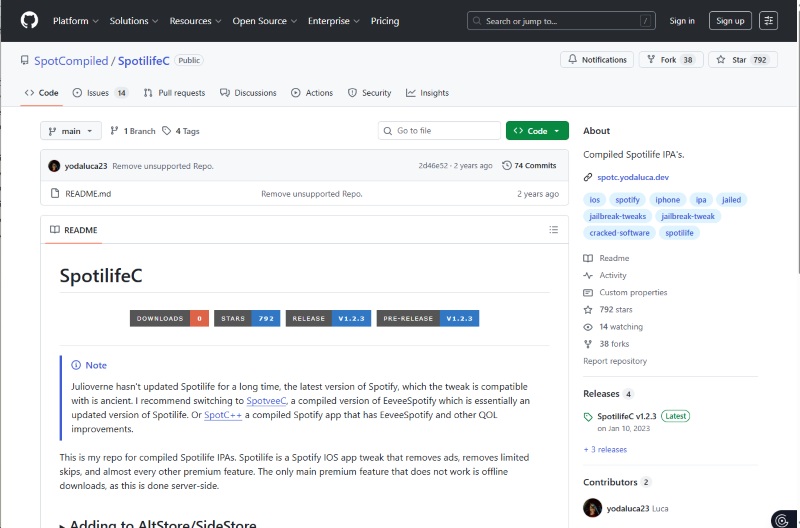
Site: https://github.com/SpotCompiled/SpotilifeC
✅Key Advantages
- Delivers essential Premium-style features.
- Open-source GitHub project with support for installation via common sideloading tools.
- Simple and lightweight build, suitable for users who prefer basic tweaks.
⚠️ Considerations
- Limited updates in recent years, which may reduce compatibility with newer Spotify versions.
- Certain playlists and playback functions may be unstable or inconsistent.
- Limited long-term reliability.
📊 Part 3 A Side-by-Side Comparison
The following table briefly summarizes the highlights and differences among Eevee Spotify and its alternatives. Check it out!
| Feature / Tool | ⭐ AudiCable Audio Recorder (Recommended) | 🎧 Eevee Spotify | 🎧 Spotify++ | 🎵 SpotveeC | 🎼 SpotC++ | 🎶 SpotilifeC |
|---|---|---|---|---|---|---|
| Install Type | Desktop app (Win & Mac) | IPA sideload | IPA sideload | IPA sideload | IPA sideload (multi-tweak) | IPA sideload (older tweak) |
| Update Support | ✅ Official & regularly update | ⚠️ Version-dependent | ⚠️ Patch-based | ⚠️ Patch-based | ⚠️ Regularly updated (patch-based) | ❌ Rare updates |
| Offline Playback | ✅ Yes, permanent files | ❌ No | ❌ No | ❌ No | ❌ No | ❌ No |
| Audio Formats | ✅ MP3/AAC/WAV/FLAC/AIFF/ALAC | ❌ Streaming only | ❌ Streaming only | ❌ Streaming only | ❌ Streaming only | ❌ Streaming only |
| Batch Download | ✅ Yes | ❌ No | ❌ No | ❌ No | ❌ No | ❌ No |
| Ad-Free | ✅ Yes | ✅ Yes | ✅ Yes | ✅ Yes | ✅ Yes | ✅ Yes |
| Stability | ✅ High | ⚠️ Moderate | ⚠️ Moderate | ⚠️ Moderate | ⚠️ Lower | ⚠️ Moderate |
| Best For | Offline music library & high-quality downloads | Free Premium-like streaming | Free Premium-like streaming | Simple ad-free tweaks | Power users with multiple tweaks | Lightweight basic tweaks |
FAQs about Spotify Video Downloader
💬 Q1: What is the difference between Eevee Spotify IPA and Eevee Spotify APK?
The difference mainly depends on your device: Spotify IPA is used for iPhone and iPad (iOS), while Spotify APK is used for Android devices. Both versions aim to modify playback restrictions, but installation methods and compatibility depend on the operating system.
💬 Q2: Does Eevee Spotify stop working after updates?
Sometimes. Because it depends on patched app versions, official Spotify updates may break compatibility. Users may need to reinstall or wait for a new release. Stable desktop solutions like AudiCable Audio Recorder are maintained independently and are less affected by app-side changes.
💬 Q3: What is the best Eevee Spotify alternative in 2026?
The best option depends on your needs: If you want premium-style streaming for free, modified app versions may suit you; If you want stable performance and permanent offline music files, AudiCable Music One is a more dependable long-term choice.
💬 Q4: Any precautions when using Eevee Spotify and its IPA alternative?
Yes. The Eevee Spotify apk, Eevee Spotify ipa, and other modified builds like Spotify++ or SpotC++ come from third‑party sources, not official app stores.
Users should note:
- ⚠️ Security and file integrity cannot be guaranteed.
- ⚠️ Modified apps may pose privacy risks if logging in with your account.
- ⚠️ Use of IPA files may violate Spotify's terms of service.
Disclaimer:
- All these methods are for personal or educational use only.
- You should not use this tool to distribute music or for business.
The End
Eevee Spotify remains popular among users seeking unlocked playback features. However, its reliance on patched builds means performance and stability can change at any time. If you prefer convenience and are comfortable with sideloading, alternatives like Spotify++, SpotveeC, or SpotC++ may work temporarily. But if you want consistent performance, permanent offline access, and high-quality audio files, AudiCable Spotify Music Converter is a powerful Eevee Spotify alternative worth considering.
Ultimately, the right choice depends on how you listen to music—streaming flexibility or long-term reliability.
Get the best AudiCable Spotify Music Converter now!!

