


AudiCable Audio Recorder
Spotify++ Review 2026: Is It Safe? Best Alternatives

By
Updated on: October 15, 2026
Category: Spotify Music Tips
Although Spotify Premium includes ad-free listening, offline downloads, and high-quality audio, its subscription fee may be a barrier. As a result, some users choose Spotify++, an altered version offering some premium benefits without a subscription. But is Spotify++ really worth trying? Does it still work in 2026? More importantly, is Spotify++ safe to download and install?
This review will assess Spotify++'s features, installation, and safety, alongside its alternatives for streaming and local audio file saving.
✨ Looking for a Safer Alternative to Spotify++?
Skip the risks of modified Spotify apps. With AudiCable Spotify Music Converter, you can save Spotify tracks as MP3, FLAC, and other popular formats for offline listening—no unofficial Spotify APK required.
Part 1 What Is Spotify++?
Spotify++ is an unofficial modified version of Spotify. It promises to give you some premium features for free, which include listening to your favorite songs without any advertisements, unlimited skips, on-demand playback, and high-quality audio. This application is more preferred by those who love sideloading apps on their Android devices or using unofficial install methods on their iPhones, as it gives them a chance to personalize their app experience. Of course, this modified app also has some limitations, which we will discuss later.
What features does Spotify++ typically offer?
- Ad-Free: Reduces or removes ads while listening to music.
- Unlimited Skipping: No limit on the number of skips, unlike the free version.
- Free Song Selection: Select and play specific songs directly.
- Selected Premium Features: Depends on the modified version.
⚠️Note: Offline downloads and high-quality playback usually can't be unlocked by modifying the app, which means that in Spotify++, these advanced features may not work as expected.
Spotify++ vs. Spotify Premium: What's the Difference?
| Feature | Spotify++ | Spotify Premium |
|---|---|---|
| Price | Usually free | Paid subscription |
| Ad-Free Music | Yes | Yes |
| Unlimited Skips | Yes | Yes |
| On-Demand Playback | Yes | Yes |
| Offline Downloads | Generally unavailable | Yes |
| Premium Audio Quality | Not guaranteed | Yes |
| Lossless Streaming | Not reliably unlocked | Supported |
| Automatic Official Updates | No | Yes |
| Long-Term Reliability | Uncertain | Generally stable |
The Key Difference:
Spotify Premium provides account-level access to its paid features, while Spotify++ only modifies parts of the application.
Part 2 Spotify++ Review: Does It Really Work in 2026?
Spotify++ can work, but it is not a reliable replacement for Spotify Premium. Some modified versions may unlock features such as ad-free playback and unlimited skips, but results vary by build and device. Installation can also be complicated, and the app may stop working when Spotify updates its service or revokes the signing certificate used to install it.
In short, Spotify++ may offer some premium-like features without a subscription, but it comes with compatibility and reliability issues. Whether it works for you depends on the specific version and your device.
Pros and Cons of Spotify++
😀 Advantages:
- Typically available without a subscription fee.
- Some versions can remove or reduce ads.
- May offer flexible playback controls.
- Can provide selected premium-like listening features.
☹️ Disadvantages:
- Not officially supported by Spotify.
- Potential security and privacy risks.
- May stop working after Spotify updates.
- Official offline music downloads are unavailable.
- Premium audio quality is not guaranteed.
Verdict: Spotify++ may be attractive for casual experimentation, but these drawbacks make it a less dependable choice for everyday music listening.
Which Devices Support Spotify++?
Spotify++ is primarily designed for mobile devices. On Android, it is typically distributed as a modified APK that may run on compatible Android phones and tablets. On iOS, it’s installed through sideloading tools like AltStore, Sideloadly, or TrollStore and can run on compatible iPhones and iPads. It is not available on the official App Store or Google Play. Also, there’s no official desktop version for Windows or Mac. So if you want to use Spotify++, you’ll need an Android or iOS device and be comfortable with unofficial installation methods.
Part 3 How to Download and Install Spotify++?
Spotify++ is typically distributed as a modified APK for Android or an IPA for iOS. Neither of these versions comes from Spotify’s official app store, so you should exercise extra caution when installing them. The steps below outline the general process for each platform.
Installing Spotify++ on iPhone or iPad
iOS users generally need to sideload an IPA file. The typical process involves:
Step 1: Check the device's iOS or iPadOS version.
Step 2: Choose a sideloading tool, such as AltStore or Sideloadly.
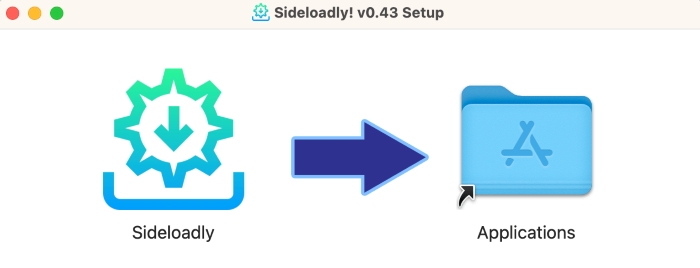
Step 3: Obtain an IPA package from a source you can verify.
Step 4: Review the signing requirements and check for unexpected configuration profiles or permission requests.
Step 5: Install the app and check whether it launches correctly.
⚠️ Note: Sideloaded apps may require periodic re-signing or refreshing—often every seven days with a free Apple ID. Importantly, using a legitimate sideloading utility does not make an unofficial Spotify++ package safe.
Installing modified Spotify apps on Android
Android users will often find APK packages advertised as Spotify Premium APK or Spotify Mod APK. These packages are typically installed outside Google Play. The typical process involves:
Step 1: Check your Android version and the APK's compatibility requirements.
Step 2: Enable "Install from unknown sources" in your device settings.
Step 3: Download the APK from a source you can verify.
Step 4: Review the permissions it requests before installing.
Step 5: Install the APK and check whether it launches correctly.
⚠️ Note: Avoid packages that request excessive permissions or ask you to disable security protections.
Part 4 Is Spotify++ Safe to Use?
Spotify++ is not considered safe to use. It is unofficial software from an unverified source, so there is no way to know what is included in the build you are installing. Not every mod is malicious, but the risk is very real.
Malware and Privacy Risk: Spotify++ is often distributed through third-party websites or unofficial app stores. These downloads may contain malicious code, trackers, or unwanted software that could compromise your device or personal data.
Account Security: Some modified apps may attempt to collect login credentials or other sensitive information. Entering your Spotify password in an untrusted app could put your account at risk.
Account Restrictions: Spotify's terms of service prohibit unauthorized modifications to its software. Using Spotify++ may violate these terms and could result in account restrictions or suspension, though enforcement is not guaranteed.
Updates and Compatibility: Unofficial builds do not receive official security patches, and mods that work today may stop working after Spotify updates its authentication or API systems.
If Spotify++ stops working, downloading another unknown modified package may introduce additional security risks without solving the original issue. For a more predictable experience, consider the alternatives below.
Part 5 4 Spotify++ Alternatives in 2026
The best Spotify++ alternative depends on what you actually want to achieve. Some users simply want free music streaming. Others want official ad-free playback, greater customization, or the ability to save music for offline use. Here are five options worth considering.
AudiCable Spotify Music Converter — Best for Saving Music Offline
Best for: Users who want to save supported streaming music as local audio files and manage their offline music collections.
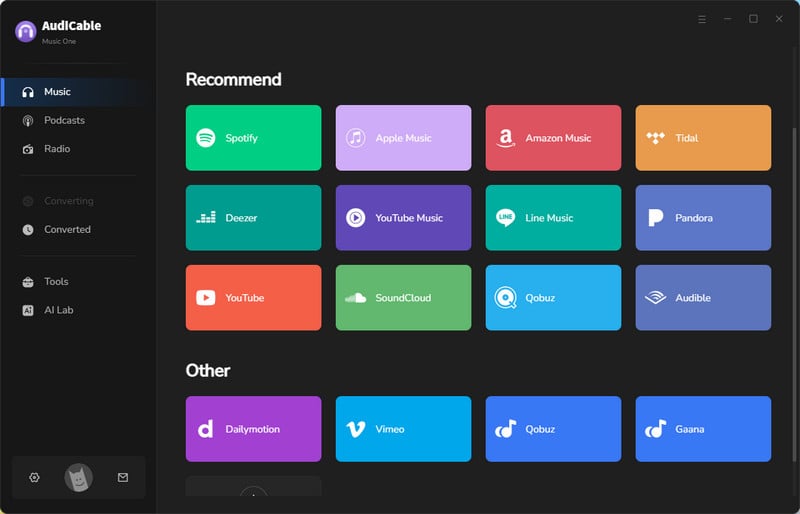
If your main goal is to save Spotify tracks as local audio files, AudiCable Spotify Music Converter can do what Spotify++ cannot. Unlike Spotify++, which modifies the mobile app, AudiCable is a desktop tool that can convert Spotify music to MP3, FLAC, WAV, AAC, AIFF, or ALAC—without requiring a Spotify Premium subscription. Unlike Spotify’s premium features, AudiCable focuses on saving and managing audio files.
Site: https://www.audicable.com/
😀 Advantages:
- Works with both Spotify Free and Premium accounts.
- Saves music as standard audio files in MP3, AAC, FLAC, WAV, AIFF, and ALAC formats.
- Preserves ID3 tags and album artwork.
- Supports batch downloads at up to 10× speed.
- Includes extra tools such as a Format Converter, CD Burner, ID3 Editor, and Audio Editor.
- Offers free updates and immediate customer support.
- Supports other music platforms, including but not limited to Apple Music, Amazon Music, Tidal, and others.
☹️ Considerations:
- Paid software, although a free trial is available.
- Desktop only, with support for Windows and Mac but no mobile app.
📂 How to Save Spotify Music with AudiCable
Step 1 Download and install AudiCable Spotify Music Converter on your Windows PC or Mac. Launch the software and select Spotify from the supported music services.

Step 2 Open Settings, and choose your preferred output format, quality settings, and destination folder.

Step 3 Add the songs, albums, or playlists you want to convert.

Step 4 Hit “Convert” to start the conversion process.

Step 5 Tap the “History” tab on the left, then click the output folder icon to the right of the song to locate the converted file.

Step 6 Quality Test: The audio quality of the downloaded files matched the selected settings.

Verdict: AudiCable is a useful alternative for users whose priority is saving songs as local audio files rather than modifying Spotify to remove advertisements.
Spotify Premium — Best Official Alternative
Best for: Users who want the complete official Spotify listening experience.
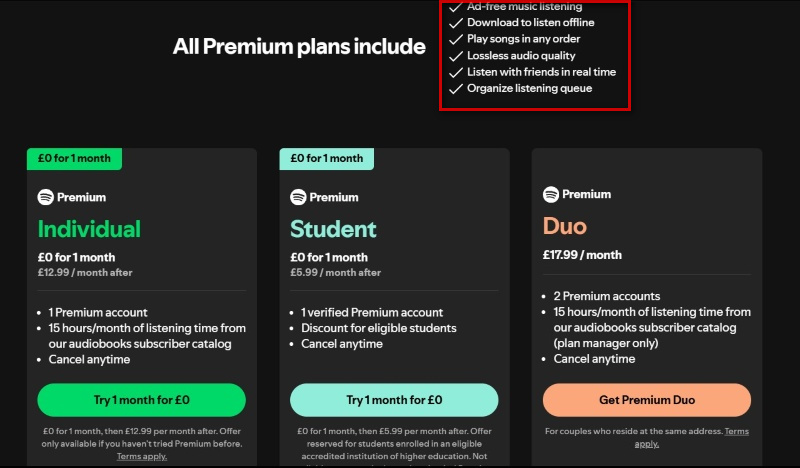
Spotify Premium is the most straightforward official alternative for users who want the features Spotify++ aims to offer. With a formal Premium subscription, users can listen to music without ads and download songs for offline listening. Playback control is also included. Users can also use Spotify Jam to listen to music together with friends in real time. Spotify Premium also supports lossless audio streaming on compatible devices and for eligible content.
Site: https://www.spotify.com/premium/
😀 Advantages:
- Official Spotify service with regular updates and full account support.
- Ad-free listening across all devices.
- In-app offline downloads for songs, albums, playlists, and podcasts.
- Unlimited skips, on-demand playback, and full playback controls.
- High-quality audio up to 320 kbps, plus lossless streaming where available.
☹️ Considerations:
- Offline downloads stay locked inside the Spotify app—you can't export them as MP3 files.
- Download access requires an active subscription and depends on content availability, which can vary by region.
Verdict: Spotify Premium is the safest choice if you want an official, fully supported Spotify listening experience without relying on modified applications.
SpotX — Best for Spotify Ad Blocking on Windows
Best for: Windows users who want to block ads and customize Spotify's desktop experience.
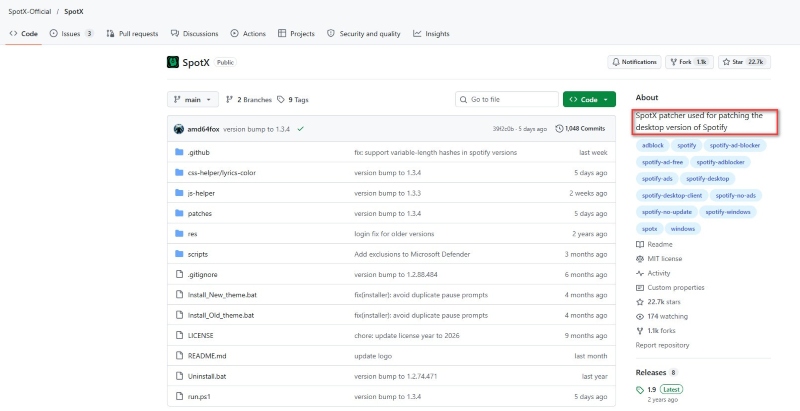
SpotX is a third-party patching tool for the Spotify Windows desktop client. According to its GitHub documentation, it can block banner, video, and audio ads, with optional interface tweaks and themes. However, SpotX is not an official Spotify product and does not provide genuine Premium account access or unlock all Premium features.
Project page: https://github.com/SpotX-Official/SpotX
😀 Advantages:
- Blocks ads in supported versions of the Spotify Windows desktop client.
- Offers optional UI themes and interface customizations.
- Provides publicly available documentation on GitHub.
☹️ Considerations:
- Windows desktop only.
- Modifies the Spotify desktop client and is not endorsed by Spotify.
- Does not unlock official offline downloads or Premium audio features.
- Carries potential security and compatibility risks.
Verdict: SpotX is worth considering if your main goal is to block ads in Spotify on Windows. It does not provide free Spotify Premium or guarantee continued compatibility with Spotify updates.
EeveeSpotify — Best for Premium-Like Features on iOS
Best for: iOS users interested in Spotify features beyond the standard free experience.
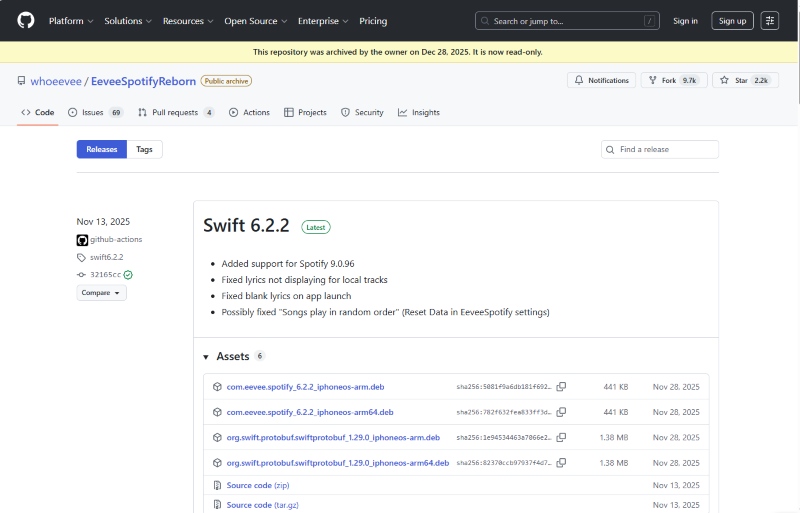
EeveeSpotify is a third-party tweak for the Spotify iOS app. It is designed to enable select premium-like features, such as ad-free listening and unlimited skips, and supports custom lyrics from providers like Genius, LRCLIB, and Musixmatch. However, it requires sideloading and does not unlock every premium feature, as some features are controlled on the server side.
Project page: https://github.com/whoeevee/EeveeSpotifyReborn
😀 Advantages:
- Free and open-source project.
- Offers ad-free listening and unlimited skips, depending on the build.
- Supports custom lyrics from providers such as Genius, LRCLIB, and Musixmatch.
☹️ Considerations:
- Requires IPA sideloading, which can be complicated and carries security risks.
- Cannot unlock some server-side features, such as Spotify Jam, AI DJ, and Spotify Connect.
- May break after Spotify updates and is not officially supported by Spotify.
Verdict: EeveeSpotify is a free but limited iOS sideload for users who want some Premium-like features without paying.
📊 Spotify++ vs. Alternatives: Final Comparison
Now that we've covered the options, here's a quick comparison to help you choose the right Spotify++ alternative.
| Tool | Main Purpose | Ad-Free Spotify Playback | Local Music Files | Batch Processing | ID3 Tags & Artwork | Audio Quality |
|---|---|---|---|---|---|---|
| Spotify++ | Modified Spotify experience | Possible, depending on version | Generally no | Not a core feature | Version-dependent | Premium quality not guaranteed |
| AudiCable Spotify Music Converter | Music conversion and local library management | Not a Spotify ad blocker | Yes | Yes, up to 10× speed | Yes | Supports downloading Spotify lossless audio |
| Spotify Premium | Official Premium streaming | Yes, for music | No direct audio-file export | No direct file conversion | Managed within Spotify | High quality; lossless where available |
| SpotX | Windows Spotify ad blocking | Yes, on supported desktop versions | No | Not applicable | No | Depends on Spotify's available settings |
| EeveeSpotify | Modified Spotify experience on iOS | Possible, depending on version | Generally no official downloads | Not a core feature | Custom lyrics support | Higher-tier audio quality not guaranteed |
Key Takeaways
- Best Official Option: Spotify Premium
- Best for Windows Ad Blocking: SpotX
- Best for iOS Premium-Like Features: EeveeSpotify
- Best for Saving Spotify Music as Audio Files: AudiCable
Part 6 FAQs About Spotify++
💬 Q1: Does Spotify++ support Spotify Connect, CarPlay, or Android Auto?
No. Due to authentication checks, Spotify++ may have compatibility issues with these features. For stable playback across different devices, the official Spotify app is a better choice.
💬 Q2: How do I fix Spotify++ if it stops working after a Spotify update?
In most cases, you won't be able to do that. Every time Spotify updates, it breaks the mod until a new version is released. Reinstalling might help temporarily, but it's a never-ending cycle. Spotify premium or dedicated converters are more stable.
💬 Q3: Are there any ways to get Spotify Premium for free?
Yes! You can try free trials, student promotions, or partner offers. Check out our guide: 10 Ways to Get Spotify Premium for Free.
However, once your premium subscription ends, Spotify downloads will no longer be available. If you want to save music as local files, AudiCable Spotify Music Downloader allows you to save supported Spotify tracks, albums, and playlists as local files while preserving ID3 tags and album art.
Disclaimer:
- All these methods are for personal or educational use only.
- You should not use this tool to distribute music or for business.
The End
Spotify++ might save you a subscription fee, but its unstable features and security risks could cause more trouble than it’s worth. Spotify Premium offers peace of mind, while SpotX and EeveeSpotify are better suited for users looking for specific modifications. If you’d rather save your favorite tracks as local files, AudiCable Spotify Music Converter supports lossless audio downloads and batch conversion.
If you find Spotify++ too limited, AudiCable Spotify Converter offers a smoother and more reliable alternative.

